Kling 3.0 Pro Motion Control transfers movement from a reference video onto a static image or character with high physical accuracy. It functions as an AI directing tool that synchronizes character animation, object interaction and camera motion into stable, cinematic sequences. Kling 3.0 Pro Motion Control allows creators to produce multi shot, scene aware AI videos with consistent character identity, realistic physics and smooth temporal stability. It offers structured motion control for professional storytelling and branded productions rather than simple text to video output.
Kling 3.0 Pro Motion Control features include full body and facial fidelity, temporal stability, layered control, targeted movement, precise lip sync, video element references and multi character coordination. Kling 3.0 Pro Motion Control spans cinematic camera work, virtual influencers, gaming characters, physics based action scenes, corporate training modules and multi shot editing workflows.
Kling 3.0 Pro Motion Control pricing ranges from about $37 to $180 per month, though VosuAI offers cost effective monthly subscription options. Kling 3.0 Pro Motion Control is accessible through its official site or all in one content creation operating systems like VosuAI. Kling 3.0 Pro Motion Control can be used through VosuAI by upgrading to a paid plan, uploading a motion reference video and a target image, generating results and then downloading clips.
What is Kling 3.0 Pro Motion Control?
Kling 3.0 Pro Motion Control is the advanced motion system inside the Kling AI video generation platform that gives precise control over how characters move and how shots are framed in AI‑generated videos. It was developed by Kuaishou and launched on 14 February 2026 as part of Kling 3.0. It takes motion instructions or reference clips and turns them into stable, physics aware character and camera movement across multi‑shot and scene based generation, so sequences look consistent and cinematic.
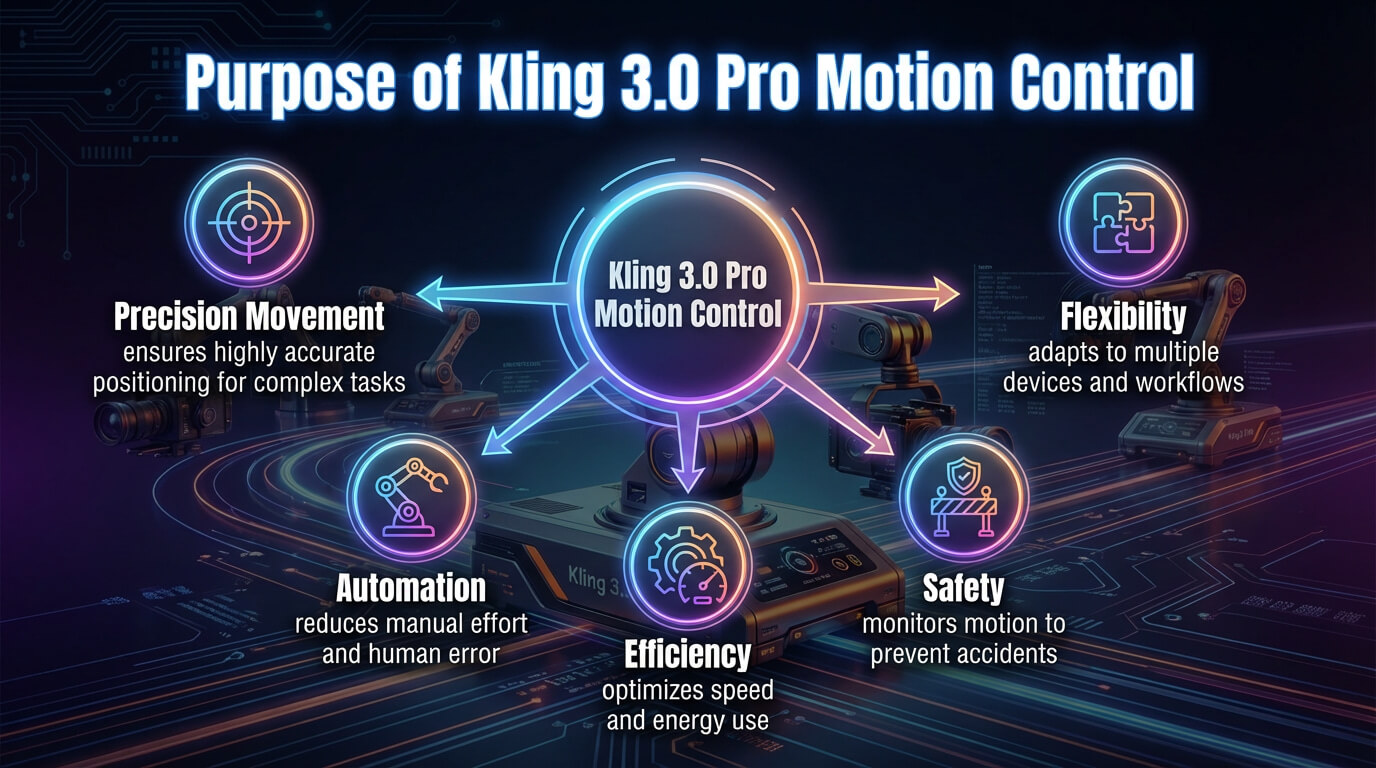
Kling 3.0 Pro Motion Control is visualised below.
What are the features of Kling 3.0 Pro Motion Control?
The features of Kling 3.0 Pro Motion Control include full body and facial fidelity, temporal stability, static brush, layered control, camera movement synergy, multi shot consistency and video element references.
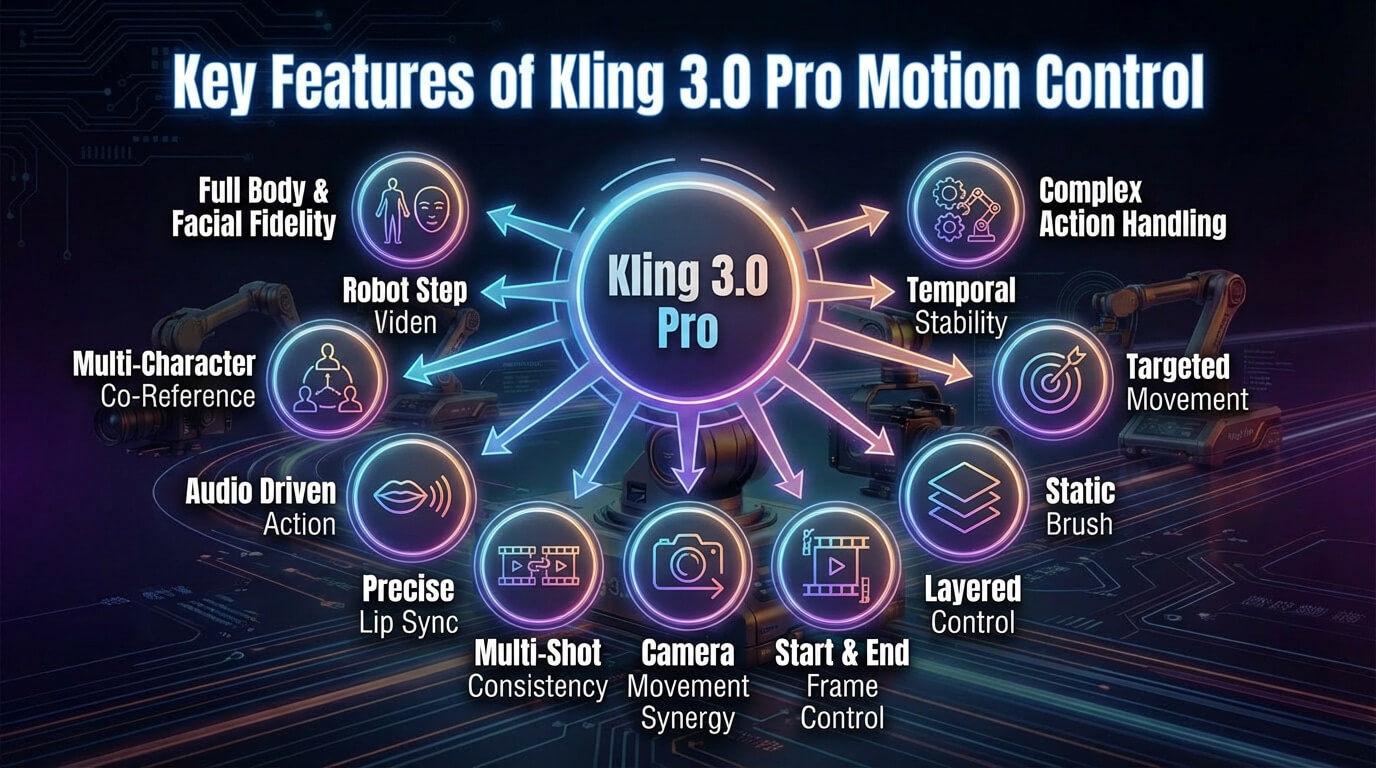
The key features of Kling 3.0 Pro Motion Control are given below.
- Full body and facial fidelity: Kling 3.0 Pro Motion Control tracks limbs, expressions and micro gestures so characters move naturally without breaking identity, proportions or visual continuity.
- Complex action handling: Kling 3.0 Pro Motion Control handles long, fast and layered performances like dance, stunts and fight choreography while maintaining readable, physically grounded motion.
- Temporal stability: Kling 3.0 Pro Motion Control maintains temporal stability across frames, which reduces flicker, warping and random deformations during intense motion or rapid camera changes.
- Targeted movement: Kling 3.0 Pro Motion Control focuses precise action transfer on specific subjects or regions, which keeps the rest of the scene stable and visually balanced.
- Static brush: Kling 3.0 Pro Motion Control locks selected areas with a static brush so backgrounds, props or body parts remain fixed during motion transfer.
- Layered control: Kling 3.0 Pro Motion Control provides layered control over character motion, background behavior and camera movement for flexible, director level creative adjustments.
- Start and end frame control: Kling 3.0 Pro Motion Control defines clear start and end frames to shape how shots begin, transition and resolve within structured sequences.
- Camera movement synergy: Kling 3.0 Pro Motion Control synchronizes subject movement with pans, tilts and tracking shots to maintain cinematic composition and spatial clarity.
- Multi-shot consistency: Kling 3.0 Pro Motion Control preserves character look and motion logic across multiple cuts to secure consistent storytelling in scene based sequences.
- Precise lip sync: Kling 3.0 Pro Motion Control aligns mouth shapes and facial expressions with dialogue or vocal tracks to deliver a precise, believable lip sync performance.
- Audio driven action: Kling 3.0 Pro Motion Control syncs movement timing to beats, rhythm or spoken cues to create responsive, audio driven performances.
- Video element references: Kling 3.0 Pro Motion Control interprets video element references so secondary characters, objects and environmental details influence scene behavior consistently.
- Multi-character co-reference: Kling 3.0 Pro Motion Control coordinates motion between multiple subjects to maintain accurate spacing, interaction dynamics and natural reactive timing within complex shots.
The key features of Kling 3.0 Pro Motion Control are visualised below.
What are the applications of Kling 3.0 Pro Motion Control?
The applications of Kling 3.0 Pro Motion Control include cinematic camera movements, film and storytelling shorts, character and motion consistency, virtual influencer and corporate training. These applications are focused on turning precise, physics aware motion transfer into polished, multi shot videos for professional content, marketing, storytelling and training.
The uses of Kling 3.0 Pro Motion Control are given below.
- Cinematic camera movements: Kling 3.0 Pro Motion Control allows cinematic camera movements in multi-shot scenes, which sync character motion with complex camera moves such as pans, zooms and shakes.
- Film and storytelling shorts: Kling 3.0 Pro Motion Control powers film and storytelling shorts, which lets creators build scene based sequences where characters, motion and framing stay consistent across cuts for narrative driven videos.
- Character and motion consistency: Kling 3.0 Pro Motion Control supports character and motion consistency, which keeps identity, style and movement logic stable from shot to shot so stories and brands feel continuous.
- Virtual influencer: Kling 3.0 Pro Motion Control allows virtual influencer content, which animates AI avatars or characters with realistic performances suitable for social posts, brand collabs and long running persona channels.
- Advertising and product demos: Kling 3.0 Pro Motion Control improves advertising and product demos, which delivers high fidelity advertising clips where presenters or mascots move smoothly around products, UI overlays or environments.
- Physics driven motion: Kling 3.0 Pro Motion Control creates physics driven motion, which makes actions like running, jumping, lifting or interacting with virtual objects feel weighty and believable.
- Multi-shot workflow and editing: Kling 3.0 Pro Motion Control optimizes multi-shot workflow and editing, which helps editors generate consistent multi-angle takes of the same performance that cut together seamlessly inside standard NLE timelines.
- Detailed physics simulation: Kling 3.0 Pro Motion Control allows detailed physics simulation for creative previs, concept videos or animated explainers where realistic body mechanics and physics grounded interactions are important.
- Corporate training: Kling 3.0 Pro Motion Control serves corporate training, which animates instructors or avatars that demonstrate procedures, safety steps or soft skill behaviors while keeping gesture emphasis consistent across modules.
- Gaming and virtual characters: Kling 3.0 Pro Motion Control improves gaming and virtual characters, which generate reference performances and promo clips for in-game heroes, NPCs or VTuber style personas with stable, expressive motion.
You can use VosuAI’s all in one content creation operating system for these applications. VosuAI offers a beginner friendly dashboard and workflow that helps creating professional quality videos and animations simply.
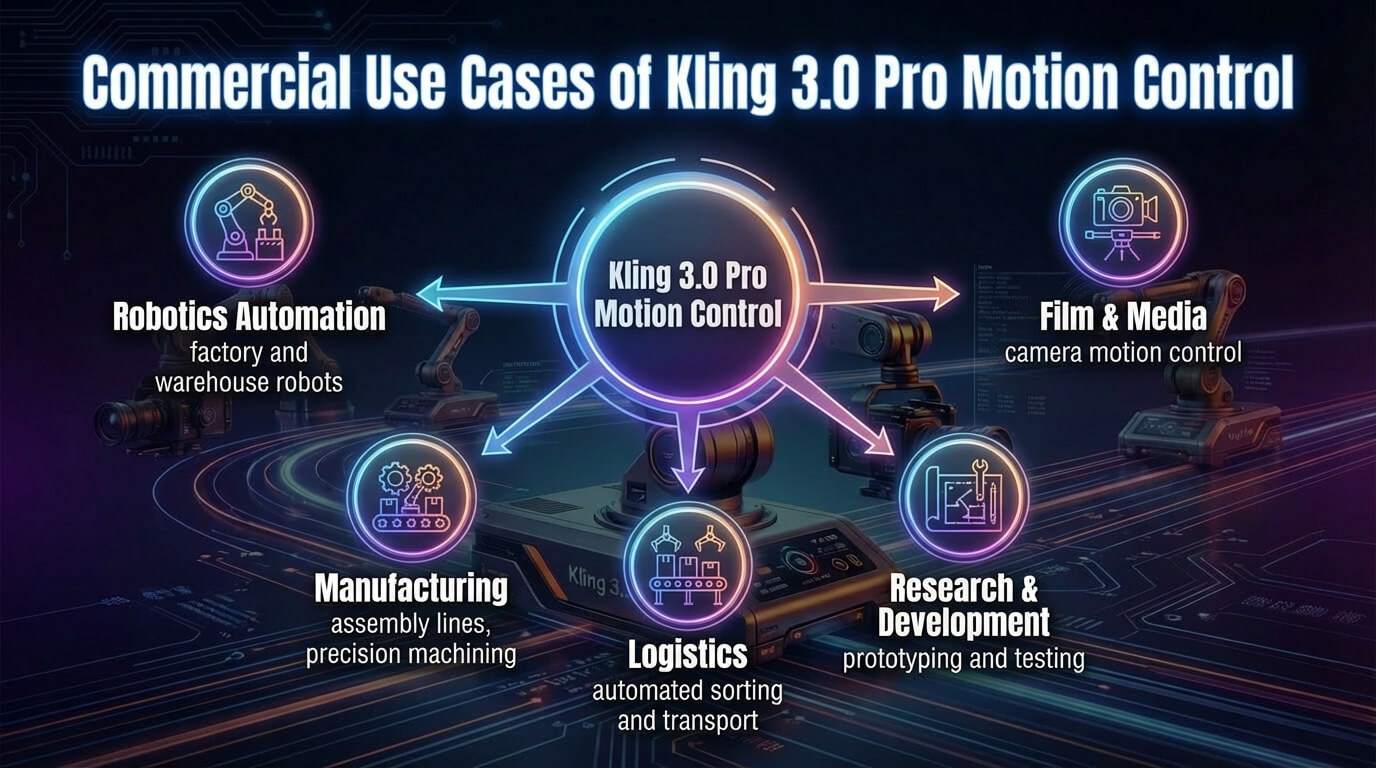
The commercial applications of Kling 3.0 Pro Motion Control are visualised below.
How much does Kling 3.0 Pro Motion Control cost?
Kling 3.0 Pro Motion Control costs between $37 and $180 per month, which depends on the subscription plan. Kling 3.0 Pro Motion Control monthly subscriptions include the pro plan, which costs $37 per month for 3,000 credits, the premier plan that costs $92 per month with 8,000 credits and the ultra plan that costs $180 per month with 26000 credits.
The pricing plans of Kling 3.0 Pro Motion Control are visualised below.
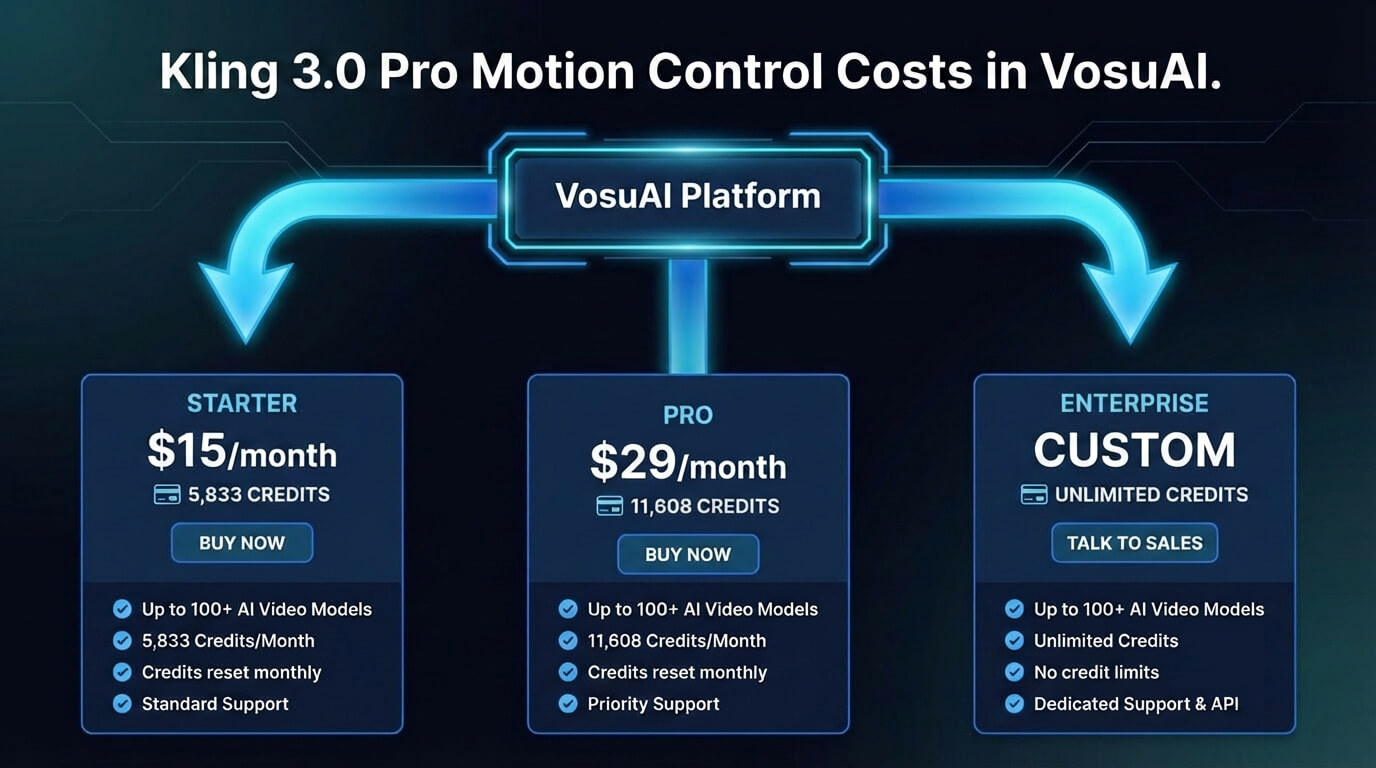
Kling 3.0 Pro Motion Control is also available through VosuAI, which offers credit based monthly subscription plans like starter, pro and enterprise. VosuAI pricing tiers start at 15 USD per month with 5833 credits, 29 USD per month with 11,608 credits for pro plan and the enterprise plan with customizable cost and credits. These credits allow users to use over 100 AI video models like Kling series, Sora series, Veo 3.1, alongside Kling 3.0 Pro Motion Control within one workflow.
How to access Kling 3.0 Pro Motion Control?
To access Kling 3.0 Pro Motion Control, you can go through the official global platform or VosuAI. You can visit the official Kling AI website by creating an account and upgrading to a pro or premier subscription. It unlocks advanced 3.0 video tools, which allow creators to generate motion videos.
Kling 3.0 Pro Motion Control is not available in many regions, but you can use it through VosuAI. VosuAI is a unified content creation platforms that let users access Kling 3.0 Pro Motion Control from anywhere in the world. It allows you to combine different engines within the same creative workflow.
How to use Kling 3.0 Pro Motion Control?
To use Kling 3.0 Pro Motion Control models, you have to go to VosuAI’s Motion Control to create your account, then upload a video, upload reference images, choose the output number, click generate and download the generated output.
6 steps to use Kling 3.0 Pro Motion Control through VosuAI are outlined below.
1. Go to VosuAI's Motion Control: Go to VosuAI’s and log in to your account, then open the AI Video section and choose the Kling 3.0 Pro Motion Control model from the Motion Control tools list.
2. Upload Video: Upload a video as your motion reference or select one from the library where the subject’s body and actions are clearly visible without heavy occlusion, extreme cuts or distracting camera shake within 3 to 30 seconds.
3. Upload reference image: Upload the reference image, choosing a sharp, well lit full body or half body shot where the framing matches your reference video for accurate motion transfer.
4. Choose output number: Choose output number to decide how many video variations you want, which balances creative exploration with your available credits and the time you want to spend reviewing results.
5. Click Generate Now: Click on generate now to start the Kling 3.0 Pro Motion Control job, where the reference video drives the motion while the system automatically handles lighting and style.
6. Download the generated output: Download the generated output from your VosuAI gallery once rendering finishes, review the clips and save the best versions for editing, posting or client delivery across your channels.
What are the tips for the best output using Kling 3.0 Pro Motion Control?
The tips for the best output using Kling 3.0 Pro Motion Control are given below.
- Start with shorter duration: Start with shorter duration to test motion, framing and cinematic language, then extend clips once you are happy with the behavior.
- Use high quality references: Use high quality references with clean, sharp, well lit footage and images to reduce artifacts and keep motion and details crisp.
- Ensure clear subject and motion: Ensure clear subject and motion, which avoids heavy occlusion, cluttered backgrounds or constant reframing that makes the action hard to read.
- Utilize start and end frames: Utilize start and end frames to think in sequences, shaping how each shot begins, resolves and connects in the timeline.
- Apply element references: Apply element references consistently so recurring props or characters reinforce consistent cinematic language across related shots.
- Use multi shot for continuity: Use multi shot for continuity to maintain character look, motion logic and staging across connected beats in a scene.
- Use native audio sync: Use native audio sync when dialogue or music matters so motion and beats feel naturally locked to the soundtrack.
- Use negative prompting: Use negative prompting to exclude unwanted artifacts, styles or camera chaos, which keeps compositions controlled and focused.
Can you use Kling 3.0 Pro Motion Control for real projects?
Yes, you can use Kling 3.0 Pro Motion Control for real projects because paid and enterprise plans allow commercial use for business purposes when you follow Kling’s terms of service. You can use Kling 3.0 Pro Motion Control through VosuAI to create smooth, high quality motion and stable character animations that meet the visual standards for commercial projects like ads, promos and branded content.
Is Kling 3.0 Pro Motion Control better than Kling 2.6 Pro Motion Control?
Yes, Kling 3.0 Pro Motion Control is better than Kling 2.6 Pro Motion Control because it offers superior temporal consistency, better physics and improved multi shot capabilities for cinematic AI filmmaking. It holds character identity more tightly across shots, renders fast motion with fewer artifacts and builds scene level continuity that makes it more reliable for polished production work.
Is Kling 3.0 Pro Motion Control better than Kling 3.0 Standard Motion Control?
Yes, Kling 3.0 Pro Motion Control is better than Kling 3.0 Standard Motion Control because it produces higher quality, more complex motion control with nuanced, consistent results and improved cinematic quality and motion dynamics. Kling 3.0 Standard Motion Control is optimized for speed and experimentation. It is tuned for polished cinematic AI filmmaking and complex multi shot work.
Is Kling 3.0 Pro Motion Control better than Runway Gen 3 Alpha?
Yes, Kling 3.0 Pro Motion Control is better than Runway Gen 3 Alpha, though they excel at different aspects of video generation. Kling 3.0 Pro offers superior and more precise motion control for complex and high fidelity character animation with strong physics. Gen 3 Alpha leads in human realism, emotional expression, advanced camera tools and an end to end production ecosystem.
Is Kling 3.0 Pro Motion Control better than Google Veo 3.1?
Yes, Kling 3.0 Pro Motion Control is better than Google Veo 3.1, though they prioritize different strengths. Kling 3.0 Pro wins on creative control over motion, multi-shot generation focused on complex character animation and highly controllable physics realism. Google Veo 3.1 leads in photorealism, lighting consistency and long, polished narrative clips with tightly integrated audio.