
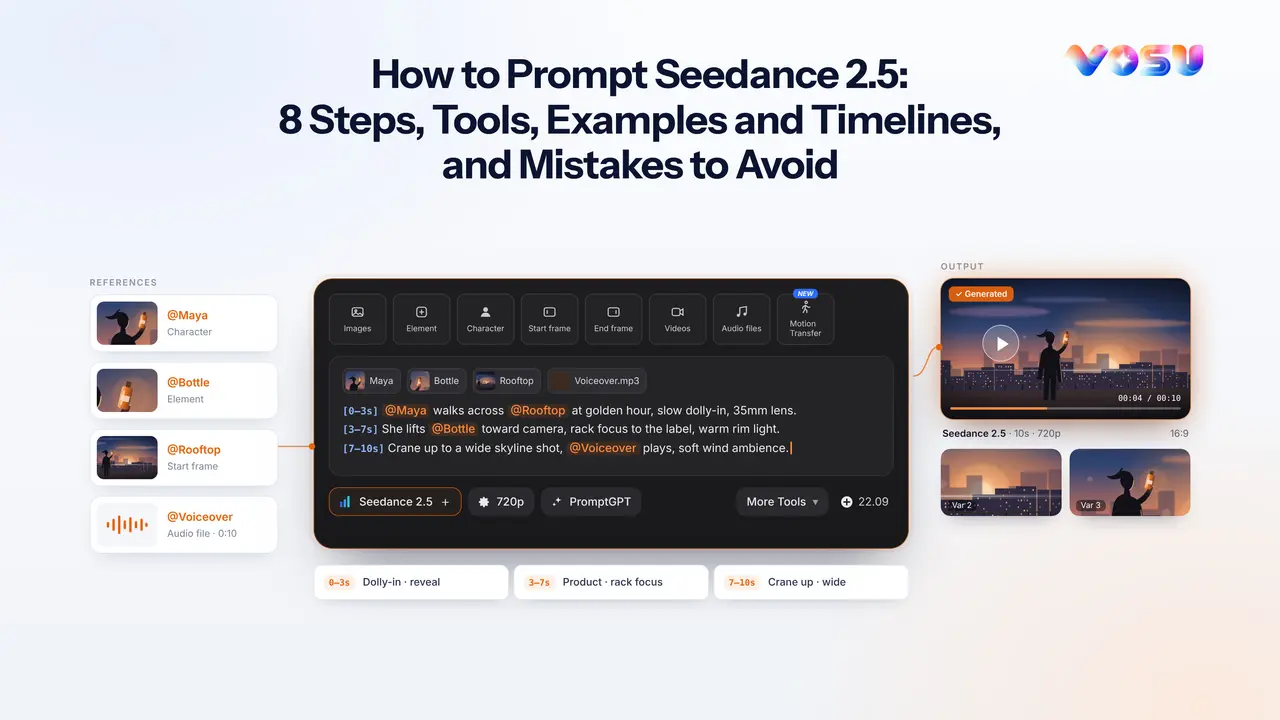
A strong Seedance 2.5 prompt works like a compact director’s brief, translating one creative goal into visible actions, assigned references, camera choices, sound, and a checkable ending. ByteDance describes Seedance 2.5 as an audio-video generation model for reference-controlled creation, editing, and complete stories up to 30 seconds in a single coordinated generation. It also supports extending footage beyond that first pass in later rounds.
This Seedance 2.5 prompt guide gives you a repeatable formula for text-to-video and reference-to-video work, plus timed beats, performance and physics cues, camera language, dialogue, native audio, targeted edits, extensions, and ten Seedance 2.5 prompt examples. On VOSU, the same workspace accepts image, element, character, start-frame, end-frame, video, and audio references before you choose the output settings. Treat every result as a draft: generate, inspect it, revise one meaningful variable, and rerun. An effective Seedance 2.5 prompt begins with the task and output settings.
How do you prompt Seedance 2.5 effectively?
Build the prompt in eight passes, moving from the generation task to the details that must remain stable. This order gives every instruction a clear job and makes failures easier to diagnose.
1. Choose the task and output settings.
2. State one scene and one creative goal.
3. Assign every reference a specific role.
4. Preserve identities, products, props, continuity, and exclusions.
5. Convert the action into ordered beats with visible end states.
6. Direct performance, interaction, motion, and physics.
7. Specify framing, camera movement, focus, and blocking.
8. Layer lighting, visual style, dialogue, ambience, effects, and music.
1. Which task and output settings should you choose first?
Choose the operation and delivery format before writing scene prose, because they define what the prompt must solve. Use this checklist:
• Task: text-to-video, reference-to-video, first or last frame, targeted edit, or extension
• Duration: long enough for the action
• Aspect ratio: match the publishing destination and reference composition
• Resolution and bitrate: use higher output settings for review or finishing when available
• Audio: enable it when dialogue, ambience, effects, or music belong in the generation
• Variants: create comparable outputs without changing the brief
VOSU currently offers 4–30 seconds, portrait, landscape, square, and auto ratios, 480p through 1080p, standard or high bitrate, optional audio, one to four outputs, and a Draft option for lower-cost 480p previews. Provider controls can differ.
2. How should you state the scene and creative goal?
Write one sentence that names the format, subject, visible event, environment, and final observable result. A useful formula is: “Create a [format] video in which [subject] [visible event] in [environment], ending with [observable result].” This gives later details a single north star.
Weak: “Make a cinematic coffee commercial with amazing vibes.”
Stronger: “Create a 12-second landscape product film in which a barista pours steamed milk into a matte black cup on a dawn-lit café counter, ending on a still three-quarter product hero shot with the logo facing camera.”
The stronger version replaces taste words with filmable evidence. If you cannot point to the requested change in a paused frame or hear it in the soundtrack, rewrite it as an action, composition, material response, or sound cue.
3. How do you map each reference to a specific role?
Name every asset and give it one primary job, plus details to preserve or ignore. “Use my references” forces the model to infer authority. VOSU separates Images, Element, Character, Start frame, End frame, Videos, and Audio files, while other providers may use different labels.
| Asset label | Primary role | Preserve | Ignore |
|---|---|---|---|
| Image 1 | Product identity | Shape, cap, label, proportions | Background and hand pose |
| Video 1 | Motion | Orbit, tempo, final stop | Actor identity and wardrobe |
| Audio 1 | Voice | Timbre, pace, delivery | Noise and music |
Map assets before the timeline: “Image 1 controls product identity. Video 1 controls camera movement. Audio 1 controls voice character.” Official guidance likewise separates reference jobs and places moment-specific assets in the relevant beat.
4. How do you preserve characters, products, props, continuity, and exclusions?
Protect a short list of identity-defining features, then prevent only the changes most likely to break the shot. For a person, repeat face structure, hair, signature clothing, and voice. For a product, repeat geometry, material, label layout, colors, and scale. Multi-view sheets can clarify unseen angles, but every view should show the same design.
Preserve
• Same woman, short black bob, crescent scar above left eyebrow, charcoal field jacket
• Same bottle silhouette, amber glass, white pump, cream label, black wordmark
• Same room layout, screen direction, time of day, and warm window exposure
Avoid
• No duplicate people or products
• No wardrobe, label, cap, or hand-count changes
• No invented text, subtitles, watermarks, or background signage
Keep exclusions local. A long negative list can compete with the intended shot.
5. How do you turn action into ordered, timed beats with visible end states?
Divide a longer idea into causal beats, ending each in a pose or composition the next can inherit. For 30 seconds, use setup, development, turn, and resolution, matching ByteDance’s description of the longer storytelling window.
• 0–6s, setup: courier spots a damaged package, ending crouched beside it
• 6–15s, development: she removes the device, ending with it at chest height
• 15–23s, turn: it projects a map, ending with blue light across her face
• 23–30s, resolution: she faces the marked doorway as the camera settles behind her
Overloaded: “She runs in, opens the box, repairs the device, calls her partner, fights a guard, and escapes.”
Rewrite: keep the discovery and activation in this clip. Move the confrontation and escape to a later extension.
6. How do you direct performance, interaction, motion, and physics?
Replace abstract adjectives with observable behavior, contact, weight, acceleration, and material response. “Nervous” is interpretive. “She holds her breath, glances twice at the door, and grips the cup” is directable.
| Intent | Observable cue |
|---|---|
| Heavy object | Knees bend, grip adjusts, object rises slowly, arms stay loaded |
| Sudden stop | Momentum carries into one recovery step, clothes settle afterward |
| Uneasy dialogue | Reduced eye contact, shallow inhale, thumb rubs cup rim |
| Product use | Finger contacts and depresses pump, one drop lands on skin |
State who initiates contact, what touches, and the reaction. Keep one action and one readable response per beat. ByteDance says complex motion and multi-subject stability still need improvement, so keep choreography legible.
7. How do you specify framing, camera movement, focus, and blocking?
Describe shot size, position, movement, speed, focus, and the camera’s relationship to the subject. Use: “[shot size] from [height or side], [movement] at [speed], focus on [target], while [subject blocking].” Favor one dominant move per beat.
• “Medium two-shot at seated eye level, static tripod camera, focus held across both faces while Maya occupies frame left and Theo sits frame right.”
• “Low three-quarter close-up, slow 30-degree clockwise orbit, focus held on the bottle label while the hand enters from the rear of frame.”
• “Wide rear tracking shot at walking pace, camera two meters behind the runner, focus transitions once from her shoulder to the exit sign.”
Do not combine static-camera, crane, orbit, and whip-pan directions. Put a new camera purpose in a new beat and name its final composition.
8. How do you add lighting, visual style, dialogue, and sound?
Build the look and soundtrack in separate, reviewable layers. Start with motivated light, then palette and texture. Separate speech, ambience, effects, and music instead of requesting “cinematic sound.” Seedance 2.5 supports joint audio-video generation, though providers may make audio optional.
Look and lighting: Late-afternoon window light from frame right, soft neutral fill, muted blue-gray room, natural skin texture, moderate contrast, restrained highlight bloom.
Dialogue: Maya, quiet and controlled: “You were not supposed to find this.” Theo waits until she finishes, then answers: “I was supposed to deliver it.”
Sound: Low refrigerator hum, distant traffic, cloth movement when Theo sits, one cardboard scrape as the box opens. Sparse original two-note synth enters only after the device lights. No subtitles and no extra voices.
Avoid copyrighted lyrics or living-performer imitation. Describe structure, instrumentation, tempo, and emotional movement.
What Seedance 2.5 prompt template should you use?
Use a modular template that separates reference authority, chronology, camera, sound, and continuity instead of hiding them inside one paragraph. You can review the full AI video prompt structure, then fill only the modules your task needs. If your idea is still rough, VOSU PromptGPT can turn it into a structured draft that you edit before generation.

Reference map:
- [Image 1] controls [identity, object, place, composition, or style]. Preserve [details]. Ignore [details].
- [Video 1] controls [action, camera, timing, physics, or edit source].
- [Audio 1] controls [voice, rhythm, ambience, effects, or music].
Scene and subjects: [location, time, subject appearance, object placement, screen direction]
Timeline:
- [time range]: [visible action], [reaction], ending with [pose or composition]
- [time range]: [next causal action], ending with [final state]
Performance and physics: [gaze, gesture, contact, weight, speed, material response] Camera and blocking: [shot size, position, move, speed, focus, subject positions] Look and lighting: [source, direction, contrast, palette, texture] Audio: [speaker and exact line], [ambience], [effects], [original music direction] Consistency: Preserve [identity, product, wardrobe, environment, light, voice]. Constraints: No [small, relevant exclusion list].
The main idea sets the test. The reference map assigns authority. The timeline orders change. Performance and camera describe evidence. Consistency protects assets. Constraints prevent a few predictable failures.
For pure text-to-video, omit the reference map. For reference-to-video, keep it and explicitly separate what each asset controls from what it does not control.
How do you adapt the template for a 30-second multi-shot sequence?
Give each time block one function, one event, and an ending state the next block can inherit. First, plan a 30-second video script before prompting, leaving room for reactions.
Task: 30-second, 16:9 reference-to-video story with audio.
Main idea: A night-shift technician finds that a supposedly inactive service robot remembers her name, ending on her decision to protect it.
References: Image 1 controls the technician. Image 2 controls the robot. Audio 1 controls her voice only.
0–5s, setup: Static wide shot. The technician enters the repair bay and stops beside the robot. End with both visible.
5–12s, question: Medium profile two-shot. She connects a diagnostic lead. Its eye opens. End with her hand on the cable.
12–19s, turn: Close alternating singles. Robot, soft mechanical voice: “Elena?” She inhales and says, “You remember me?” No overlapping speech.
19–25s, decision: Slow push-in. A deletion warning appears. She looks at the robot, then closes the warning.
25–30s, resolution: Rear wide shot. She wheels the robot toward the dark exit. End with their silhouettes crossing the doorway.
Continuity: Same faces, uniform, robot damage, bay layout, screen direction, blue work light, and voices throughout. No subtitles or invented logos.
Setup establishes geography, question creates change, turn carries emotion, and resolution supplies a usable final image.
How do image, video, audio, keyframe, and 3D references work?
Choose the reference containing the evidence you need, then name what the model should borrow. More files do not guarantee control. ByteDance lists ceilings of 30 images, 10 videos, and 10 audio files, plus storyboards, keyframes, green-screen material, and 3D clay guidance. These are model ceilings, not usage targets, and providers may impose lower limits.
| Reference type | Best use | Prompt instruction | Main risk |
|---|---|---|---|
| Image | Identity, object, place, palette | “Use Image 1 for face, hair, jacket” | Pose or background leaks |
| Video | Motion, camera, timing, edit source | “Use Video 1 for orbit and stop, not identity” | Source styling overrides assets |
| Audio | Voice, rhythm, ambience, effects | “Use Audio 1 for timbre and delivery” | Noise or music carries over |
| First frame | Starting composition | “Begin from this arrangement” | Immediate subject drift |
| Last frame | Destination composition | “End with these positions and framing” | Unnatural forced transition |
| Storyboard or keyframes | Ordered shots and poses | “Follow panels 1–4, one beat each” | Compressed or jumping action |
| Green-screen or white-model clip | Complex movement and timing | “Transfer movement, replace performer and setting” | Mismatched contact or silhouette |
| 3D or clay render | Angle, pose, path, layout | “Use geometry and blocking only” | Placeholder materials carry over |
When references disagree, declare priority: “Image 1 controls identity. Video 1 controls motion. On conflict, preserve Image 1’s face and wardrobe.” In VOSU, choose the reference slot that matches each job instead of placing every asset under a general image reference.
How do you prompt a targeted edit without changing the rest of the video?
Write an edit request as Source → Scope → Change → Inherit → Constraints → Review. Keep the change local, protection explicit, and source authoritative elsewhere. ByteDance describes timestamp-level edits to objects, perspectives, scenes, and other targets.
1. Identify the source clip.
2. Name the time range, region, object, person, line, or sound to change.
3. Describe one replacement in observable terms.
4. State what must inherit from the source.
5. Add only constraints relevant to the edit.
6. Review the edited area and its entry and exit frames.
Formula: “Edit [Source] at [scope]. Change [target] to [new visible or audible state]. Preserve [protected properties] from the source. Do not change [local exclusions].”
Example template to test:
Edit Video 1 from 6–9 seconds. Replace only the red paper cup in the woman’s right hand with the amber pump bottle from Image 1. Match the original grip, hand occlusion, camera motion, depth of field, reflections, and warm window light. Preserve every face, body movement, spoken word, background object, cut, and sound from Video 1. Do not add a second bottle or modify the label.
Inspect frames before, inside, and after the edit. A plausible replacement that changes lighting or gesture still fails.
What Are The 10 Seedance 2.5 Prompt Examples to Study?
These Seedance 2.5 prompt examples show how the same directing structure changes across dialogue, products, social ads, action, music, transitions, editing, extensions, 3D motion, and multilingual scenes. Each one is a template to test rather than a guaranteed result.
Ten practical Seedance 2.5 prompt examples are listed below.
1. Cinematic dialogue scene prompt example
2. Product or ecommerce ad prompt example
3. UGC-style social ad prompt example
4. Multi-character action sequence prompt example
5. Beat-synced music video prompt example
6. First-and-last-frame transition prompt example
7. Targeted video editing prompt example
8. Seamless video extension prompt example
9. 3D motion transfer prompt example
10. Multilingual travel conversation prompt example
1. Cinematic Dialogue Scene Prompt Example
A dialogue prompt needs distinct voices, clean turn-taking, readable reactions, and stable screen positions. In VOSU, add each actor through Character and approved voice references through Audio files.
Task: 18-second, 16:9 reference-to-video scene with generated audio.
Creative goal: A quiet exchange turns an envelope into a warning.
References: Character 1 controls Lena’s face, copper hair, and navy coat. Character 2 controls Omar’s face, gray sweater, and glasses. Ignore both source backgrounds.
Scene: Empty train café at blue hour. Lena sits left by the window, Omar right. A sealed cream envelope rests between them. Preserve their screen sides.
0–5s: Static eye-level two-shot. Lena slides the envelope halfway across, keeps two fingers on it, and studies Omar. End with his hand hovering above it.
5–10s: Hold. Lena, low and even: “Open it after the last stop.” Omar waits, then looks from her eyes to the envelope.
10–14s: Cut to Omar’s close-up. He asks, “Will you still be here?” End on a small swallow and held eye contact.
14–18s: Cut to Lena. She releases the envelope and watches the passing lights without answering. End with her reflection beside her face.
Performance: Restrained gestures, natural breathing, no overlapping dialogue.
Lighting: Cool window light, soft tungsten practicals, realistic skin.
Audio: Two distinct voices, rail rhythm, cup rattle, carriage hum. No music, subtitles, extra passengers, or invented text.
Review speaker order, voices, eyelines, hand contact, reflection, and the silent ending. If a line starts early, revise that beat and require the previous speaker to finish.
2. Product or Ecommerce Ad Prompt Example
A product-ad prompt should preserve packaging, show believable hand contact, and end on a clean hero frame. You can turn a product page into a platform-ready video ad, then review the scene and claims.
Task: 15-second, 9:16 reference-to-video product ad with audio.
Creative goal: Move from clutter to one clear product choice and a premium final frame.
Reference: Element 1 controls the amber bottle, white pump, cream label layout, black wordmark, glass color, and proportions. Ignore its background. Never duplicate or redesign the bottle.
0–4s, choice: Macro bathroom shelf with water droplets and two blurred containers. A hand passes them, selects Element 1, and turns its front toward camera.
4–10s, demonstration: Three-quarter close-up. The thumb removes the cap, the index finger depresses the pump once, and one translucent drop lands on the other hand. Show finger pressure and liquid weight. Camera makes one slow 20-degree orbit.
10–15s, hero: The bottle stands upright on pale stone. Camera settles into a centered low angle while one warm reflection crosses the glass. Hold the final composition for two seconds with negative space above.
Look: Soft morning window light, warm neutrals, natural surface texture, controlled highlights.
Audio: Cap click, one pump, liquid contact, room tone, original minimal percussion. No voiceover, price, benefit claims, subtitles, extra containers, malformed hands, or new text.
Review silhouette, pump geometry, label, finger contact, liquid, reflections, and final hold. Finish exact packaging text and legal claims in post if needed.
3. UGC-Style Social Ad Prompt Example
A convincing UGC prompt identifies who holds the phone, its distance from the creator, and where natural imperfections appear. Realism comes from gaze, pauses, contact, exposure changes, and room sound.
Task: 20-second, 9:16 handheld reference-to-video social ad with generated dialogue.
Creative goal: Capture a believable first-use reaction without exaggerated praise.
References: Character 1 controls the creator’s face and shoulder-length curls. Element 1 controls the tube, cap color, print layout, and size.
Camera: Front phone camera in her left hand, slightly above eye level, 55 centimeters away. Mild drift, one autofocus correction, and a small exposure change near the window. Keep face and product inside vertical safe areas.
0–5s: She looks into the lens, glances at the tube, and says, “I kept skipping this because I thought it would feel heavy.”
5–12s: With her right hand, she picks up the tube, turns it toward camera, opens it, and applies a pea-sized amount. She pauses while blending, then raises her eyebrows.
12–17s: She angles her cheek toward the window and says, “Okay, that disappears faster than I expected.” Her eyes check the skin before returning to the lens.
17–20s: She gives a small smile and places the tube upright beside the sink. End with her face and product visible together.
Audio: One consistent voice, breaths, micro-pauses, bathroom room tone, sleeve rustle, cap click. No music, subtitles, beauty filter, jump cuts, duplicate product, extra fingers, or added claims.
Review reach, product contact, eye movement, skin texture, voice, and room sound. If it feels staged, adjust camera stability or delivery, not the adjective list.
4. Multi-Character Action Sequence Prompt Example
Multi-character action stays readable when each person has a distinct appearance, starting position, move, and reaction. Clear colors and consistent screen direction reduce confusion.
Task: 16-second, 16:9 reference-to-video action scene with audio.
References: Character 1 is Asha in yellow, Character 2 Bo in black, and Character 3 Ciro in red. Preserve faces, outfits, heights, and builds.
Geography: Wet loading dock. Asha starts left behind a crate, Bo center beside a van, and Ciro right by the gate.
0–4s: Wide. Bo rolls a heavy case right. Asha stops it with her boot. End with the case between them.
4–8s: Medium. Bo reaches. Asha redirects his forearm. He takes one recovery step. No punch.
8–12s: Track Ciro running left. Bo shuts the van door across his path. Ciro braces against it.
12–16s: Wide. Asha lifts the case and backs left. Ciro turns. Bo stays by the van. End with all three separated.
Camera: Eye-level coverage, one move per beat, no orbit, slow motion, or screen reversal.
Physics and audio: Heavy case, wet friction, recovery step, wheel rattle, door slam, rain. No dialogue, duplicates, weapons, or unexplained position changes.
| Beat | Initiator | Move | Required reaction | End state |
|---|---|---|---|---|
| 1 | Asha | Stops case | Bo reaches | Case between them |
| 2 | Bo | Reaches | Asha redirects | Both standing |
| 3 | Ciro | Runs | Bo blocks | Ciro at door |
| 4 | Asha | Lifts | Ciro turns | Three clear positions |
If identities merge, isolate one character. A creator using character sheets and audio tracks reported early dialogue and voice changes, an anecdotal signal rather than a model limit.
5. Beat-Synced Music Video Prompt Example
A music-video prompt works best when visual changes follow musical sections instead of frame-perfect synchronization. Upload original or licensed audio and describe section changes without quoting lyrics.
Task: 24-second, 16:9 reference-to-video performance montage using Audio 1.
Creative goal: Begin with one performer, expand to three, then return to a clean final pose.
References: Character 1 controls the performer’s face, blunt black fringe, and silver jacket. Image 1 controls the mirrored rehearsal room. Original Audio 1 controls tempo, downbeats, section changes, and energy.
0–6s, intro: Static symmetrical wide. Performer stands centered, head lowered. On the first downbeat, she looks up. Mirror lights activate across two bars.
6–12s, groove: Medium frontal dolly-in at walking speed. She repeats one four-count shoulder-and-hand phrase. Cut once when the musical section changes.
12–18s, lift: One slow half-orbit as two background dancers enter from opposite sides. They mirror the phrase and finish in a triangular formation.
18–24s, resolve: Return to the centered wide. Lights change from cool white to deep red over two beats. Everyone holds the final pose through the audio tail.
Continuity: Same cast, wardrobe, room geometry, mirror count, movement phrase, and screen direction.
Audio: Preserve Audio 1 without new vocals or effects. No subtitles, lyric text, extra dancers, strobe, random cuts, or camera change on every beat.
Review section timing, choreography, dancer count, mirror geometry, and final hold. Select the closest result, then trim exact cuts in an editor.
6. First-and-Last-Frame Transition Prompt Example
A first-and-last-frame prompt should define one believable route between two fixed compositions, including movement direction, camera behavior, and the change in light. In VOSU, place the opening image in Start frame and the destination image in End frame, then explain what happens between them.
Task: 10-second, 16:9 first-and-last-frame video without dialogue.
Creative goal: Turn a cold tunnel departure into a warm sunrise arrival through one continuous bicycle ride.
Start frame: Image 1 controls the opening composition. A cyclist in a dark green rain jacket waits near the entrance of a concrete tunnel, rear three-quarter view. The red bicycle light is visible. Blue-gray fog fills the road ahead.
End frame: Image 2 controls the final composition. The same cyclist exits onto an open coastal road at sunrise, seen in side profile. The wet pavement reflects warm light. Preserve the bicycle, clothing, helmet, body proportions, and travel direction.
0–3s: The cyclist pushes off and pedals into the tunnel. Camera follows two meters behind at wheel height. End with both wheels moving steadily and the tunnel walls passing on either side.
3–7s: Continue forward without a cut. Camera rises gradually to waist height and moves toward the cyclist's left side. Fog thins, the tunnel opening grows, and color temperature shifts from cool blue to neutral daylight.
7–10s: The cyclist emerges into warm sunrise and reaches the side-profile composition from Image 2. Camera matches the final height and angle, then eases to the cyclist's speed. Hold the destination composition for the last second.
Motion and physics: Natural pedal rhythm, tire contact, damp-road spray, subtle jacket movement, no sudden speed change.
Audio: Tire hiss, chain movement, tunnel reverb fading into wind and distant gulls. No music, voice, subtitles, extra cyclists, frame jump, camera teleport, or wardrobe change.
Review the travel direction, bicycle shape, camera path, color transition, and resemblance to the final frame. If the midpoint wanders, simplify the route before adding more visual detail.
7. Targeted Video Editing Prompt Example
A targeted editing prompt should identify the exact time range and the one visible change while preserving everything outside that area. This format is useful when a source clip is already strong and only one product, prop, sign, or environmental detail needs correction.
Task: Edit Video 1 only from 00:05 to 00:09.
Edit goal: Replace the damaged phone screen with a clean, inactive black screen while keeping the performance untouched.
Source context: A woman stands at a bus shelter in light rain, takes a phone from her coat pocket, checks it, then returns it to the same pocket. The shot is a continuous handheld medium close-up.
Change only: From the first frame where the phone screen becomes visible until it re-enters the pocket, remove the cracks and chipped upper-right corner. Reconstruct a smooth black glass surface with the same bezel, size, thickness, rounded corners, reflections, water droplets, and orientation as the source phone. The screen stays off. Do not add icons, notifications, logos, or readable text.
Preserve exactly: Her face, hair, hand path, finger positions, coat, timing, gaze, rain, shelter, traffic, camera shake, focus changes, exposure, motion blur, reflections, ambient sound, and every frame before 00:05 and after 00:09.
Boundary behavior: At 00:05, the repaired glass must enter with the source motion and lighting. At 00:09, it must leave without a color, sharpness, or reflection change. No cut, crop, reframing, hand replacement, object duplication, or background edit.
Review the first and last edited frames, finger occlusion, edge tracking, rain reflections, and temporal stability. If unrelated pixels change, shorten the edit range and restate the preserved elements.
8. Seamless Video Extension Prompt Example
A video extension prompt should begin from the source clip's final state, continue its motion and sound, and end on a new readable composition. The opening seconds of the extension should feel like the same take rather than a separate scene.
Task: Extend Video 1 forward by 9 seconds in 16:9 with continuous audio.
Creative goal: Continue the rooftop discovery and reveal who left the package without showing a face.
Boundary state: Video 1 ends at night with Mara kneeling beside a small silver package near a rooftop ventilation unit. Her right hand has just touched the ribbon. Wind moves her tan coat from right to left. The camera is three meters behind her at shoulder height and is drifting slowly forward. Blue city light comes from the left, and a red aircraft beacon pulses in the distance.
0–3s after the boundary: Continue the same camera drift, wind direction, body pose, light, and sound. Mara lifts the package with both hands and rises at a natural pace. The ribbon hangs with visible weight.
3–6s: A metal door closes softly behind her. She pauses, turns her head over her right shoulder, and keeps the package close to her chest. Camera moves 20 centimeters to the right, revealing only a departing figure's shadow crossing the frosted door.
6–9s: Mara takes one careful step toward the door. The shadow disappears before she reaches it. End with Mara in the left third, the package visible, and the closed door in the right third as the red beacon pulses once.
Continuity: Preserve Mara's face, coat, hairstyle, package dimensions, roof layout, screen direction, camera lens, forward speed, wind, blue-red lighting, motion blur, and the source ambience.
Audio: Continue the exact rooftop wind and city hum. Add ribbon rustle, one soft door close, and a single footstep. No dialogue, music, cut, new location, visible stranger, weather change, or unexplained camera jump.
Review the join at full speed and frame by frame. Check body pose, camera drift, wind, exposure, background lights, ambience, and the package position before judging the new action.
9. 3D Motion Transfer Prompt Example
A 3D-guided prompt should assign the reference animation to movement and camera blocking while a separate image controls the final character's identity and appearance. This gives Seedance a clear motion source without asking it to copy the placeholder material or unfinished render style.
Task: 12-second, 16:9 reference-to-video scene with generated sound.
Creative goal: Transfer the movement and camera path from a simple 3D previs into a grounded live-action archive escape.
References: Character 1 controls Nia's face, short curls, charcoal utility suit, orange shoulder patch, height, and build. Video 1 is a gray 3D previs that controls only the timing, body movement, camera path, starting marks, obstacle positions, and final pose. Ignore the gray material, mannequin face, grid floor, test lights, and unfinished background.
Environment: Underground document archive with waist-high rolling shelves, concrete columns, paper labels, and cool fluorescent ceiling lights. Keep the obstacle spacing consistent with Video 1.
0–4s: Nia runs along the aisle following the previs stride count. Handheld camera tracks backward at chest height on the same path. Her feet contact the floor cleanly and her suit reacts to each step.
4–8s: She plants her left foot, places her right hand on the low rail, and moves over it using the previs body arc. Show palm pressure, shoulder compression, bent knees, and a controlled landing. The rail does not bend or move.
8–12s: She recovers for two steps, stops beside a concrete column, and looks back over her left shoulder. Camera completes the same short lateral move as Video 1 and settles on a medium shot.
Look: Live-action skin, fabric, metal, paper, dust, and practical fluorescent lighting. Natural motion blur and restrained handheld movement.
Audio: Footfalls matching the floor contacts, cloth movement, one palm impact, rail vibration, fluorescent hum, distant alarm. No dialogue, extra people, rubber limbs, foot sliding, floaty landing, gray mannequin texture, grid floor, or camera path change.
Review foot contacts, hand pressure, joint angles, landing weight, obstacle scale, and the camera route. If the final character starts resembling the previs model, state again that Video 1 supplies movement only.
10. Multilingual Travel Conversation Prompt Example
A multilingual dialogue prompt should assign every line to a named speaker, state the language of each line, separate the turns, and preserve reactions between them. Simple blocking and clean room sound make pronunciation, lip sync, and speaker identity easier to review.
Task: 20-second, 16:9 two-character travel scene with generated multilingual dialogue.
Creative goal: Create a warm, urgent exchange between two strangers at a ferry terminal.
References: Character 1 controls Ana's face, wavy dark hair, rust-colored raincoat, and canvas backpack. Character 2 controls Ken's face, round glasses, navy overshirt, and small rolling suitcase. Preserve both identities and keep Ana on the left and Ken on the right.
Scene: Covered ferry terminal just after rain. A departure board is blurred in the background and contains no readable generated text. Passengers move softly out of focus. The boarding gate is behind Ken.
0–5s: Eye-level two-shot. Ana approaches from the left, checks the gate, and asks in natural Mexican Spanish, “¿Éste va a la isla?” She finishes speaking before Ken answers.
5–10s: Ken turns toward Ana, briefly checks the wall clock, and replies in clear English, “Yes, but boarding closes in five minutes.” His delivery is helpful, not alarmed.
10–14s: Hold on Ana. She exhales, tightens one backpack strap, and says in Spanish, “Entonces tenemos que correr.”
14–20s: Ken smiles, points toward the gate with an open hand, and starts moving. In English he says, “This way.” Ana follows. End with both moving toward the same gate while staying recognizable.
Performance: Natural pauses, attentive eye contact, small reactions, no overlapping speech, no exaggerated gestures.
Camera: Begin in a stable two-shot, make one gentle pan as they leave, and keep faces visible during every spoken line.
Audio: Two distinct voices, accurate language assignment, ferry-terminal ambience, rolling suitcase wheels, distant boarding chime, wet footsteps. No subtitles, translation voiceover, music, duplicated passengers, invented announcements, readable background text, or speaker swap.
Review each line separately for speaker identity, language, pronunciation, lip sync, and timing. Then review the full scene for turn-taking, eye contact, background noise, and the final shared direction of travel.
What are the best tools to write a Seedance 2.5 prompt?
Choose the tool by the job: prompt drafting, workflow planning, reusable production, or editorial review. Apply human review before generation.
1. VOSU PromptGPT: Build a production-ready Seedance 2.5 prompt with VOSU PromptGPT when you need guided camera language and a structured draft from rough instructions.
2. VOSU Agent: Use the VOSU creative agent when you want to describe the complete goal once and receive a planned, editable generation workflow.
3. ChatGPT: Provide the task, assets, settings, and one failed-output description, then request a concise revision that changes one variable.
4. Claude: Give it a long brief or shot list to identify conflicts, compress prose, map references, and preserve required wording.
5. Gemini: Use it with mixed media or documents, while checking model limits and provider controls against current primary documentation.
| Criterion | What to check before using the draft |
|---|---|
| Task fit | Does it distinguish generation, edit, and extension? |
| References | Does every asset have one named role and authority? |
| Directability | Are actions, reactions, camera, and audio observable? |
| Restraint | Did the tool add unsupported syntax, settings, or too many exclusions? |
| Revision value | Can you tell which single change should improve the next run? |
Prompt tools organize decisions. Confirm settings, remove invented features, protect private assets, read dialogue aloud, and keep publishing decisions human.
What mistakes should you avoid when prompting Seedance 2.5?
Avoid instructions that are ambiguous, internally contradictory, impossible to verify, or too dense for the available duration. Each mistake below includes the reason it fails and the smallest useful fix.
- Vague visible goal: “Make it epic” provides no review criterion. Name one subject, event, environment, and observable final frame before adding style language.
- Unlabeled references: Unassigned files compete for identity, motion, and look. Label every asset and give it one primary role, preserved details, and ignored details.
- Conflicting references: Two authoritative faces or product designs invite blending. Declare which asset wins each category, or remove the weaker, redundant reference from the request.
- Too many actions in one beat: Compressed choreography causes omissions and teleporting. Keep one initiating move, one reaction, and one visible end state per beat.
- Abstract emotion or motion: Words such as “intense” and “dynamic” are open to interpretation. Replace them with gaze, breath, posture, contact, speed, and recovery.
- Contradictory camera moves: A static camera cannot simultaneously orbit and crane. Choose one dominant movement, then place any new camera purpose in another beat.
- Missing end states or continuity notes: Beats cannot connect cleanly without boundary information. End each beat with specific positions, poses, props, framing, light, and sound.
- Frame-accurate timestamp demands: Generation timing is approximate, so exact cuts can drift. Direct whole-second story ranges, then finish frame-level timing in an editor.
- Keyword soup or oversized negatives: Long adjective and prohibition lists dilute priorities. Keep concrete production cues and ban only the few failures that matter most.
- Provider or model confusion: Interfaces expose different durations, limits, and toggles. Verify the selected model and current controls before importing advice from another platform.
- Publishing the first generation: A plausible take can hide identity, physics, audio, or claim errors. Review against the brief, then revise one variable and rerun.
Use a controlled production loop: Prompt → Generate → Inspect → Change one variable → Rerun → Select → Edit or Extend. Community reports reinforce the need for this restraint. Creators have described voice mixing, reference drift, and continuity failures as inputs multiply, while commenters frequently challenge broad quality claims. Those observations are useful warnings, not measured model limits.
Why is my prompt not following the reference or camera instructions?
The usual cause is competing authority, excessive choreography, or camera language that omits what remains fixed. Repair it in this order:
1. Confirm the correct task and that the assets finished uploading.
2. Reduce each reference to one named job.
3. Declare priority where two assets overlap.
4. Cut the scene to one readable action per beat.
5. Rewrite the camera as shot size, position, one movement, speed, focus, and end frame.
6. Remove style words that conflict with the composition.
7. Rerun without changing settings, so the revision remains comparable.
If identity still drifts, use a cleaner reference with an unobstructed face or product and fewer contradictory backgrounds.
How long should a Seedance 2.5 prompt be?
A Seedance 2.5 prompt should be only long enough to remove important ambiguity. There is no ideal character count. A single shot may need one compact paragraph. A 30-second, multi-reference story may need labeled blocks and a timeline. Keep information that changes what appears, moves, sounds, or remains fixed. Delete repeated praise words, redundant negatives, and technical-sounding filler. If two instructions cannot both be obeyed, shortening is not the answer. Resolve the conflict first.
Do Seedance 2.5 timestamps need to be exact?
Use timestamps as ordered story ranges, not as promises of frame-accurate cuts or lip movements. Whole-second ranges help allocate screen time and keep actions causal, while exact editorial timing belongs in post-production. BytePlus recommends timestamped direction but warns against packing in too many actions or constant camera changes.
Example:
- 0–4s: She notices the blinking receiver, reaches toward it, and ends with her fingers above the switch.
- 4–9s: She presses once, listens to the static, and ends facing the closed door.
If the second beat starts early, simplify the first action or shift the range. Do not demand that a generated gesture land on a specific frame.
How many reference files can Seedance 2.5 use?
ByteDance states a per-generation maximum of 30 image references, 10 video references, and 10 audio references, for 50 assets across those categories. The official limit is a ceiling, not a quality target, and third-party interfaces may accept fewer files.
Add a reference only when it supplie unique evidence such as an identity, product angle, location, camera path, voice, or sound. When several assets repeat or contradict one another, curate them first. One clear character sheet can be more useful than many unrelated portraits.
Can Seedance 2.5 keep characters and products consistent?
Seedance 2.5 can improve identity and product continuity with clear, compatible references and explicit consistency instructions, but it cannot guarantee perfect consistency. Use clean multi-view assets, preserve a few defining features, assign motion references separately, and keep character positions readable. Review faces, hands, clothing, product geometry, labels, relative scale, voice, and lighting at every cut.
Does Seedance 2.5 generate audio and dialogue automatically?
Seedance 2.5 supports joint audio-video generation, including dialogue, ambience, effects, and music direction, when the provider enables audio for the task.
Do not rely on “automatic” audio to infer your intents. Name the speaker, exact line, language, vocal character, turn order, room ambience, effects, and whether music is present. Keep speakers in separate beats when clarity matters. If the interface has a Generate Audio switch, enable it. Always review pronunciation, voice continuity, sync, unwanted speech, loudness, and usage rights before publishing.
Which duration, aspect ratio, and resolution settings should you choose?
Choose settings from the destination and action budget, not from a belief that larger numbers always create a better generation. You can open the current Seedance 2.5 generator settings to confirm what is available before drafting.
| Destination or task | Duration guidance | Aspect ratio | Resolution guidance |
|---|---|---|---|
| TikTok, Reels, Shorts | 6–20s for one hook and demonstration | 9:16 | 720p for iteration, 1080p when available for final review |
| Landscape ad or narrative | 10–30s for several causal beats | 16:9 | 720p or 1080p based on finishing needs |
| Square social placement | Short, centrally blocked action | 1:1 | Match the platform delivery requirement |
| Cinematic banner or wide concept | Simple lateral blocking | 21:9 | Highest practical review setting |
| Reference or motion test | 4–8s, one variable | Match source | Lower resolution can speed comparison |
VOSU currently lists 4–30 seconds, Auto, 9:16, 16:9, 21:9, 4:3, 1:1, and 3:4 ratios, plus 480p, 720p, and 1080p. Availability can change by provider.
How is prompting Seedance 2.5 different from Seedance 2.0?
Seedance 2.5 expands the planning problem from shorter multimodal shots toward longer audio-video stories, denser reference control, targeted editing, and extension. Official Seedance 2.0 materials describe 4–15 second generation, native 480p and 720p, and open-platform inputs up to nine images, three videos, and three audio files. Seedance 2.5 raises a single generation to 30 seconds and lists up to 30 images, 10 videos, and 10 audio files, with timestamp-level edits and multi-round extension.
| Prompting concern | Seedance 2.0 | Seedance 2.5 |
|---|---|---|
| Time structure | Short action or compact sequence | Setup, development, turn, and resolution can fit one pass |
| Reference plan | Smaller asset set | Larger curated asset map with clearer authority rules |
| Revision strategy | Regenerate or use provider tools | Prompt localized edits or continue through extension |
| Continuity burden | Shorter window | More boundary states, identity rules, and audio continuity to review |
You can compare the same brief in Seedance 2.0 rather than assuming newer means better for every shot. In anecdotal comparisons, one creator preferred 2.0 for a fast fight’s readability, while another found 2.5 more literal on several prompts. Neither report establishes a universal ranking.
Can Seedance 2.5 create videos longer than 30 seconds?
Yes, but the official 30-second figure is the maximum for one generation, while longer work is built through extension or editorial assembly. ByteDance says Seedance 2.5 supports multiple rounds of extension.
Plan each segment as a self-contained beat with a clean boundary frame. At every join, preserve pose, position, movement direction, camera height, lens feel, exposure, color, ambience, and music phase. Introduce one new story change per extension. For precise pacing, transitions, titles, and delivery length, assemble the selected clips in a conventional editor.
What is a Seedance 2.5 prompt skill?
A Seedance 2.5 prompt skill is a reusable instruction package that turns a rough brief into settings, reference roles, a timeline, constraints, and a review plan. It is not an inherent model feature or proof that a prompt will work. A useful skill asks for missing assets, distinguishes generation from editing and extension, follows current official limits, labels uncertainty, and returns a paste-ready prompt. Treat community skill files as editable workflow aids. Inspect their sources, remove unsupported syntax, and update them when providers or model controls change.
How should you compare a Seedance 2.5 prompt across models?
Run a controlled comparison in which the creative brief stays fixed and only model-specific syntax or required settings change. You can compare a controlled video prompt across models, but avoid treating one attractive output as a benchmark.
1. Choose one test with a measurable challenge, such as product geometry, two-person turn-taking, or a camera stop.
2. Use the same references, duration, aspect ratio, resolution class, audio intent, and randomization policy where the interfaces allow it.
3. Translate only syntax the model requires. Do not quietly add more direction to one version.
4. Generate several variants per model and record failed generations rather than selecting only the best clip.
5. Score identity, prompt adherence, action order, physics, camera, audio, continuity, artifacts, and editability on the same rubric.
6. Repeat after one controlled prompt revision, then preserve the winning prompt and settings with the selected output.