

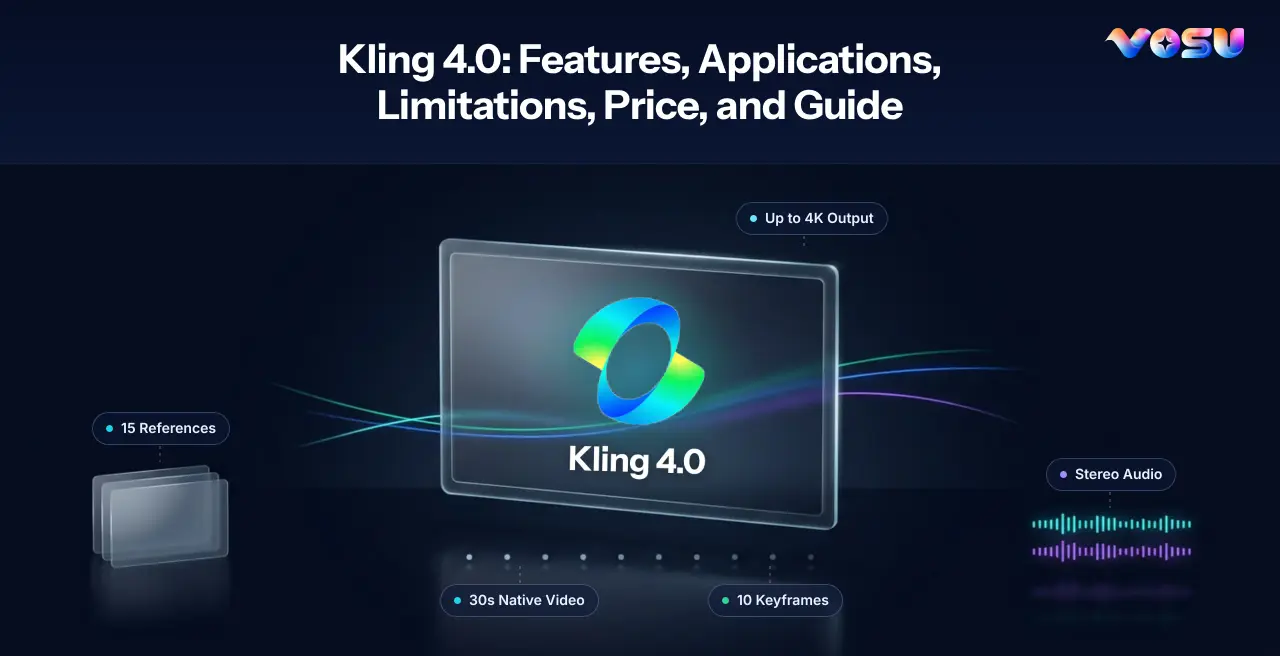
Kling 4.0 brings 30-second generation, and is defined by its ability to combine text, images, video references, keyframes, synchronized audio and targeted editing within one multimodal generation workflow. Kuaishou released it publicly on October 15, 2026, following a limited early-access period for creators, studios, advertisers and professional production teams.
Kling 4.0 delivers 3–30-second native video generation, up to 10 keyframes, as many as 15 combined reference assets, dynamic motion, cinematic camera control, native stereo audio, multilingual lip sync, Creative Recreation, video extension and prompt-guided editing. Depending on the active mode and account, output options include 720p, 1080p and up to 4K with HDR support. These capabilities suit advertising, product videos, UGC campaigns, storyboarding, narrative previsualization, animation and reference-led video production.
Kling 4.0 pricing varies by membership, generation settings, duration, resolution and platform. Kling’s Standard membership is advertised at $6.99 for the first month, with a $10 list price and 660 monthly credits, while higher tiers provide larger credit allocations. VosuAI offers another access option through pay-as-you-go funding from $1, no required subscription, non-expiring top-up credits and unlimited workspace members.
Kling 4.0 is accessible through Kling’s official web and app interfaces, approved API access and integrated creative platforms such as VosuAI. Through VosuAI, creators can select the full Kling Video 4.0 model, add images, Elements, Characters, start or end frames, structure prompts with PromptGPT, choose the visible duration, resolution, aspect ratio and output count, then generate, compare, refine and finish videos within one connected workflow.
What is Kling 4.0?
Kling 4.0 is Kuaishou’s fourth-generation AI video model for text-guided generation, reference-led creation, and targeted video editing. It can turn a written scene into video, animate a source image, organize visual events with keyframes, use images and clips as references, generate synchronized sound, revise existing footage, recreate a creative structure with different assets, and extend a result.
Kling 4.0 is a model inside a larger product ecosystem, not just a standalone editing app. Its controls appear through Kling’s own interfaces and selected integrated platforms. Kling 4.0 supplies the generative engine. The surrounding service supplies account controls, asset storage, project history, billing, collaboration, prompt aids, and downstream tools.
How does Kling 4.0 work?
Kling 4.0 turns text, images, video references, keyframes, and audio direction into a temporally ordered video according to the selected workflow. Kuaishou does not disclose every production-level detail of the model architecture, so the useful explanation is the input-to-output process rather than speculation about hidden systems.
- Choose the task. Start with text-to-video, image-to-video, Omni Reference, Keyframes, editing, recreation, or extension. The current official guide places several creation paths inside Omni Reference while retaining a separate Keyframes entry point.
- Supply the minimum useful evidence. Give each image, character sheet, product asset, reference clip, or keyframe one clear job. More inputs do not automatically create better consistency, especially when identity, wardrobe, environment, pose, or camera direction conflict.
- Direct the scene in time. Describe the subject, action, environment, camera, lighting, pacing, dialogue, sound effects, ambience, and exclusions in the order they should occur. For a long clip, divide the action into a few readable beats rather than stacking unrelated events.
- Generate and diagnose. Review the opening, transitions, late frames, faces, hands, text, object geometry, and audio. Change only the failed dimension on the next attempt. Mode combinations and limits depend on the active interface, so never assume that every input type can be used together.
At generation time, the system must reconcile several constraints at once: semantic meaning from the prompt, appearance from references, order from keyframes, motion from action instructions, framing from camera direction, and timing from the selected duration. Clear inputs reduce competition among those constraints. When output drifts, identify whether the failure began with identity, space, action, camera, timing, or sound before changing the prompt.
What are the features of Kling 4.0?
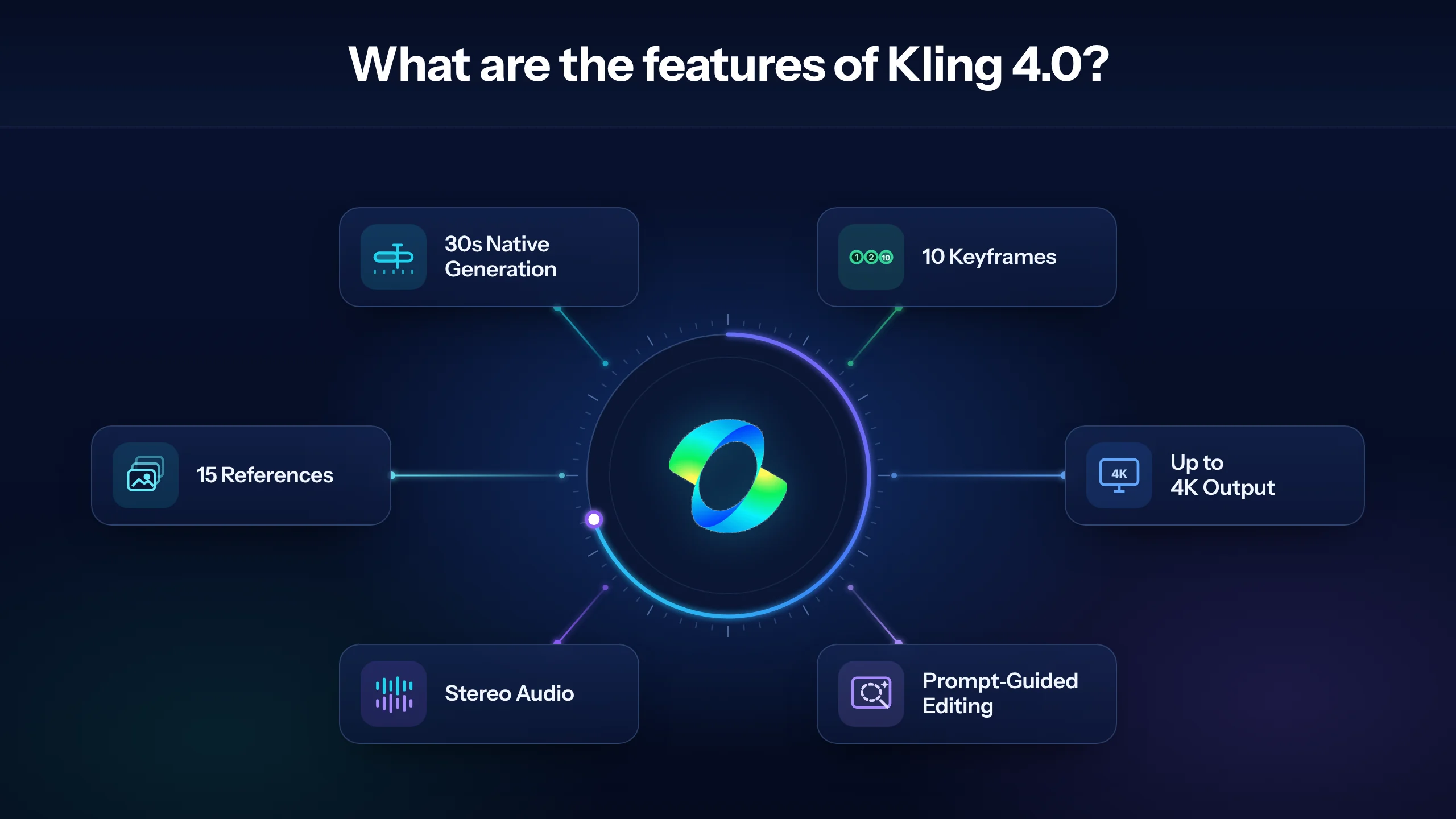
The main features of Kling 4.0 include longer native generation, multi-keyframe control, multimodal references, synchronized audio, prompt-guided editing, and higher-output configurations.
The key features of Kling 4.0 are given below.
- Longer native generation: Kling 4.0 generates clips from 3 to 30 seconds in one run. This differs from multi-pass extension, which can produce a total runtime of up to two minutes where available. The longer native duration creates more room for connected actions and scene development, although it does not guarantee perfect continuity or a completely uninterrupted take.
- Dynamic Motion and camera control: Kling 4.0 supports large body movements, moving subjects, physical interactions, tracking shots, orbits and other cinematic camera paths. It can create stronger long-shot motion and more active scene progression, although complex movement may still introduce unexpected cuts, spatial errors or distorted geometry.
- Multiple Keyframes: Kling 4.0 accepts up to 10 image keyframes as temporal anchors in supported workflows. Creators can use them to establish milestones such as an entrance, reveal, close-up and final composition. Similar keyframes provide limited additional control, while conflicting poses, environments or camera angles can cause jumps, morphing and weak end-frame adherence.
- Omni Reference: Kling 4.0 can use up to 15 combined reference assets, subject to limits that may include 10 images, five videos totaling 30 seconds and seven subjects. Each reference should have one clear purpose, such as identity, product appearance, motion, camera behavior or visual style. Using the maximum capacity does not guarantee equal consistency across every asset.
- Character and product consistency: Kling 4.0 uses character sheets, multi-angle images, product references and planned keyframes to preserve faces, clothing, props, scale, colors and packaging. Consistency remains probabilistic, especially in crowded or fast-moving scenes. Sharp source images, simple backgrounds, closer framing and fewer competing subjects generally provide stronger visual guidance.
- Native stereo audio and lip sync: Kling 4.0 generates two-channel audio containing dialogue, ambience, sound effects and music cues alongside multilingual speech and synchronized mouth movement. Prompts can specify language, voice character, emotion and permitted sounds. Results still require review for unwanted music, heavy breathing, flat delivery, incorrect language or uneven lip synchronization.
- Editing, Creative Recreation, and extension: Kling 4.0 supports prompt-guided editing that can add, remove, replace or restyle subjects and backgrounds while preserving the surrounding shot. Creative Recreation transfers the structure or pacing of an approved concept to new assets, while extension continues an existing clip. Edited regions, untouched areas and transition points still require quality checks.
- Output specifications: Kling 4.0 offers 720p, 1080p and up to 4K output, with 10-bit HDR available at 1080p or 4K in eligible configurations. It supports prompts of up to 8,000 tokens and aspect ratios such as 21:9, 16:9, 1:1, 9:16 and Auto. Available settings depend on the model, mode, plan, account and rollout.
- Text, logo, and emoji handling: Kling 4.0 renders multilingual text, logos, signs, interface elements and emojis with greater stability during motion. This improvement does not guarantee frame-perfect typography. Packaging copy, prices, legal text, labels and brand marks should be checked throughout the clip, with critical typography added during post-production when exact accuracy is required.
- Smart Storyboard and production planning: Kling 4.0 uses story-oriented prompts and keyframes to organize scene beats, compositions, camera changes, dialogue and sound before rendering. This supports storyboarding, previsualization and internal approval as well as final-shot creation. The workflow performs best when each visual milestone clarifies the sequence instead of adding unnecessary instructions.
Kling 4.0 performs best when keyframes, references, sound cues and editing instructions serve clear roles. Focused inputs improve control and reduce identity, motion, layout and style conflicts.
What is the price of Kling 4.0?
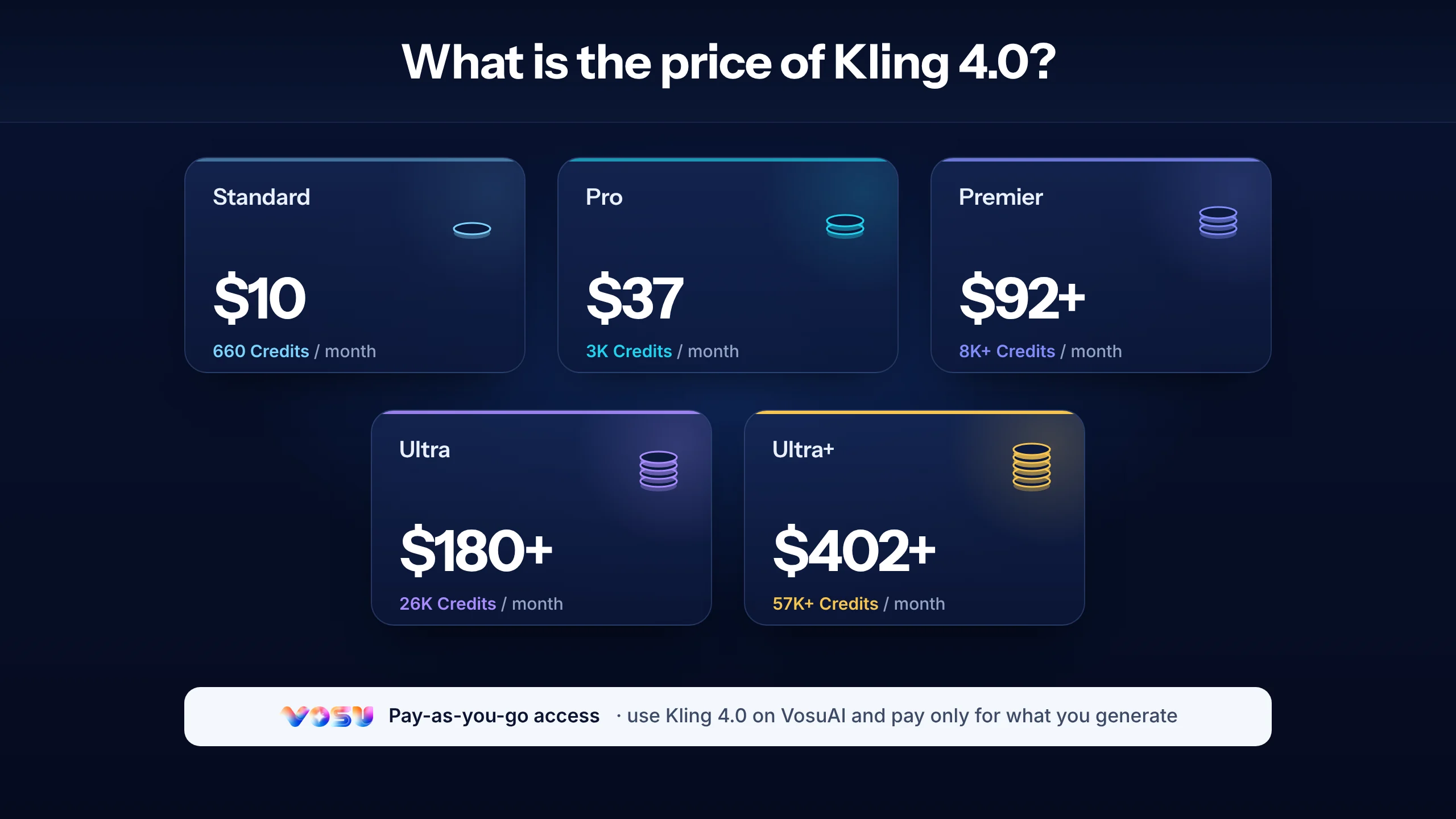
Kling 4.0 plans range from the $10 Standard tier with 660 monthly credits to Ultra+ with 57,000 monthly credits, while first-month promotions can reduce the initial payment to between $6.99 and $402. The final price depends on the selected credit allowance, billing cycle and active promotion. Free Basic access may be available, but it has no fixed monthly credit allocation or paid commercial benefits.
The current Kling 4.0 plans are given below.
- Standard: Kling 4.0 users receive 660 credits per month. The plan has a $10 list price, currently costs about $6.99 for the first month and renews at approximately $8.80 per month. It includes commercial use, watermark removal, fast-track generation, 1080p video generation, image upscaling and video extension.
- Pro: Kling 4.0 users receive 3,000 credits per month. The plan has a $37 list price, currently costs about $25.99 for the first month and renews at approximately $32.56 per month. It includes the Standard benefits, a larger Element allowance and priority access to newly released features.
- Premier: Kling 4.0 users can select higher-volume credit options. The 8,000-credit version has a $92 list price, costs about $64.99 for the first month and renews at approximately $80.96 per month. A current 18,000-credit option costs around $135 for the first month and renews at approximately $181.99 per month.
- Ultra and Ultra+: Kling 4.0 users can choose Ultra with 26,000 monthly credits or Ultra+ with 57,000 monthly credits. Ultra has a $180 list price, costs about $127.99 for the first month and renews at approximately $159.99. Ultra+ costs about $402 for the first month and renews at approximately $544.99, with priority generation and beta access where offered.
- API and integrated platforms: Kling 4.0 developer API pricing is currently available for preview, but production API requests are not yet generally available. Consumer membership credits are separate from developer billing and cannot be transferred to an API account. Integrated platforms such as VosuAI use their own credit systems, controls and usage terms. VosuAI provides pay-as-you-go access from $1, no required subscription, non-expiring top-up credits and unlimited workspace members.
What are the applications of Kling 4.0?
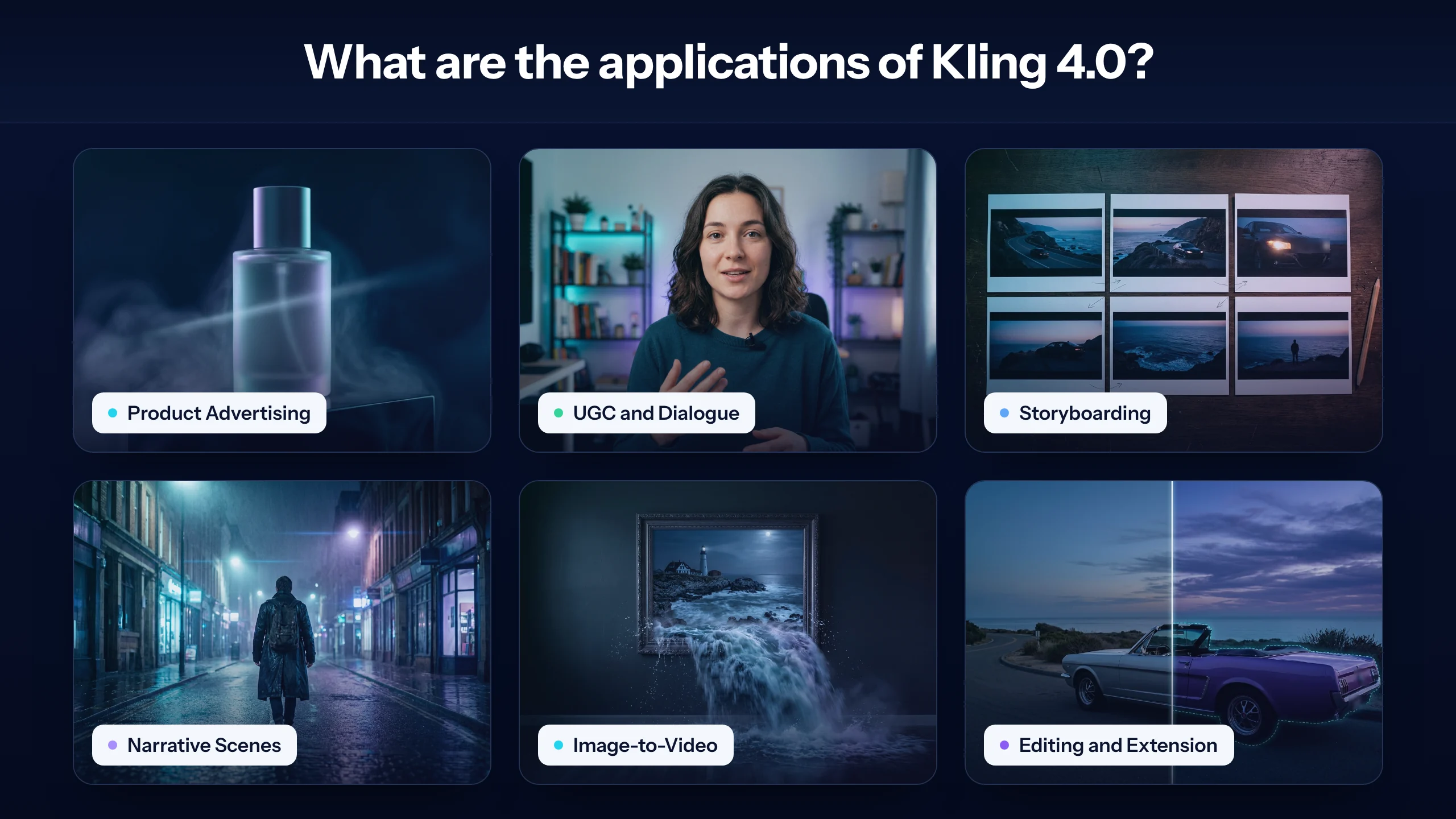
Kling 4.0 is mainly used for advertising, product and UGC videos, storyboarding, narrative previsualization, multilingual character content, reference-led animation and targeted video revision. Its broader professional applications include film, short drama, animation, advertising, music videos and other creative productions.
- Advertising and product video: Kling 4.0 uses product images to preserve appearance, keyframes to control reveals and closing compositions and camera instructions to define movement. Review package shape, label spelling, logo placement, product scale, required disclosures and every factual claim before publishing the finished advertisement.
- UGC and talking characters: Kling 4.0 generates creator-style advertisements and localized explainers with directed language, accent, emotion, pacing, dialogue, ambience and framing. Review character identity, skin texture, teeth, hand movement, lip synchronization and voice continuity, particularly when combining multiple outputs into one campaign.
- Storyboards and previsualization: Kling 4.0 places keyframes at decisive narrative moments to test blocking, composition, camera movement, pacing and transitions. Directors, clients and production teams can use these visual sequences to align expectations before filming, although generated previews should not be treated as guarantees of final-pixel accuracy.
- Longer narrative and music content: Kling 4.0 can develop a 30-second scene around one audio foundation and several motivated transitions. Define the emotional arc, action beats and musical or ambient changes in chronological order. Longer duration adds the most value when a scene develops meaningfully instead of repeating the same movement.
- Reference-led image-to-video: Kling 4.0 animates portraits, concept frames, product stills, illustrations and environment designs while using supporting references to clarify identity, motion, setting or visual style. Start with one primary action and one camera movement, then introduce additional references only when they remove ambiguity.
- Editing, recreation and extension: Kling 4.0 can revise an expression, subject, object, background, weather condition, visual style or camera treatment without rebuilding the entire concept. It can also recreate a useful shot structure with authorized assets or extend accepted footage while preserving identity, lighting, motion and audio continuity.
Kling 4.0 supports repeatable production when creators organize references, keyframes and prompts around a consistent visual plan. VosuAI can place Kling beside other models, reuse Characters and Elements, compare matched outputs in Playground and continue accepted clips through editing, extension, lip sync, animation or upscaling. These workspace functions remain separate from Kling 4.0’s native capabilities.
What are the limitations of Kling 4.0?
Kling 4.0’s main verified limitations are separate reference and keyframe workflows, imperfect control of demanding long scenes, conflicting input signals, restricted audio imports and the incomplete rollout of several announced capabilities. These constraints require production planning, but they do not make the model broadly unreliable.
- Omni Reference and Keyframes cannot be combined: Kling 4.0 provides Omni Reference and Keyframes as separate creation modes whose capabilities cannot be combined within one generation. Omni Reference supports images, videos, elements and voice profiles, while Keyframes accepts up to 10 images for timeline control. Users must therefore choose between comprehensive multimodal conditioning and precise keyframe placement for each task.
- Long scenes and rapid action remain fallible: Kling 4.0 generates up to 30 seconds and improves large-scale motion, but it does not guarantee a flawless continuous take. Multi-shot generation is enabled by default, and demanding tests have produced occasional unwanted cuts, sliding movement, spatial jumps or limb distortion during rapid choreography. Use fewer actions, one principal camera movement or keyframes around difficult beats.
- More references do not guarantee stronger adherence: Kling 4.0 accepts up to 15 combined references, but images, videos, elements and voice profiles share that total and retain separate per-type limits. Conflicting cues for identity, pose, motion, camera direction, timing or style can weaken the result. Assign one clear purpose to every asset and remove references that repeat or contradict another instruction.
- Uploaded audio control is limited: Kling 4.0 accepts voice profiles as audio references but does not currently support uploading background music or sound effects. The model generates those elements from the visuals and prompt. Audiovisual synchronization and Smart Storyboard are enabled automatically without separate controls. Specify permitted sounds, dialogue timing and “no background music” when necessary, then replace exact soundtracks during post-production.
- Some announced capabilities are still rolling out: Kling 4.0 supports 4K output, but 10-bit HDR and repeated video extension toward two minutes remain marked as coming soon. As of October 25, 2026, Kling 4.0 developer API access is also not generally available for production requests. Confirm the live interface before planning a workflow around HDR, extension or API automation.
Kling 4.0 reduces many earlier AI video weaknesses, particularly in motion, reference handling and audiovisual synchronization. For reliable production, select the correct control mode, test the shortest useful duration and inspect motion, identity, cuts and sound before approval. After three materially similar failures, redesign the shot or compare the same inputs with another model through VosuAI Playground instead of repeating identical generations.
How can you access Kling 4.0?
You can access the Kling 4.0 through Kling’s official web or app experience, approved Kling 4.0 API access, and VosuAI, where the exact full model is currently visible in the live selector.
The main ways to access Kling 4.0 are outlined below.
- Official Kling web or app access. Create or sign in to a Kling account, open video generation, and select Kling 4.0 rather than an earlier version or Flash. Your plan, region, credits, and rollout determine the resolutions and controls shown. The official interface is the reference point for Kling-native features and membership benefits.
- Kling 4.0 API access. The official developer documentation currently labels the API as early access. Apply through the developer platform or Business Inquiries route where directed. A production integration should cover authentication, asynchronous job submission, task IDs, status polling or webhooks, concurrency limits, retries, timeouts, moderation errors, idempotency, asset storage, and live pricing. Do not design against a preview rate as though it were permanent.
- VosuAI access. Go to VosuAI, open the Kling Video 4.0 workspace when you want pay-as-you-go funding, PromptGPT, reusable Characters and Elements, team workspaces, or access to many video models in one environment. VosuAI says its unified ecosystem spans 150+ AI models across image, video, audio, 3D, editing, and VFX. The current selector describes Kling Video 4.0 as supporting text, image, reference, and edit inputs at 720p or 1080p for 3 to 30 seconds. The integrated controls and credit units are not guaranteed to match Kling’s own interface.
Before a production run, verify the model label, duration, resolution, input slots, output count, displayed credits, region, and commercial terms on the platform you will actually use.
Access should be verify at the task level, not only by seeing a model name. One host may expose text and image generation but omit keyframes, edit inputs, HDR, or a specific audio option. Confirm the actual mode and controls needed for the shot before moving assets or purchasing credits.
How do you use Kling 4.0?
To use Kling 4.0 through VosuAI, open AI Studio, select the exact Kling Video 4.0 model, add only the necessary references, write a temporal prompt, configure the available output controls, generate the video, review the result and download the accepted version.
The steps to use Kling 4.0 through VosuAI are outlined below.
- Open VosuAI and select Kling 4.0. Create or sign in to your VosuAI account, open AI Studio’s video generator and confirm that the model selector displays “Kling Video 4.0.” Avoid assuming that an earlier Kling model or a faster variant provides the same capabilities.
- Choose the appropriate creation path. Begin with a prompt for text-to-video generation. Select the available image, element, character, start-frame, end-frame or video input slots for image-to-video and reference-led work. Use an existing clip only when the displayed workflow supports the intended reference, recreation or editing task.
- Upload the minimum source set. Choose a clean, high-resolution start frame and only the assets required to define identity, product, environment, motion, camera behavior or visual style. Crop sources close to the target aspect ratio. Remove duplicate, low-quality or contradictory references before they compete for control.
- Arrange key moments and reference roles. Place only meaningful milestones in chronological order when the selected workflow provides keyframe or multi-scene controls. Assign every reference and scene one specific purpose. Set the duration of each scene carefully and confirm that the combined timing matches the selected video length.
- Write a temporal prompt. Describe the subject, action, environment, camera, lighting and sound in chronological order. Use a structure such as: “0–5 seconds: wide product reveal. 5–12 seconds: slow orbit as the lid opens. 12–18 seconds: macro detail with only soft room tone.” Position dialogue and exclusions at the moments when they should occur. Use PromptGPT to organize the instruction when needed.
- Configure the visible output controls. Select 720p or 1080p resolution, a duration between 3 and 30 seconds, a supported aspect ratio such as 9:16, 16:9, 1:1 or 21:9 and between one and four outputs. Check the displayed credit total before generating because longer durations, higher resolutions and additional outputs increase spending.
- Generate and record the settings. Start the generation without assuming a fixed completion time. Allow for queue demand, duration, resolution, reference quantity and task complexity. Save the prompt, source assets, model name, selected settings and displayed credit charge so successful results can be reproduced or compared fairly.
- Review, refine and download the result. Inspect character identity, hands, product geometry, visible text, camera logic, cuts, late frames, dialogue, lip sync, unwanted sound and scene continuity. Adjust one failed dimension at a time. Finish an accepted clip with VOSU’s editing, extension, lip-sync, animation or upscaling tools. Compare the same creative brief in Playground when the underlying concept repeatedly fails.
Can you use Kling 4.0 for free?
Kling 4.0 may offer limited free access to eligible accounts, but free credits, model availability, resolution, queues, watermarks, and promotions can change. Treat free use as a small interface or shot test, not a production budget. VosuAI is not a free route, although VOSU’s flexible pricing options start at $1 with no required subscription and non-expiring top-up balances.
Can you use Kling 4.0 for commercial projects?
You can use eligible Kling 4.0 outputs commercially when the active plan and model terms permit it, while remaining responsible for every input and publication decision. Clear licenses for images, footage, voices, music, logos and fonts. Obtain likeness consent, check watermark and territory rules, and retain approvals. VOSU’s service terms confirm that users retain ownership of their input data and generated content.
What is Kling 4.0 Flash?
Kling 4.0 Flash is the faster, lower-price variant for rapid drafts, short social clips, image animation, advertising variations and early storyboards. It supports approximately 3–20-second generation at up to 720p, with fewer advanced controls than the full model. Build one stable brief with PromptGPT for video prompts, then compare generation speed, instruction adherence, motion quality and price per accepted shot.
Kling 4.0 vs Kling 4.0 Flash: what is the difference?
Choose Kling 4.0 for longer, higher-resolution, keyframe-led production, and choose Flash for faster, lower-price iteration. The full model supports 3–30-second generation with broader reference and timeline controls. Flash targets 3–20-second creation at up to 720p. Use Playground for side-by-side testing with one source, prompt, duration and acceptance checklist before scaling either variant in a real production workflow.
How is Kling 4.0 different from Kling 3.0?
Kling 4.0 extends Kling 3.0 with 30-second native generation, up to 10 keyframes, richer multimodal references, stereo audio, announced HDR output and broader editing. Kling 3.0 remains practical for shorter 3–15-second shots that do not require the same timeline depth. Test the Kling Video 3.0 generator when a proven shorter workflow matters more than expanded control.
Kling 4.0 vs Seedance 2.5: which is better?
Neither Kling 4.0 nor Seedance 2.5 is universally better because performance changes with the shot, prompt, references, audio and retry rate. Compare realism, physics, faces, late-frame stability, dialogue, lip sync, camera control, queue time and price per accepted shot. Run the same brief in the Seedance 2.5 video workspace and Kling, then choose according to measured workflow fit.
What do Reddit users say about Kling 4.0?
Reddit users report mixed Kling 4.0 results, praising motion, voice acting, keyframes and longer shots while criticizing surprise cuts, morphing, unwanted music, breathing, soft faces, failed credits and interface friction. Treat these posts as test ideas rather than representative statistics. Compare their claims with visible examples in the VOSU creator community, and separate model failures from website, queue or billing complaints.
What are the best Kling 4.0 alternatives?
The best Kling 4.0 alternatives are Seedance 2.5, Veo 3.1 although alternatives depend on the production job rather than one universal ranking. Compare Seedance 2.5 for reference-heavy scenes, Veo 3.1 for cinematic interpretation, Runway for editing and VFX control, MiniMax for rapid action, and Wan for lower-price or open workflows. Use the Kling AI alternatives guide to shortlist candidates before running matched tests.
Is Kling 4.0 worth it?
Kling 4.0 is worth testing when longer clips, keyframes, references, native audio or targeted editing reduce total production time enough to justify credits and retries. Test image-to-video, difficult motion, dialogue, a branded product shot and one controlled edit. Score accepted-shot rate, price, queue time, continuity, resolution and audio, then runs a focused Kling Video 4.0 workspace trial before scaling.