Kling 2.6 generates short, cinematic clips with synchronized visuals and native audio from text or image prompts. It is an audio adaptive video generation system that aligns motion, gestures and facial expressions with automatically created dialogue, sound effects, and ambience in a single pass. Kling 2.6 evolved from a silent generator into a full audio visual storytelling model and was launched on December 3, 2025, during Omni Ecosystem Week.
Kling 2.6 offers multi-mode inputs, an AI prompt enhancer, native audio sync, character consistency, motion and physics modeling, camera controls and an intuitive workflow. Its use cases span product demos, short promotional ads, creative storytelling and VFX, pre-visualization for filmmaking and educational or explainer videos. Kling 2.6 benefits content creators, marketers, educators, filmmakers and designers who need fast, polished clips without full production teams.
Kling 2.6 has limitations such as short clip duration, occasional character inconsistency, imperfect lip sync, loose prompt adherence and credit based cost barriers. Its pricing ranges from about $10 to $180 per month, while VosuAI is an affordable option for users. You can access Kling 2.6 via VosuAI by uploading images, refining prompts with PromptGPT, choosing duration and audio options, generating variations and then downloading outputs while optimizing credits and workflow efficiency.
What is Kling 2.6?
Kling 2.6 is an AI video model that creates short, cinematic clips with both video and sound generated together from simple text or image prompts. It is designed to let creators turn ideas into polished, native audio visual videos, so they get realistic motion, atmosphere and sound effects without a traditional film crew or sound team. Kling 2.6 works by analyzing prompt and any input image, then simulating how bodies, gestures, facial expressions and the surrounding scene should move and sound. It generates synchronized visuals and audio in a single pass.
What is the history of Kling 2.6?
The history of Kling 2.6 starts when Kuaishou’s Kling team turned a silent video generator into a native audio visual system for short cinematic clips. Kling 2.6 was developed by Kling AI and launched on December 3, 2025, during its Omni Ecosystem Week. Its key milestone is audio adaptive motion and multi-shot narrative focus, where the model aligns camera moves, body dynamics, gestures and facial expressions to the emotional tone and rhythm of the generated audio. Kling 2.6 makes short narrative clips more cinematic and consistent.
Kuaishou released three upgraded versions based on the same core model like Kling 2.6 Pro, Kling 2.6 Standard Motion Control and Kling 2.6 Pro Motion Control. Kling 2.6 Pro delivers higher quality audio visual generation, King 2.6 Standard Motion Control provides a cost efficient motion transfer option. Kling 2.6 Pro Motion Control offers higher fidelity rendering and more complex or detailed motion output.
What are the features of Kling 2.6?
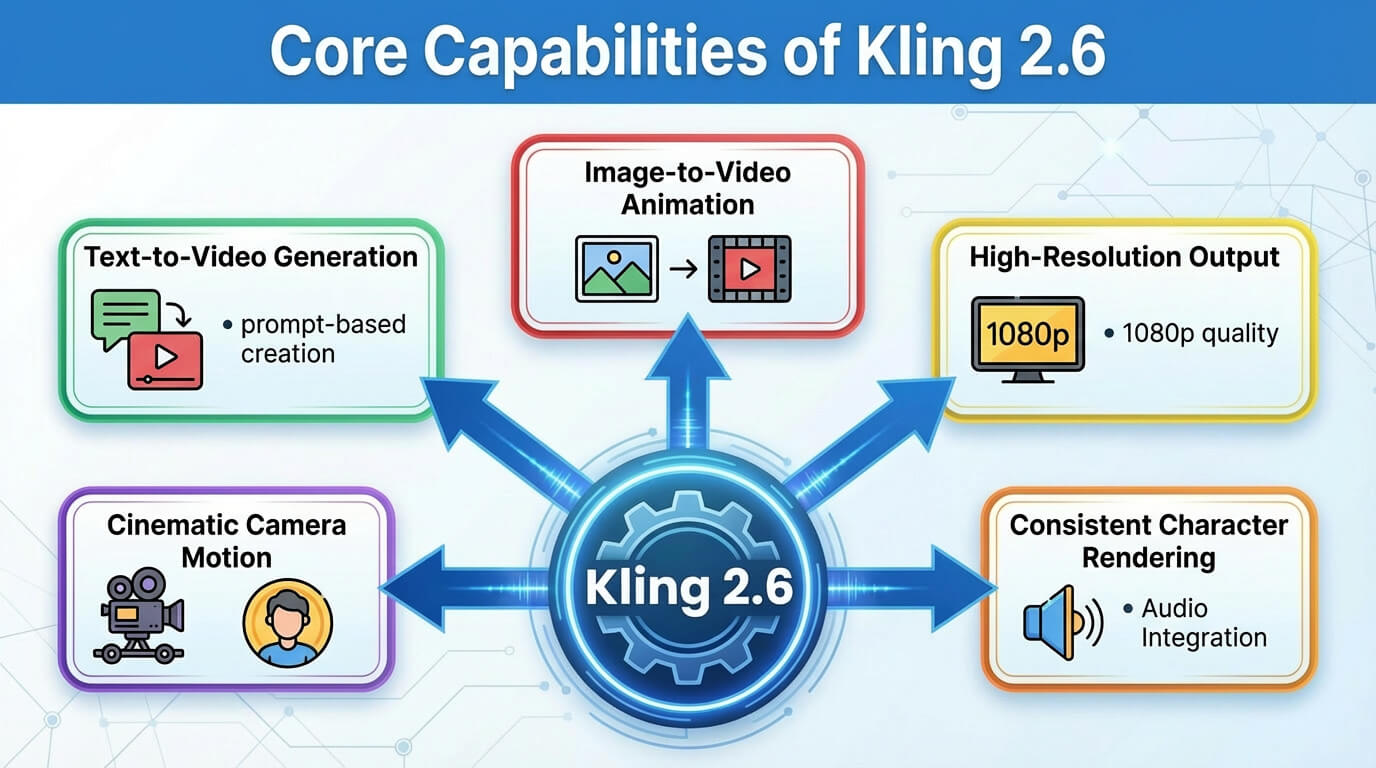
The features of Kling 2.6 are multi-mode inputs, AI prompt enhancer, AI audio sync, character consistency, motion and physics, an integrated editing suite and camera controls.
The features of Kling 2.6 are outlined below.
- Multi-mode inputs: Kling 2.6 lets you create videos from text prompts, image prompts or a mix of both, so different creative workflows fit naturally into one model.
- AI prompt enhancer: Kling 2.6 rewrites and enriches your initial prompt, which improves composition, motion depth and storytelling flow without requiring expert prompt engineering skills.
- AI audio sync: Kling 2.6 generates native, synchronized dialogue, sound effects and ambience, which keeps lip movements and on-screen actions tightly aligned with the soundtrack.
- Character consistency: Kling 2.6 maintains character consistency across shots, which preserves facial identity, clothing and style so the same character remains recognizable in multi-shot narrative videos.
- Intuitive workflow: Kling 2.6 turns prompts or reference images into polished clips in a few steps, which reduces the need for complex timelines or traditional editing knowledge.
- Motion and physics: Kling 2.6 models handle dancing, fighting, running and other fast actions with stable body dynamics and believable camera movement in short cinematic clips.
- High resolution videos: Kling 2.6 generates high resolution videos up to 1080p, which balances crisp visual detail with fast generation for social content, ads, explainers and short narrative scenes.
- Integrated editing suite: Kling 2.6 provides built-in editing options to adjust duration, aspect ratio, and selected visual or audio elements within the same environment.
- Camera controls: Kling 2.6 exposes camera controls such as framing, perspective and movement style, which helps you direct shots with specific angles or cinematic moves like dolly, pan or tracking.
- Improved structural control: Kling 2.6 preserves spatial relationships and supports multi-shot or first frame conditioned clips that respect your layout and narrative intent.
The features of Kling 2.6 are outlined below.
What are the use cases of Kling 2.6?
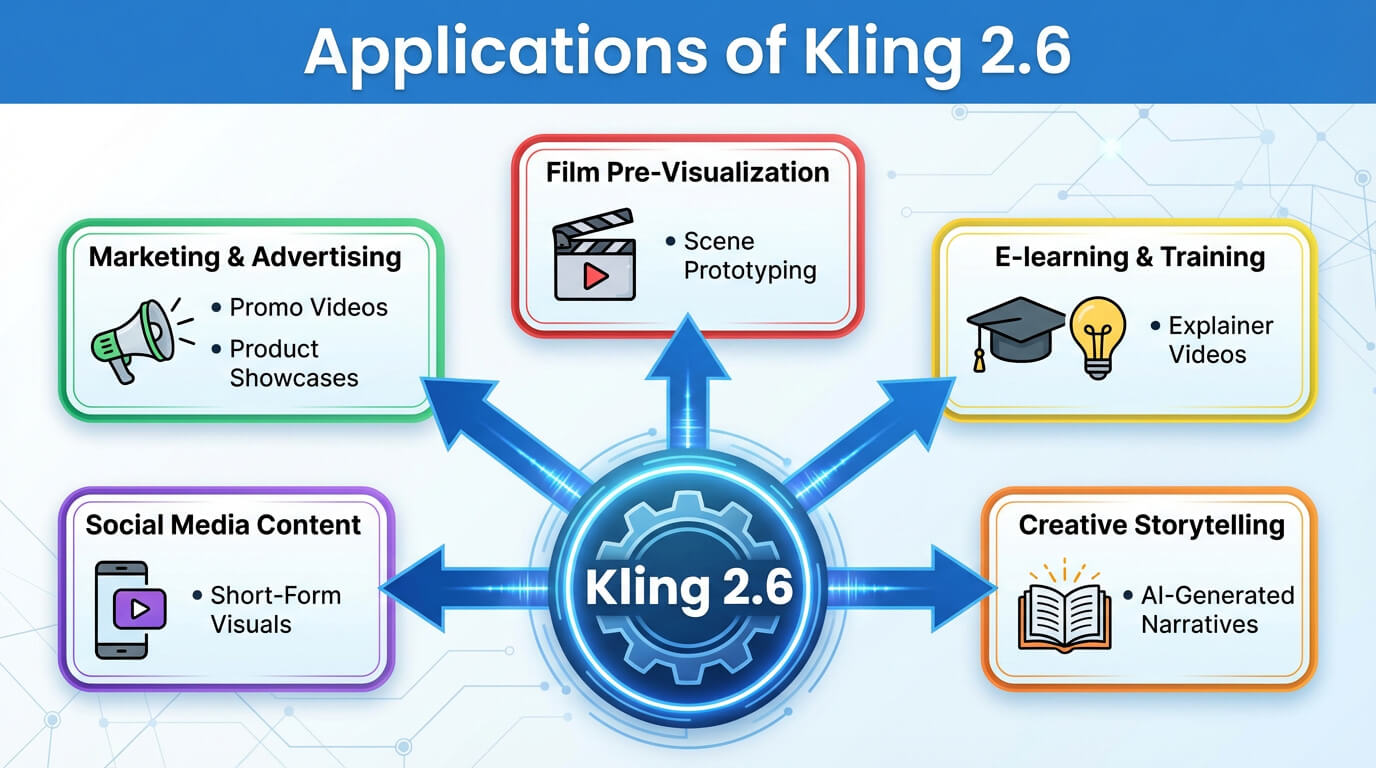
The use case of Kling 2 includes product demos, short promotional ads, social media content, creative storytelling and VFX and emotional and explainer videos.
The use cases of Kling 2.6 are given below.
- Product demos: Kling 2.6 is ideal for product demos that highlight key features in motion, keep visuals consistent with brand style and show objects behaving realistically in short, clear clips.
- Short promotional ads: Kling 2.6 suits short promotional ads where offers, logos and taglines appear in cinematic scenes, which combine visuals and sound to quickly grab attention for campaigns.
- Social media content: Kling 2.6 works well for social media content such as skits, trends and storytelling videos, which allows fast creation of native audio visual clips that feel platform ready.
- Creative production: Kling 2.6 transforms rough ideas or reference images into detailed test shots, animated sequences, and concept visuals, which allows individuals or small teams to experiment and develop creative content.
- Creative storytelling and VFX: Kling 2.6 includes narrative scenes and stylized music videos, where realistic movement and sound help complex characters and environments feel more believable.
- Pre-visualization for filmmaking: Kling 2.6 allows directors and production teams to explore scene blocking, camera angles, character movements, lighting and shot composition in detailed animated previews.
- Educational and explainer videos: Kling 2.6 transform lesson descriptions into clear visual examples with supportive motion and audio and make difficult topics easier to follow.
These use cases show how Kling 2.6 supports marketing, content creation, filmmaking and education. You can use VosuAI that offers a beginner friendly workflow and interface that streamlines prompts and delivers smooth, high quality video output.
The use cases of Kling 2.6 are outlined below.
Who benefits most from using Kling 2.6?
The people who benefit most from using Kling 2.6 are outlined below.
- Content creators: Content creators make short videos and animated promos more quickly, which turns ideas into polished clips without needing a full production team.
- Marketing professionals: Marketing professionals produce high conversion ads and product teasers at scale by testing multiple versions of messages, visuals and hooks in less time.
- Educators: Educators turn lessons into tutorials and explainer videos, which use visuals and motion to clarify complex topics for different types of learners.
- Filmmakers: Filmmakers experiment with test camera angles and scene ideas, which use generated clips to plan storyboards, mood pieces and pre-visualizations.
- Designers: Designers explore motion concepts for products, interfaces and environments, which turn static visuals into dynamic sequences that communicate look and feel more clearly.
What are the limitations of Kling 2.6?
The limitations of Kling 2.6 include clip duration, character limitations, audio and lip syncing accuracy, physics and realism constraints, prompt adherence issues and cost and access limitations.
The limitations of Kling 2.6 are outlined below.
- Clip duration: Kling 2.6 produces only short clips, so longer scenes must be broken into multiple segments and stitched together, which interrupts pacing and visual flow.
- Character limitations: Kling 2.6 handles one main subject more reliably than crowded scenes, so shots with many people or complex interactions feel messy or visually confusing.
- Character consistency issues: Kling 2.6 sometimes struggles to keep the same person looking identical across different shots, which leads to small changes in face, hairstyle or clothing between segments.
- Audio and lip syncing accuracy: Kling 2.6 produces imperfect alignment between spoken audio and mouth movement, so dialogue focused clips require extra takes or external audio editing to feel natural.
- Physics and realism constraints: Kling 2.6 generates motion that looks slightly stiff or unnatural in fast actions or complex body poses, especially when prompts describe very dynamic or unusual movements.
- Prompt adherence issues: Kling 2.6 does not always follow every detail in a prompt, so very specific requests about composition, props or actions can be partially ignored or interpreted loosely.
- Cost and access limitations: Kling 2.6 runs on credit based or paid plans, so heavy experimentation and high quality generations become expensive for frequent users or large projects.
You can offset these issues by using the all in one content creation OS VosuAI, which helps manage scene planning, prompt refinement, clip sequencing and workflow organization to achieve more consistent and production ready results with Kling 2.6.
How much does Kling 2.6 cost?
Kling 2.6 costs between about 10 USD and 180 USD per month, which depends on the subscription tier. It offers a credit based subscription model where users pay monthly and spend credits for each video generation. Kling 2.6 official pricing tiers start at 10 USD per month with 660 credits, 37 USD per month with 3,000 credits, 92 USD per month with 8,000 credits and 180 USD per month with 26,000 credits.
The pricing tiers of Kling 2.6 are outlined below.
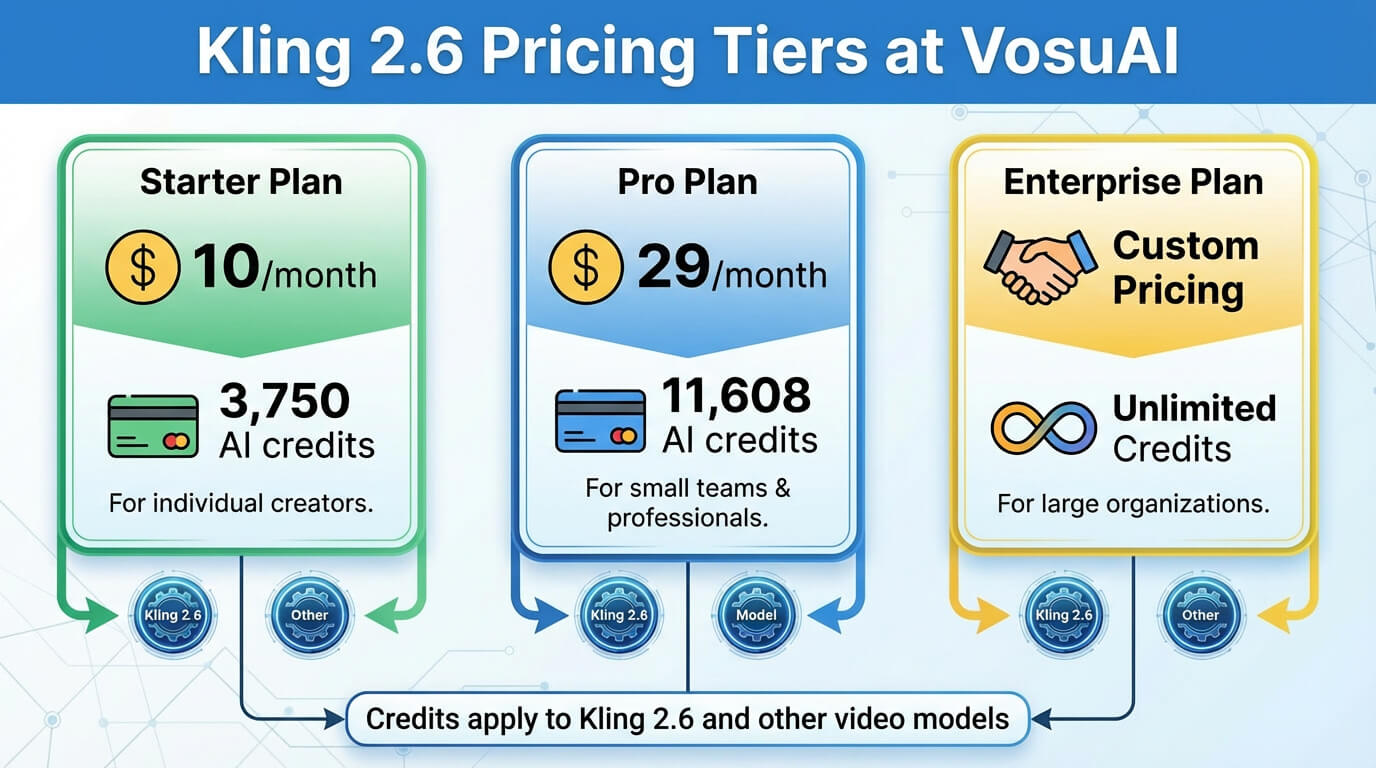
Kling 2.6 is also accessible through VosuAI, which offers three pricing tiers like starter, pro and enterprise or a customized plan. VosuAI’s subscription plans start at 10 USD per month with 3,750 credits, 29 USD per month with 11,608 credits and 99 USD per month with 39,929 credits in a customized plan. It is one of the most affordable and easiest options to use Kling 2.6.
How to use Kling 2.6?
To use Kling 2.6 through VosuAI, you have to go to VosuAI's dashboard, select the model, upload the image, use PromptGPT, choose duration, select the output number and click generate to download.
11 steps to use Kling 2.6 through VosuAI are outlined below.
- Go to VosuAI's dashboard: Navigate to vosu.ai, log in or sign up, then enter the main video generation dashboard to begin your project efficiently
- Select the model: Click on the general and pick Kling 2.6 from the dropdown where AI video models are listed to tap into its realistic motion and high fidelity generation strengths.
- Upload the image: Add your reference or base image to guide the video’s visual style, character or scene composition. Use high resolution formats like PNG or JPG for optimal consistency and superior generation quality.
- Upload end frame (optional): Upload the end frame as an optional second image if you want Kling 2.6 to animate a transition between a specific start and end look.
- Enter prompt: Enter a prompt describing subject, action, camera style and atmosphere so Kling 2.6 understands what motion, setting and mood to generate.
- Use prompt enhancer: Use prompt enhancer to automatically refine and expand your text description into a stronger, more detailed prompt optimized for Kling 2.6.
- Use PromptGPT: Use PromptGPT to generate or refine structured prompts from references in text or JSON format that define camera movement, lighting, transitions, motion logic, quality settings and negative prompts for optimized Kling 2.6 output.
- Choose duration: Choose duration from the available time options like 5 or 10 seconds, so the clip length matches your creative vision, pacing needs and platform requirements.
- Toggle audio generation button: Toggle audio generation button on or off depending on whether you want Kling 2.6 to create native sound, speech and ambience for the clip.
- Select output number: Select output number to control how many variations you want in one run, which balances experimentation against total credit usage inside VosuAI.
- Click the generate now button: Click on the generate now button, wait for rendering to finish, then review, download or iterate on the outputs directly inside your VosuAI project.
How to achieve the best output using Kling 2.6?
7 steps to achieve the best output using Kling 2.6 are outlined below.
- Provide clear and detailed prompts: Provide clear and detailed prompts describing subject, action, camera angles, lighting, mood and audio tone so the model has precise visual and sound direction.
- Use high quality source material: Use high quality source material like sharp, well lit reference images or clean character references to help Kling 2.6 read structure and faces accurately.
- Experiment with scene length: Experiment with scene length using shorter motion clips for quick actions and slightly longer durations for dialogue or atmosphere, then keep what feels most natural.
- Maintain character consistency: Maintain character consistency by reusing the same reference images and stable text descriptors, especially for recurring characters or multi-shot storytelling videos.
- Optimize audio integration: Optimize audio integration by specifying exact tone, pace and background sounds, which keeps voice lines short and limits ambient cues so speech remains clear.
- Iterate and refine: Iterate and refine outputs through changing one element at a time such as motion intensity, camera move or prompt phrasing, until you reach a stable, satisfying result.
- Leverage presets and templates: Leverage presets and templates that match your goal, then adjust details like mood or motion, instead of starting every Kling 2.6 setup from scratch.
Do I need any video creation skills to use Kling 2.6?
No, you do not need any video creation skills to use Kling 2.6 because it is designed as a one click experience that turns simple text prompts or images into high quality, 1080p videos. Kling 2.6 handles camera movement, motion and audio so beginners can get professional results. You can improve this experience by using VosuAI, which offers a beginner friendly workflow and interface that makes prompt input, scene setup and video generation simple and intuitive.
Does the native audio sync feature in Kling 2.6 benefit narration?
Yes, the native audio sync feature in Kling 2.6 benefits narration because it generates synchronized voiceovers, sound effects and ambience together with the visuals. Kling 2.6 keeps audio tightly aligned with on-screen actions and reduces manual post production, which makes narration heavy videos faster to create and more natural to watch.
Can I customize the videos generated by Kling 2.6?
Yes, you can customize the videos generated by Kling 2.6 because it gives you control over both visuals and audio, reference images, motion intensity, aspect ratio and voice style. Kling 2.6 lets you refine video output to better match your desired framing, pacing and overall creative direction. You can also upscale and add music or voice using VosuAI’s all in one content creation system.
Is Kling 2.6 better than Kling O1?
Yes, Kling 2.6 is better than Kling O1 because it focuses on native audio generation, improved 1080p visual quality and very consistent motion for short, high quality, stable video clips. Kling O1 is more of a unified, multimodal generation and edit model rather than a pure audio visual generation specialist.
Is Kling 2.6 better than Kling 2.5?
Yes, Kling 2.6 is better than 2.5 because it adds native, synchronized audio on top of 2.5’s strong visuals and improves prompt adherence. Kling 2.6 delivers more stable motion and timing in short cinematic clips, so you get high quality, unfied audio visual results without separate sound tools.
Is Kling 2.6 better than Sora 2?
Yes, Kling 2.6 is better than Sora 2, though it depends on whether you prioritize production speed and native audio or long form cinematic realism and physics. Kling 2.6 is stronger for native audio integration and quick short form clips, while Sora 2 is better in realism, physics accuracy and deep prompt understanding.
What is the difference between Kling 2.6 and Kling 2.6 Pro?
The difference between Kling 2.6 and Kling 2.6 Pro is in their production ready outputs. Kling 2.6 Pro is designed for professional use, with stricter prompt adherence, better consistency across scenes and more accurate physics. It makes complex multi-shot projects and production grade work look cleaner and more reliable than with the Kling 2.6.
Can I use Kling 2.6 for free?
No, you cannot use Kling 2.6 fully for free because the official service uses a credit based system where unrestricted, watermark free HD exports require payment. You can access Kling 2.6 through unified platforms like VosuAI, which offer limited credits for trial purposes before purchasing the subscription plan.