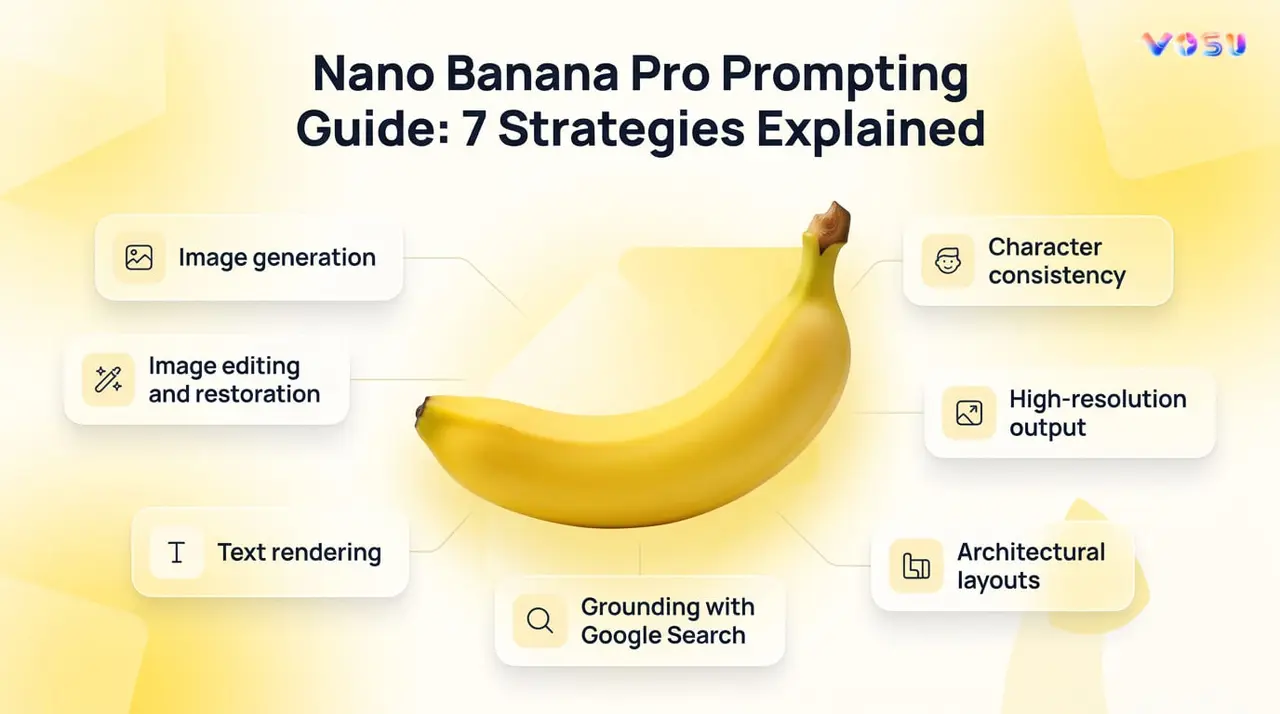
Nano Banana Pro prompt guide covers seven strategies, which include image generation, image editing and restoration, text rendering, grounding with Google search and character consistency. Image generation prompts work best as natural language creative briefs that combine a clear subject, action, context, style direction and output quality. Image editing and restoration require uploading a base image, defining the required changes, preserving important elements and refining results through conversational edits. Text rendering prompts prioritize exact quoted text, typography specifications, placement instructions and text first layouts to improve readability and design accuracy. Grounding prompts with Google Search rely on verified data, real time information and structured visual translations such as charts, dashboards and infographics. Character consistency requires reference image uploads, identity locking statements, constant element definitions and sequential scene planning to maintain a stable visual identity across generations.
Nano Banana Pro’s high resolution prompt output depends on explicit quality requests, aspect ratio selection, material texture descriptions and print ready specifications. Architectural layout prompts benefit from structural reference uploads, floor plan definitions, blueprint accuracy, wireframe guidance and 2D to 3D spatial translation instructions. Clear on image text and CTAs requires to quote all text, define typography and placement, prioritize readability and review outputs after generation. Users can also use PromptGPT to write prompts visually for Nano Banana Pro without any technical skills.
7 strategies to prompt Nano Banana Pro are listed below.
- Image generation
- Image editing and restoration
- Text rendering
- Grounding with Google search
- Character Consistency
- High resolution output
- Architectural layouts
1. Image generation
Explain image generation prompts in Nano Banana Pro by writing them as a natural creative brief instead of keywords. Start with strong verbs like create, design or render inside a flowing sentence that explains your idea clearly. Build your prompt using five core elements such as subject, action or state, environment or context, style direction and output quality. Include camera and lighting details because they control visual perception such as low angle framing and three point softbox lighting.
Define materiality and texture carefully for example, matte finish, to shape realism and brand feel. Clarify purpose, context and emotional intent before writing so the output aligns with your brand story. Use natural language prompting rather than fragmented keywords and refine results through conversational prompt iteration.
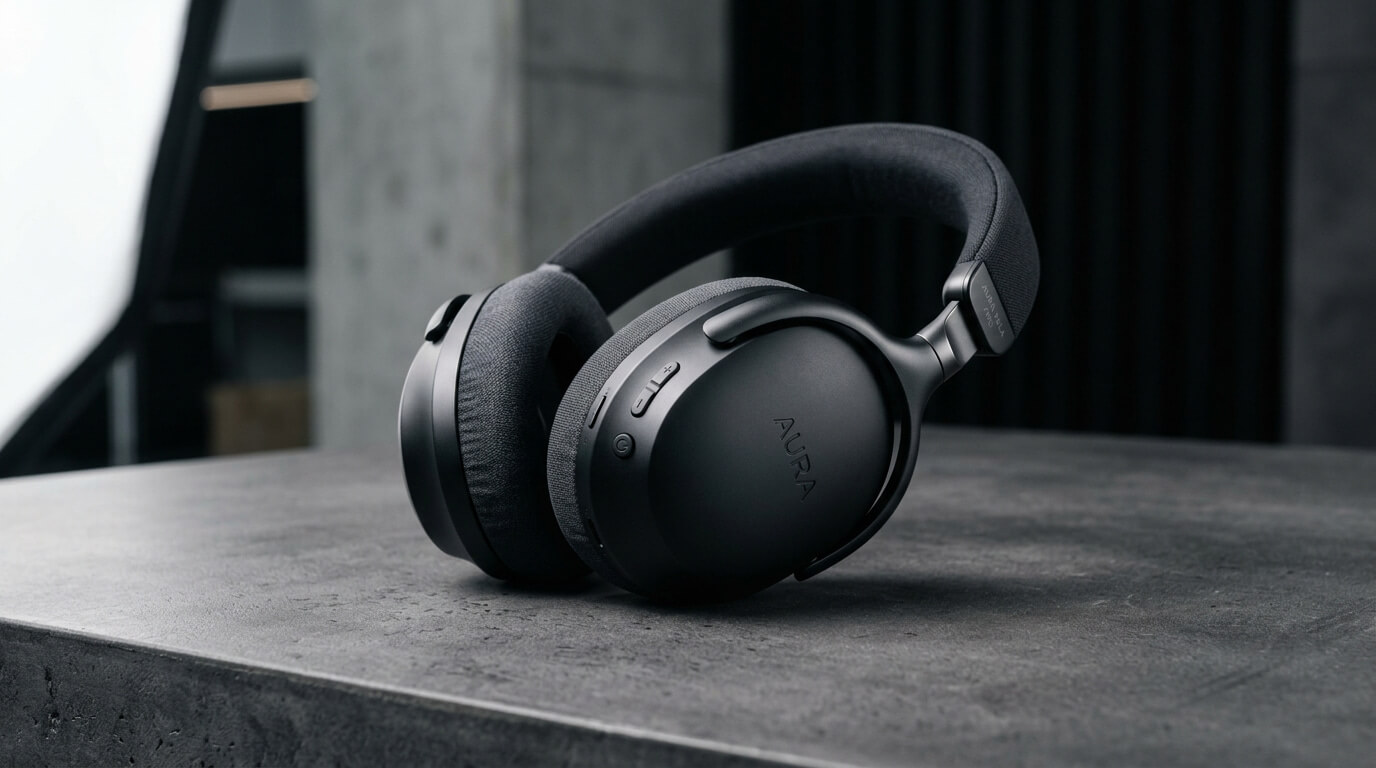
Prompt example: “Create a premium tech product on a studio surface with low angle view, three point softbox lighting and matte finish, reflecting modern brand identity.”
The visual output of the image generation prompt is given below.
2. Image editing and restoration
Describe image editing and restoration in Nano Banana Pro by using a base image upload and clear natural language instructions. Describe what needs to change in the image and what must stay unchanged, so the system understands both modification and preservation. Use direct editing instructions like enhance, restore, remove or adjust and rely on semantic masking through text, where you describe regions instead of drawing masks.
Specify always unchanged element preservation so identity, structure or key objects remain stable. Clearly define whether you want damage repair, clarity improvement or detail reconstruction for restoration transformation. You can also modify lighting and seasonal changes to shift mood and apply localization and adaptation to fit cultural or environmental context. Use conversational edit iteration to refine outputs step by step.
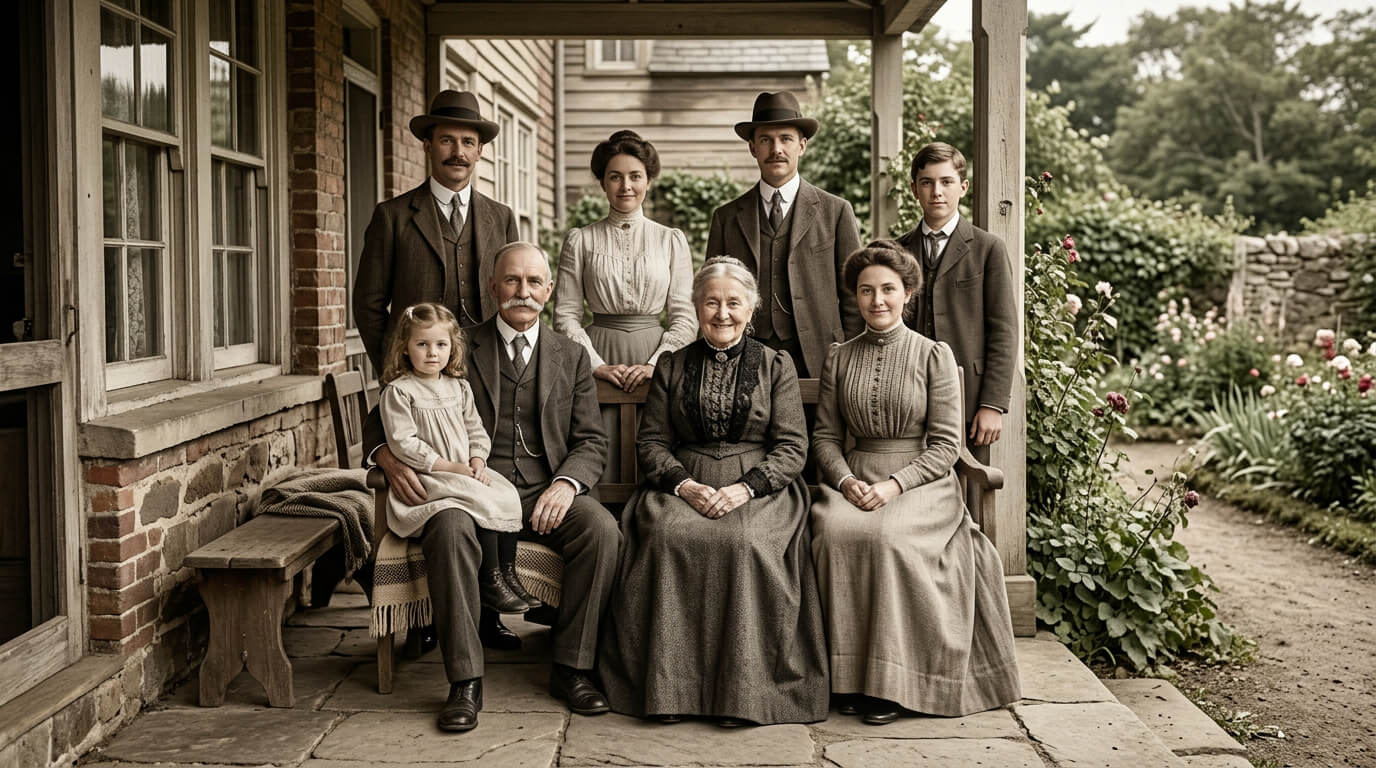
Prompt example: “Restore this old family photograph, repair scratches and faded areas using logical textures, preserve subject identity, enhance clarity and rebuild the surrounding environment with natural light and consistent details.”
The visual output of the image editing and restoration prompt is shown below.
3. Text rendering
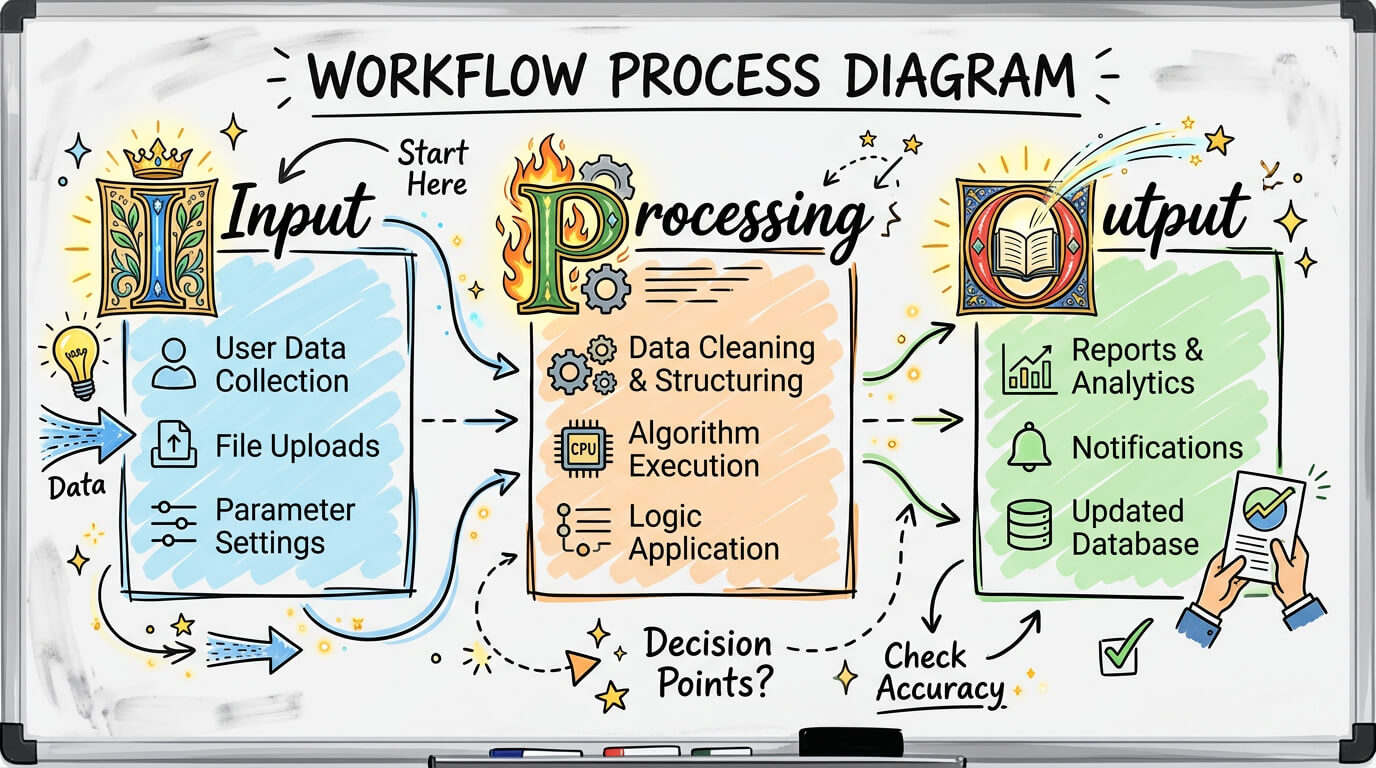
Demonstrate text rendering prompts in Nano Banana Pro by using typography as the primary structure of the visual instead of simple decoration. Start always with exact text quoting by placing the required words inside quotation marks so the model renders them accurately without distortion. Specify typography style clearly, like Brush Script, Google Product Sans, Century Gothic, Google font or illuminated letters font, based on brand tone. Define text placement and styling, like alignment, spacing, hierarchy and whether it should appear bold, outlined or layered. This works especially well for infographic style outputs where information clarity matters as much as design.
Describe labels, arrows and structured layout for technical diagram accuracy, so the visual behaves like a technical diagram rather than abstract art. You can also request multilingual text targeting when the same message must appear in multiple languages. Prioritize text first layout generation so composition is built around readable typography. Control text layering and occlusion through specifying which elements appear in front or behind.
Prompt example: “Create a technical diagram with hand drawn whiteboard style showing workflow steps labeled ‘Input’, ‘Processing’ and ‘Output’ using Google product sans and Brush Script accents with illuminated letters font highlights.”
The visual output of the text rendering prompt is shown below.
4. Grounding with Google search
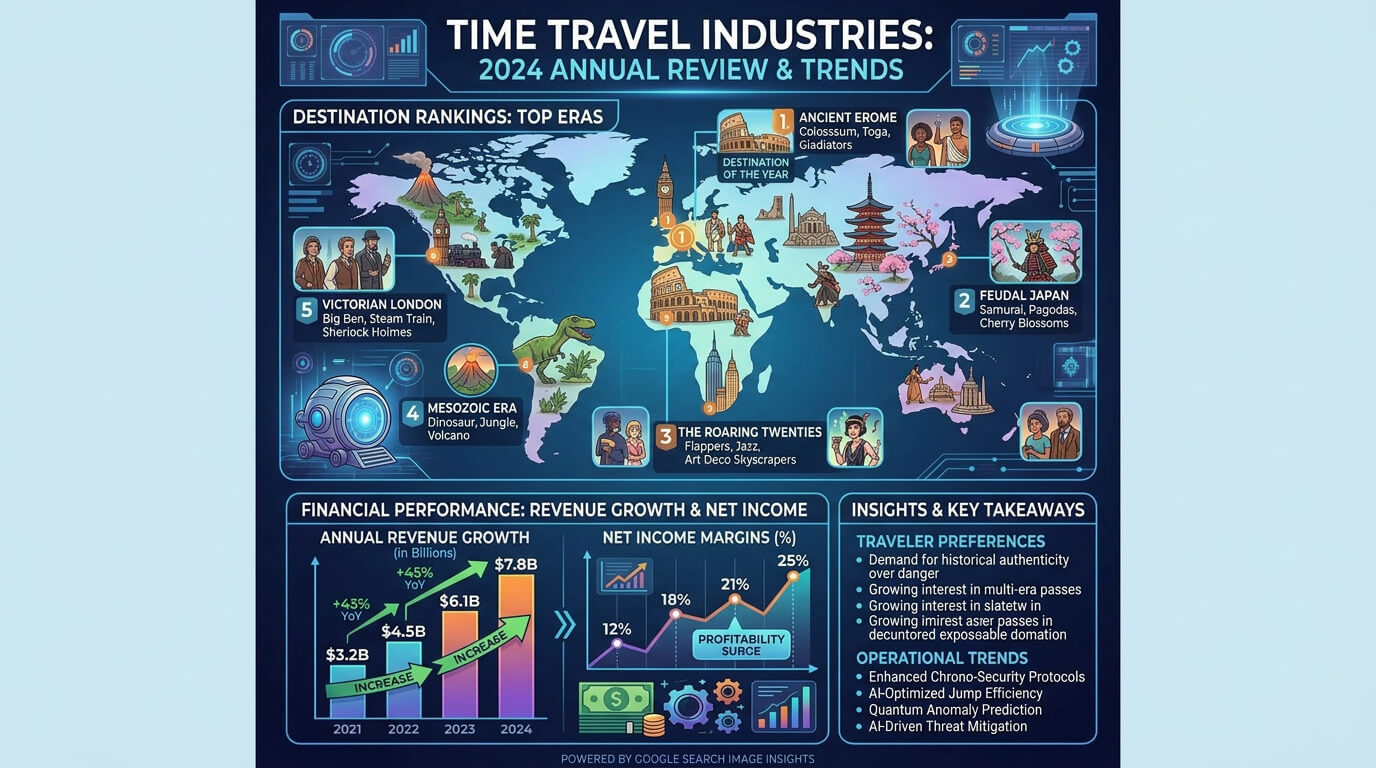
Guide grounding with Google search prompts in Nano Banana Pro by anchoring them in real world data and ensuring visuals are generated from verified information instead of imagination. Start requesting real time data usage so the system understands that factual accuracy is required for analytical tasks like travel trends, earnings report breakdowns or revenue growth visualization. Define how the information should be translated visually such as charts, ranked lists or infographic blocks. Use a visual translation specification to convert structured data into clear design output.
Instruct the model to build bar graphs, line charts or comparative dashboards for stock data visualization trends. Guide it to map search based signals into structured visual elements for event based infographic data sources like Google images of happy birthday. Direct the model to extract key metrics from a document and convert them into visual elements when using a document based infographic PDF upload. Enforce factual accuracy verification and diagram factual constraints to keep numbers and relationships correct.
Prompt example: “Fetch real time travel trends, extract destination rankings, visualize earnings report data showing revenue growth and net income and build an infographic using Google search images with structured charts and labeled insights.”
The visual output of the prompt for grounding with Google search is given below.
5. Character consistency
Ensure character consistency in Nano Banana Pro prompts by maintaining stable identity across multiple generations while allowing controlled changes in pose, scene, or context. Start with a reference image upload strategy where you provide one or more base images of the character to lock identity. Use then an identity locking statement such as “same character identity across all outputs” to prevent drift. Describe the character in a verbatim consistency format, repeating key facial, outfit and styling details exactly across prompts.
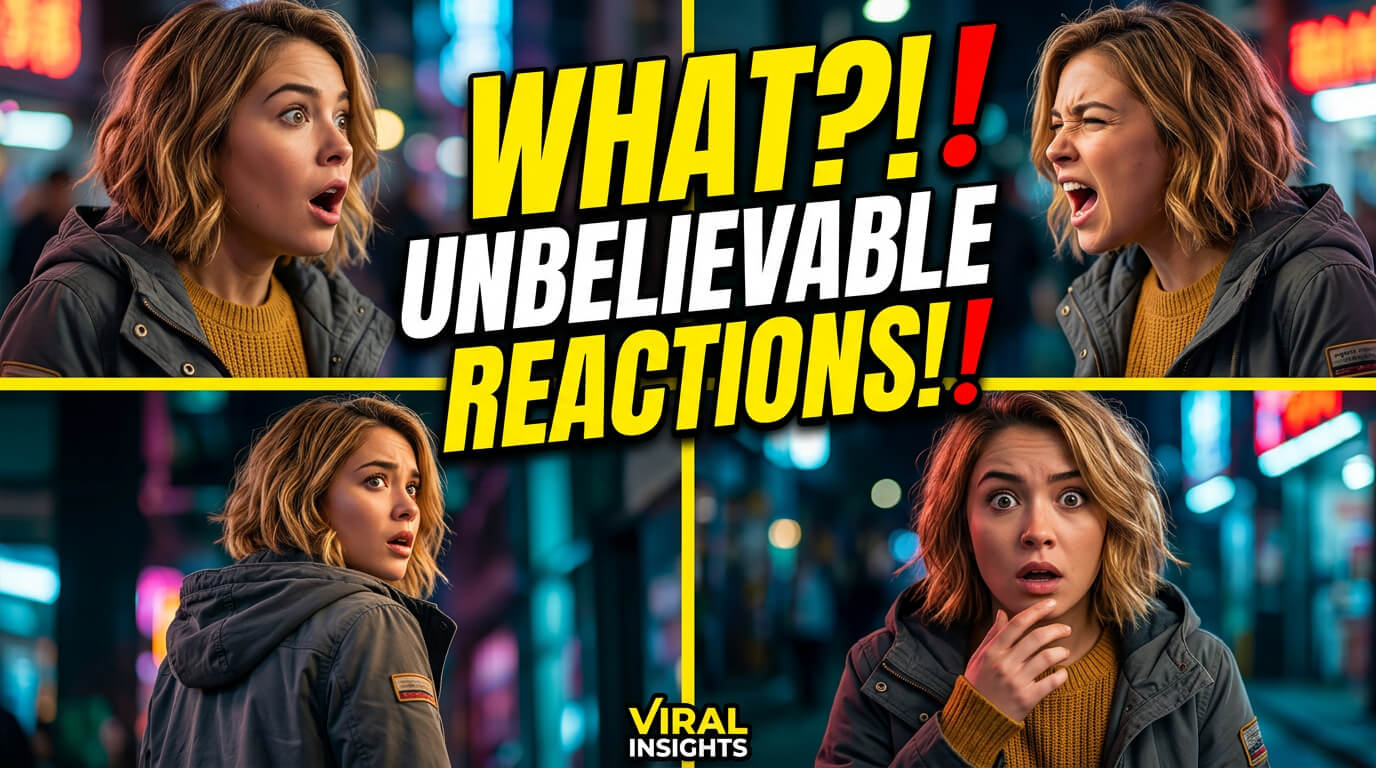
Separate constant and variable elements clearly. Constant elements include face, hairstyle and core outfit, while variable elements include pose, background, lighting and emotion. Use film direction, expression language like framing, camera movement and scene mood to guide storytelling continuity. Place the character as the focal subject with strong contrast and readable expression for a viral thumbnail composition structure. Define interaction order and scene progression step by step for multi-character sequential generation. Keep lip sync workflow separation, so audio driven expressions do not alter identity features.
Prompt example: “Using reference images, maintain the same character identity with character turnaround consistency across all scenes and brand assets, keep facial features and outfit constant while changing pose and background, generate a cinematic viral thumbnail composition showing the character reacting in different angles across sequential frames.”
The visual output of the character consistency prompt is given below.
6. High resolution output
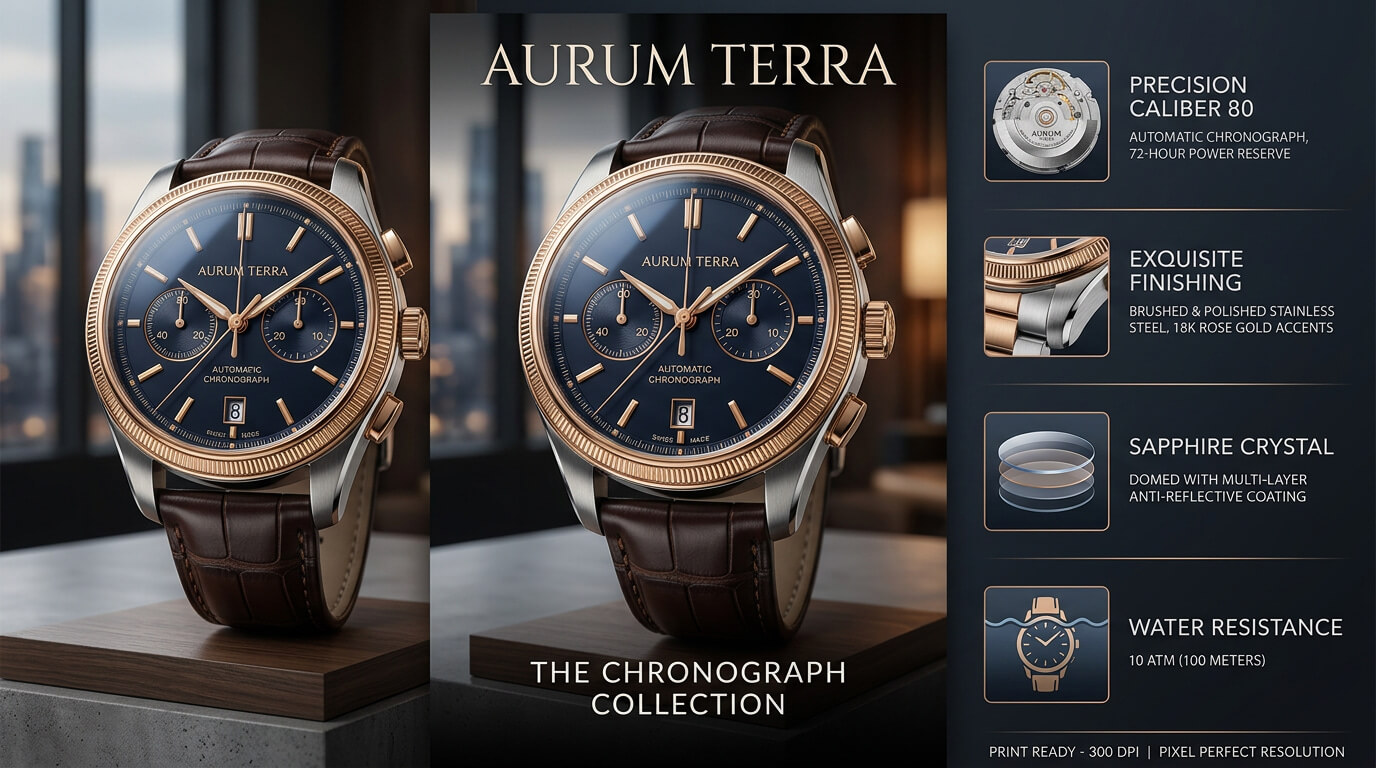
Show high-resolution prompts in Nano Banana Pro by requesting maximum image quality and defining the level of detail in the final output. Specify the desired aspect ratio, whether you need a vertical poster, square social graphic or widescreen composition. Describe high fidelity details such as facial features, environmental elements, reflections and fine surface characteristics to help the model generate sharper visuals. Follow the direct close up generation rule when small details are critical, as closer framing often preserves more visual information.
Define material texture specification clearly, like fabrics, metals, wood, glass or printed surfaces, to improve realism. Request pixel perfect resolution to maintain clarity at larger sizes for professional applications like large format print usage. This approach also benefits mockup use cases where product packaging, posters or branded assets require precise rendering. Use natural language instructions and refine outputs through conversational iterations until the image meets your quality standards.
Prompt example: “Create a vertical poster featuring a luxury watch in a cinematic wide shot, rendered at pixel perfect resolution with highly detailed metal surfaces, realistic glass reflections, premium leather textures and a clean product mockup presentation. Include a hyper realistic infographic section highlighting key product features while maintaining print ready quality.”
The visual output of the prompt for high resolution output is given below.
7. Architectural layouts
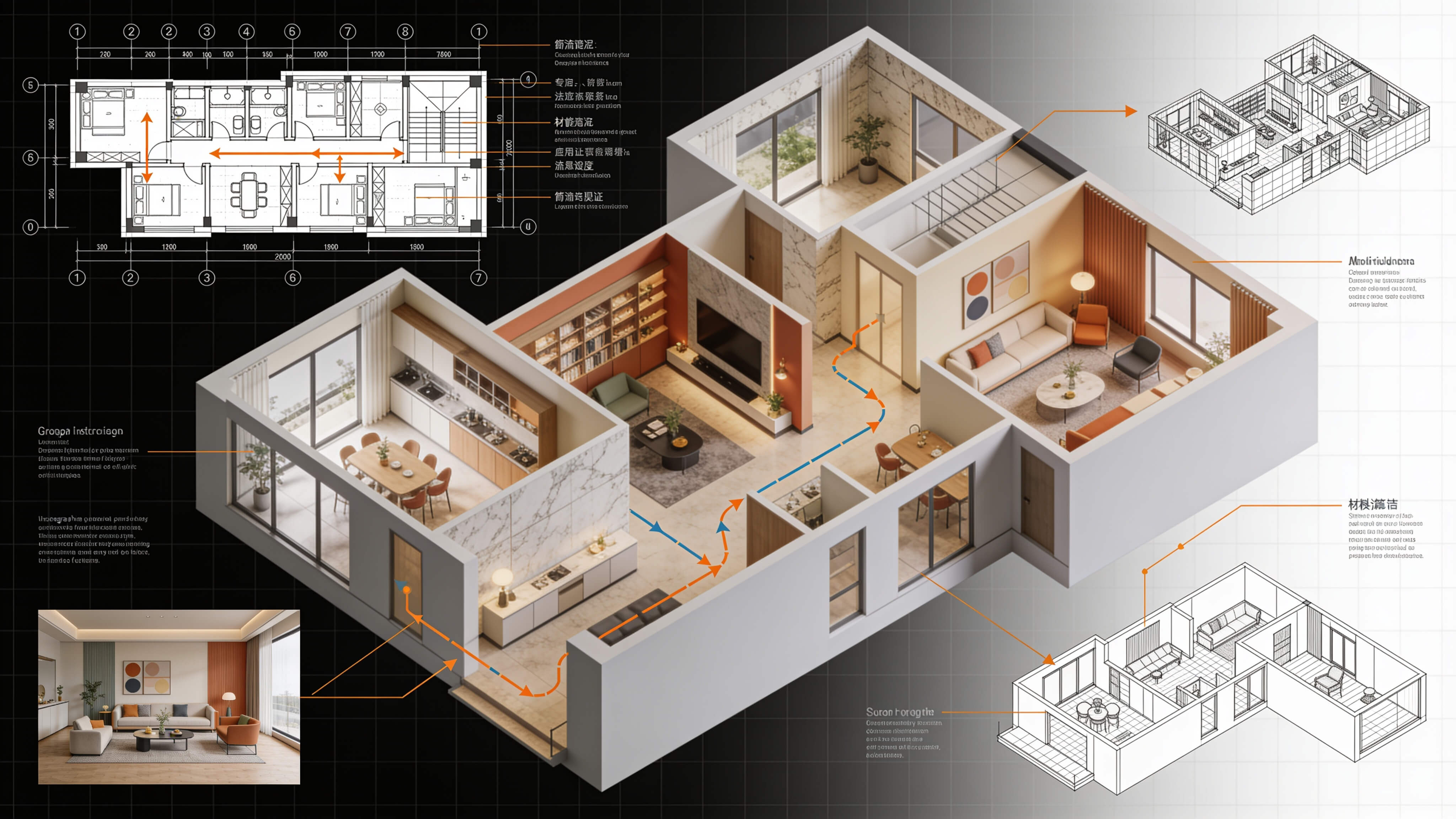
Demonstrate architectural layout prompts in Nano Banana Pro by providing structural references and specifying how they guide the final output. Upload a structural reference such as a napkin sketch, floor plan, orthographic blueprint or wireframe and specify the relationship between the reference and the generated design. Clearly define the floor plan layout specification, such as room placement, circulation paths, dimensions and spatial hierarchy. Instruct the model to preserve proportions, measurements and structural relationships throughout the generation process for architectural diagram technical accuracy. You can also use a sketch to final advertisement structure by transforming rough concepts into polished presentation visuals.
Define pixel art grid dimension control and sprite sheet sequence structure to maintain consistency across frames when creating pixel based assets. Use UI mockup wireframe references for digital products to guide layout organization and functionality. Request dimensional translation from 2D plans into 3D interior design renderings to visualize spaces more effectively, while preserving architectural intent.
Prompt example: “Use the uploaded napkin sketch as the primary reference and convert it into an orthographic blueprint and detailed floor plan. Preserve room dimensions and circulation flow, generate a realistic interior design visualization from the 2D layout and create a wireframe presentation showing both architectural structure and user navigation. Maintain grid image alignment and accurate spatial proportions throughout.”
The visual output of the prompt for architectural layouts is given below.
How to write prompts for clear on-image text and CTAs in Nano Banana Pro?
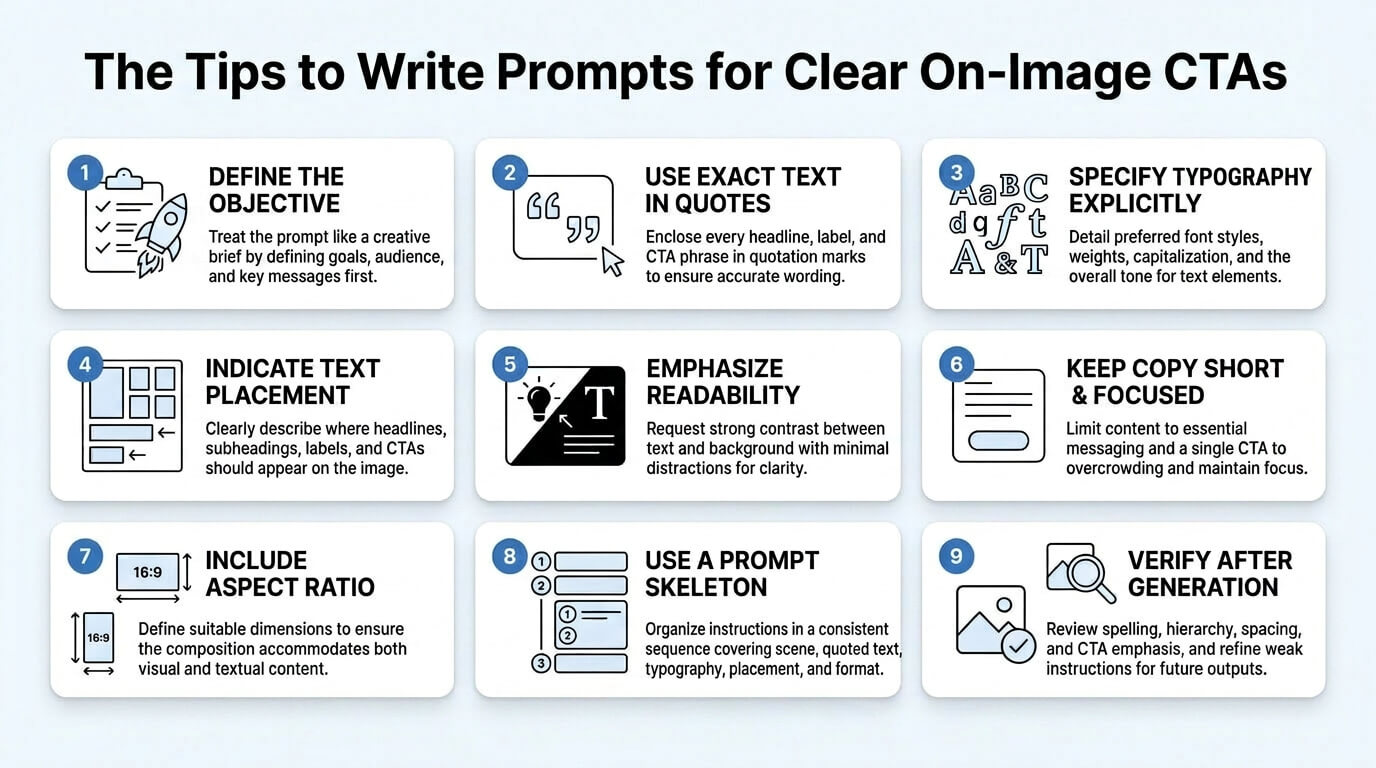
To write prompts for clear on-image text and CTAs in Nano Banana Pro, treat the prompt like a creative brief, describe typography explicitly, specify text placement and verify after generation. These instructions help to create clear and effective CTAs. VosuAI also provides PromptGPT to guide critical prompts visually without any technical skills.
9 steps to write prompts for clear on-image text and CTAs in Nano Banana Pro are given below.
1. Treat the prompt like a creative brief: Define the objective, audience, key message, visual style and CTA requirements before generation, which provides strategic context that supports relevant and effective visual communication.
2. Put exact text in quotes: Enclose every headline, label and CTA phrase in quotation marks, which helps the model reproduce intended wording accurately while minimizing spelling issues and character distortions.
3. Describe typography explicitly: Specify font style, weight, capitalization and overall tone, which allows text to reflect the desired personality while maintaining consistency throughout the design.
4. Specify text placement: Indicate where headlines, subheadings, labels and CTA elements should appear using clear layout terms, which creates a structured composition that supports intuitive content organization.
5. Emphasize readability and contrast: Request strong contrast between text and background with minimal visual distractions, which assures important information remains clear, distinguishable and accessible across viewing environments.
6. Keep copy short and focused: Limit content to essential messaging and a single CTA, which prevents overcrowding while concentrating attention on the primary message and intended response.
7. Include aspect ratio and resolution: Define dimensions suitable for the target platform or format, which assures the composition accommodates both visual content and text without compromising presentation quality.
8. Use this prompt skeleton: Organize instructions in a consistent sequence covering scene, quoted text, typography, placement, style and format, which re-improves clarity and improves prompt interpretation.
9. Verify after generation: Review and refine after generation by checking spelling, hierarchy, spacing and CTA emphasis, then updating the weak instructions so subsequent outputs incrementally improve.
The tips to write prompts for clear on-image CTAs.
How do I adapt Nano Banana Pro prompts to match my brand?
4 steps to adapt Nano Banana Pro prompts to match your brand are given below.
1. Upload brand DNA: Provide specific brand guidelines, visual identity details and reference assets so Nano Banana Pro can maintain consistency.
2. Define the subject & materiality: Describe the main subject, materials, textures and physical characteristics to establish an accurate visual representation.
3. Specify layout constraints: Outline layout and typography rules, spacing requirements and composition boundaries to support structured design execution.
4. Quote on image text: Place all headlines, labels and messages in quotation marks to improve text rendering accuracy.
What aspect ratio should I use for Nano Banana Pro?
You should use the aspect ratio in Nano Banana Pro such as 16:9, 9:16 or 1:1, based on usage. Use 9:16 for TikTok reels and other vertical content, 1:1 for Instagram feed posts and 16:9 for YouTube format videos and thumbnails. You can use a 1:1 ratio for general artwork, while avatars and profile images work best in a square format. You can access all available aspect ratios of Nano Banana Pro through VosuAI for flexible control.
What resolution should I use for Nano Banana Pro?
You should use resolutions in Nano Banana Pro such as 4K, 2K and 1K based on your quality and workflow requirements. Use 4K resolution for production grade assets, native professional marketing use, print ready visuals, ultra sharp details and micro texture rendering in marketing layouts. Select 2K resolution when you need balanced quality and speed for web assets and everyday creative projects. Choose 1K resolution for faster rendering, rapid testing and concept mockups during early design iterations. VosuAI provides access to all available resolution options in Nano Banana Pro, which allows you to optimize image quality and rendering speed for different use cases.
Can I fix repeated detail errors in Nano Banana Pro?
Yes, you can fix repeated detail errors in Nano Banana Pro because they occur when prompts repeat or earlier context mistakes carry forward into new generations. These issues appear when previous instructions lose clarity, which causes the model to produce inconsistent results. You should refine the prompt, clarify requirements or reset the conversation to improve consistency and help prevent repeated visual errors.