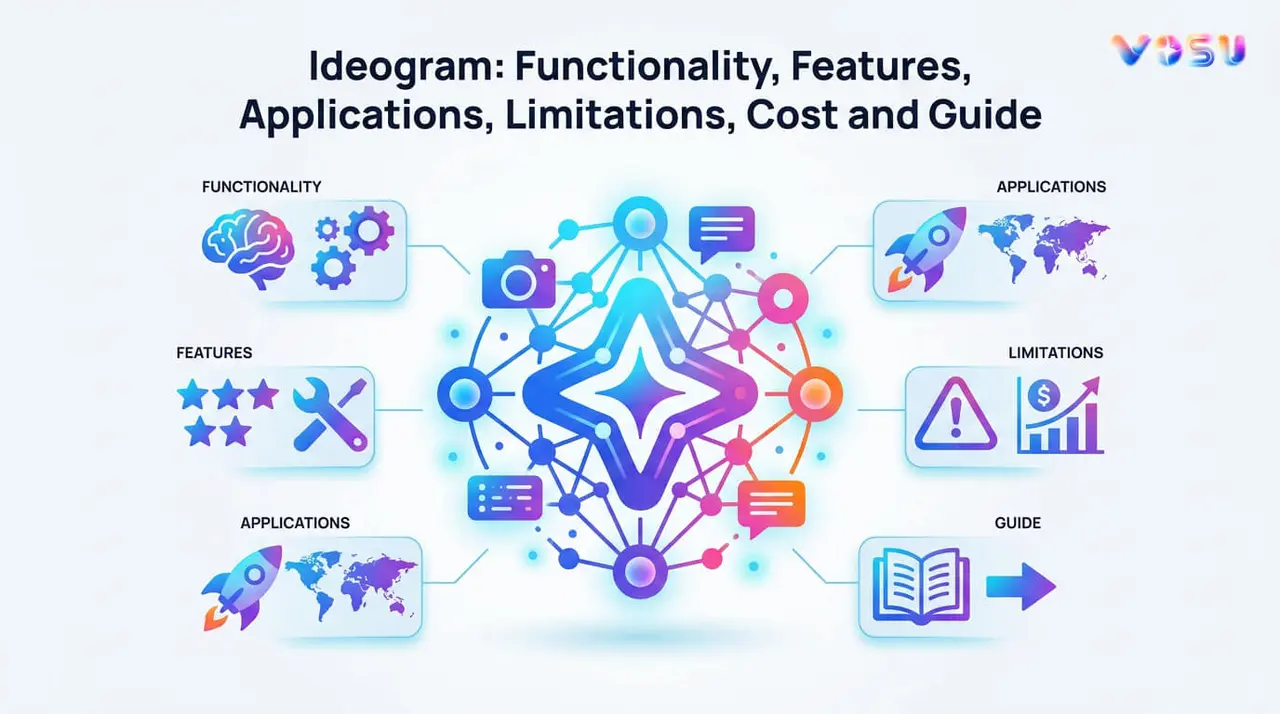
Ideogram is an AI powered text to image generator designed for creating images, logos, posters and graphic designs from natural language prompts. It was founded in 2022 by former Google Brain researchers Thomas Dimson, Jiahui Yu and Yusuf Aytar. Ideogram is especially known for its ability to generate clear, readable text within images, which makes it highly effective for branding, typography and marketing visuals. It uses a diffusion based transformer architecture trained on large text image datasets. Ideogram interprets prompts through advanced neural networks and converts them into high quality visual outputs.
Ideogram offers several features, which include accurate text rendering, style customization with reference images, Canvas editor, character consistency and high resolution outputs. These help users create professional quality visuals without requiring advanced design skills. Ideograms are widely used in marketing materials, social media graphics, print on demand products, logos, posters and creative concept generation. It performs strongly in typography and graphic design, but it has some limitations like weaker photorealism, inconsistent anatomy in human subjects and limited support for non Latin scripts.
Ideogram costs around 8 to 60 USD, while you can also access it through VosuAI, which offers cost effective options with better credits. You can use VosuAI by signing up, selecting the model, entering the prompt, configuring the optional settings and then generating the image.
What is Ideogram?
Ideogram is an AI driven text to image generator developed to create images, logos and graphic designs from natural language text prompts. It was co founded in 2022 by Thomas Dimson, Jiahui Yu and Yusuf Aytar, three former Google Brain researchers with expertise in generative image models. This platform operates as an AI image generator with a specialized architecture for rendering accurate and legible text within generated visuals.
Ideogram offers multiple model versions such as 1.0, 2.0, 2a, and 3.0, with each improving image quality and prompt understanding. It excels in text-to-image generation for stylized poster design, branding materials, logo creation, and typography-integrated illustrations, making it useful for professional creative and marketing applications.
How does Ideogram work?
Ideogram operates on a diffusion based transformer architecture with advanced deep learning neural networks trained on large text image datasets. It produces up to 4 image variations from a single natural language prompt in each generation request. The platform uses a text encoder to interpret prompts and a cross attention module to align text tokens with spatial image features. Ideogram applies Ideogram Magic Prompt as an enhancement layer that expands and enriches short prompts before diffusion processing.
Ideogram begins the image generation process when it encodes a natural language prompt into a semantic embedding vector. It samples a random noise representation and denoises it through iterative diffusion steps guided by the embedding. It decodes the final latent into high quality graphics output and applies post processing for resolution, aspect ratio and style.
What are the features of Ideogram?
The features of Ideogram AI include accurate text generation, style customization, Canvas editing, character consistency and high resolution output. These help users create visually consistent and professional quality images from text prompts.
The top features of Ideogram are given below.
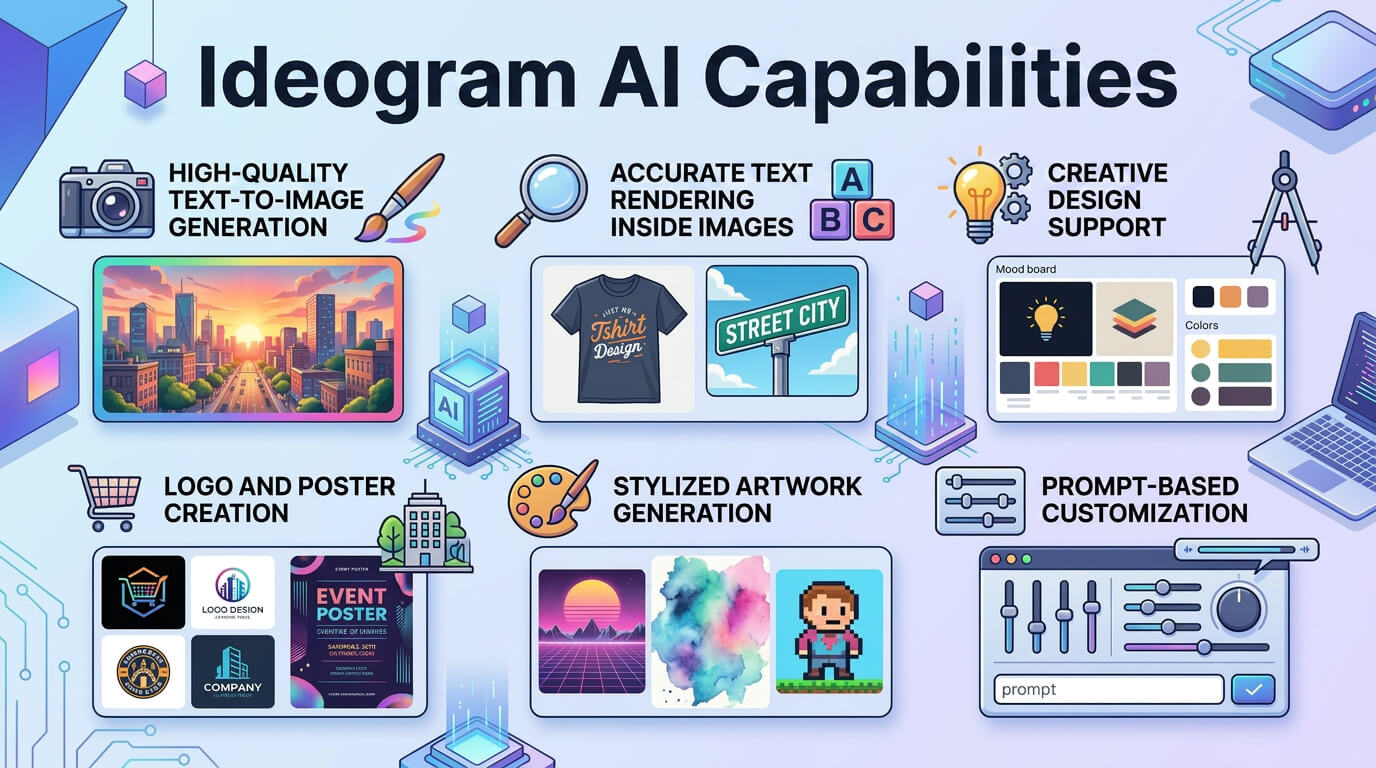
- Accurate text generation: Ideogram applies advanced text rendering to produce legible, correctly spelled words within generated images, which outperform most AI image generators on embedded word accuracy.
- Style customization and references: Ideogram accepts multiple reference images to guide visual style, which blends chosen aesthetics into the final output.
- Canvas editor: Ideogram canvas provides an in-browser editing workspace for iterative prompt adjustments, inpainting and image composition without external software.
- Character consistency: Ideogram generates consistent character appearances across multiple images from a single reference photo, which allows consistent character led visual sequences.
- Color palette control: Ideogram allows users to define custom brand color palettes applied precisely to all image generations, which secures visual identity consistency.
- High resolution output: Ideogram provides 2K upscaling on Plus and Pro tiers, while the free plan includes standard quality output per slow credit.
- Aspect ratio flexibility: Ideogram supports aspect ratios between 1:3 and 3:1, covering vertical, square and horizontal formats for diverse publishing contexts.
- Batch generation and speed: Ideogram generates multiple image variations at the same time. It also creates a completely new project while previous content is still processing.
- Real world knowledge: Ideogram incorporates up-to-date real-world knowledge to generate accurate representations of current events, products, and contemporary subjects.
The capabilities of Ideogram AI are shown in the image below.
What are the applications of Ideogram?
The applications of Ideogram include marketing and branding, print on demand, content creation, graphic design, textual integration and creative direction. These help users generate visually consistent and high quality design outputs from text prompts.
The uses of Ideogram are given below.
- Marketing and branding: Ideogram generates marketing materials such as posters, flyers and social media content with legible embedded text, which reduces design production time for brand campaigns.
- Print on demand products: Ideogram produces customized illustrations and typography rich designs for print on demand products such as t-shirts, mugs and book covers with precise visual rendering.
- Content creation: Ideogram supports content creators with AI generated visuals for blog posts, YouTube thumbnails, social media graphics and newsletter headers from simple text prompts.
- Graphic design and illustration: Ideogram generates vector style logos, illustrated characters and stylized graphic compositions across artistic, photorealistic and minimalist design aesthetics.
- Textual integration in images: Ideogram embeds accurate, stylized text directly into image compositions, which makes it the preferred AI image generator tool for poster and banner design.
- Creative direction: Ideogram allows creative directors to generate 4 visual concepts per prompt from a single brief, which accelerates art direction for campaigns and editorial projects.
- Image editing and manipulation: Ideogram canvas provides inpainting, background removal and image remixing tools for post generation editing within the same workspace.
- Developer and enterprise integration: Ideogram's REST API allows developers to integrate AI image generation into custom applications, which automates visual content production at scale.
These Ideogram AI workflows are managed more efficiently on VosuAI, a platform with a user friendly dashboard for organising and deploying all image generation workflows.
What are the limitations of Ideogram?
The limitations of Ideogram are photorealism and accuracy limitations, complex text and composition issues, editing capabilities limitations, freeplan generation constraints and non Latin script rendering. These limitations are affecting output quality, platform access and usage compliance for specific creative workflows.
The limitations of the ideogram are given below.
- Photorealism and accuracy limitations: Ideogram produces inconsistent anatomical accuracy in human subjects, with documented errors in hand rendering and facial symmetry under complex lighting.
- Complex text and composition issues: Ideogram struggles with complex scenes involving multiple overlapping text layers or intricate spatial arrangements that reduce prompt adherence in dense compositions.
- Editing capabilities limitations: Ideogram's canvas editor lacks the precision tools of professional software such as Adobe Photoshop, which limits fine grained pixel level adjustments after generation.
- Free plan generation constraints: Ideogram restricts free users to 10 slow credits per week, with all generated images published publicly and excluded from private generation features.
- Non-Latin script rendering gaps: Ideogram 3.0 produces unreliable output for non Latin scripts, which include Chinese, Arabic and Japanese text within generated image compositions.
- Usage policy restrictions: Ideogram prohibits adult content and depictions of real individuals under its terms of service, which restricts certain creative use cases.
Users can overcome most of these limitations through VosuAI, as it offers more flexible image generation options and fewer creative restrictions.
How much does Ideogram cost?
Ideogram costs 8 USD per month (billed annually) for basic features and reaches up to 60 USD per month (billed annually) for the pro plan. Ideogram offers a basic plan at 8 USD per month, which delivers 400 priority credits monthly with 100 slow credits per day. It offers a plus plan for 20 USD per month, which includes 1,000 priority credits monthly, unlimited slow credits and private generation access. Ideogram offers a Pro plan at 60 USD per month with 3,500 priority credits and batch generation for high volume workflows. It also provides a Team plan at 20 USD per user per month with collaboration features and centralized billing.
Users can access Ideogram through VosuAI, which integrates over 100 image generation models like Nano banana pro and Flux. VosuAI costs around $10.00 per month for 3,750 credits, $29.00 per month for 11,608 credits and $99.00 per month for 39,929 credits. It offers custom or enterprise pricing for studios that need higher volumes or more parallel renders.
How to access Ideogram?
Ideogram is accessible through its official web based interface at ideogram.ai by signing up for a free account with a Google or Apple login. It provides immediate access to the free plan, which includes the web based image generation interface and 10 slow weekly credits. Users can also access Ideogram through platforms like VosuAI that combine multiple image generation models into a single workspace. VosuAI provides immediate image generation access to Ideogram alongside multiple AI image generator models in any subscription tier, without requiring a separate Ideogram account.
How to use Ideogram?
To use Ideogram models, you have to visit VosuAI, select the Ideogram model, enter a prompt or use promptGPT, configure optional settings and generate your image.
7 steps to use Ideogram using VosuAI are outlined below.
- Go to VosuAI image generation: Visit the VosuAI website, signup to the account and navigate to the image generation page to open the text to image generator with your account.
- Select the Ideogram model: Choose the specific Ideogram model from the dropdown or model selector so the system knows which architecture and style to use for your image.
- Enter your prompt: Enter a detailed prompt describing the subject, style, colors and composition, which helps Ideogram generate accurate and visually consistent AI images matching your creative requirements.
- Enable or disable the prompt enhancer: Enable or disable the prompt enhancer to control automatic prompt refinement, which improves image clarity, creativity and overall generation quality.
- Use PromptGPT: Open PromptGPT to build a structured prompt visually using styles, camera angles, presets and workflows, then copy the generated prompt back into the Ideogram input field.
- Set a seed (optional): Enter a seed number, which allows you to reproduce consistent Ideogram image outputs across multiple sessions while maintaining similar composition, style and visual details in generated images.
- Generate the image: Click the generate button to submit your prompt to the Ideogram model on VosuAI, which processes the request and creates the final AI generated image output within a few seconds.
How to write prompts for ideograms?
The techniques to write a prompt for Ideograms are outlined below.
- Start with a clear subject: Define the main subject clearly to ensure the AI understands the focal point of the generated image.
- Add style direction: Specify artistic style such as realistic, cinematic, anime or illustration to guide the visual aesthetic output.
- Include environment and context: Describe the surrounding environment and contextual elements to create a believable and immersive scene setting for the subject.
- Define camera and composition: Define camera angle, framing and composition to control perspective, depth and overall visual storytelling impact effectively.
- Add lighting and mood: Add lighting conditions and mood descriptors to influence atmosphere, emotional tone, shadows and visual contrast effectively.
- Include details and textures: Include fine details and surface textures to enhance realism, depth and richness in the generated image output.
- Refine and iterate: Refine prompts iteratively by adjusting wording, adding specifics and testing outputs to improve final image quality.
You can use PromptGPT in VosuAI to turn these techniques into well-structured Ideogram prompts in seconds that will help you create more consistent and visually refined images.
Do you need any design skills to use Ideogram?
No, you do not need any design skills to use Ideogram because it generates high quality and text integrated images from simple text prompts. This makes it accessible to beginners and intermediates. You can also produce logos, posters and marketing visuals using VosuAI’s user friendly interface without having any graphic design background.
Can you use Ideogram for commercial projects?
Yes, you can use Ideogram for commercial projects, as it does not claim ownership of images generated with paid plans. Ideogram allows users to use images for client work, advertising and selling products, provided the content does not infringe third party rights or laws. You can also use VosuAI to create watermark free image generation suitable for commercial use across all its subscription tiers.
Is Ideogram free to use?
Yes, Ideogram is free to use through its basic free plan, which provides 10 slow weekly credits for testing image generation features. The free plan covers basic use, standard quality image output, but restricts generation speed and makes all images publicly visible. VosuAI also provides limited free credits to use Ideogram for basic image generation before purchasing the subscription plan.
Is using Ideogram safe?
Yes, using Ideogram is safe when you follow standard AI‑usage precautions and avoid sharing sensitive personal data or confidential information in your prompts. Ideogram runs its image generation through a controlled system, but your safety also depends on how you write prompts, what text you include, and how you store or share the images you create.
What are the alternatives to Ideogram?
The alternatives to Ideogram are outlined below.
- Nano Banana Pro: Nano Banana Pro is an AI image generation tool optimised for 2K and 4K photorealistic output and character consistency.
- ChatGPT's image generator: ChatGPT's image generator produces contextually accurate visual outputs integrated with GPT-4's conversational AI for multi-step creative tasks.
- Flux: Flux is an open source AI image generation model that delivers high artistic quality and strong text rendering accuracy for designers and developers.
- Adobe Firefly: Adobe Firefly is a commercially licensed AI image generation tool integrated with Adobe Creative Cloud for professional graphic design workflows.
- Leonardo.ai: Leonardo.ai is an AI image generation platform that provides high quality artistic output with detailed style control for game design and creative projects.
Is Ideogram better than Nano Banana Pro?
No, Ideogram is not better than Nano Banana Pro because Nano Banana Pro delivers superior 2K photorealism and more reliable character consistency for professional image creation.
Is Ideogram better than ChatGPT's image generator?
Yes, Ideogram is better than ChatGPT's image generator because Ideogram delivers superior typography control and more accurate text rendering within graphic design outputs.
Is Ideogram better than Flux?
Yes, Ideogram is better than Flux for graphic design oriented tasks because Ideogram produces more reliable typography and legible text rendering within complex image compositions.
Is Ideogram better than Adobe Firefly?
Yes, Ideogram is better than Adobe Firefly for text rendering within images because Ideogram produces more legible and stylistically precise typography for creative and stylized designs.