AI transforms VFX as it automates repetitive tasks, improves image quality, creates complex simulations and speeds up production. It reduces manual work, improves realism and supports creative teams. AI in VFX uses include automating rotoscoping, improving motion tracking, accelerating scene rendering, improving facial animation and simulating crowds or environments for more efficient, creative and cost effective film production.
AI VFX offers multiple advantages like faster production timelines, reduced costs, improved realism and expanded creative possibilities. AI VFX software like VosuAI increases accessibility, which allows even small studios to adopt advanced techniques. It brings challenges such as reduced artistic creativity, job displacement, ethical concerns around deepfakes and technical errors in complex sequences.
The best AI VFX tools include Vosu.ai, Runway ML, Krikey AI, Wonder Studio, DALL-E 2 and Plask AI, along with platforms like NVIDIA Omniverse, Topaz Video AI and Massive. These tools help streamline production, create realistic animations and expand artistic possibilities, which confirms that AI VFX continues to support rather than replace human creativity.
What are the applications of AI in VFX?
The applications of AI in VFX include automating rotoscoping, motion tracking, rendering, facial animation and crowd simulation environments. This technique, famously used in The Lord of the Rings trilogy, is now improved by modern AI powered tools like Runway ML or PixVerse.
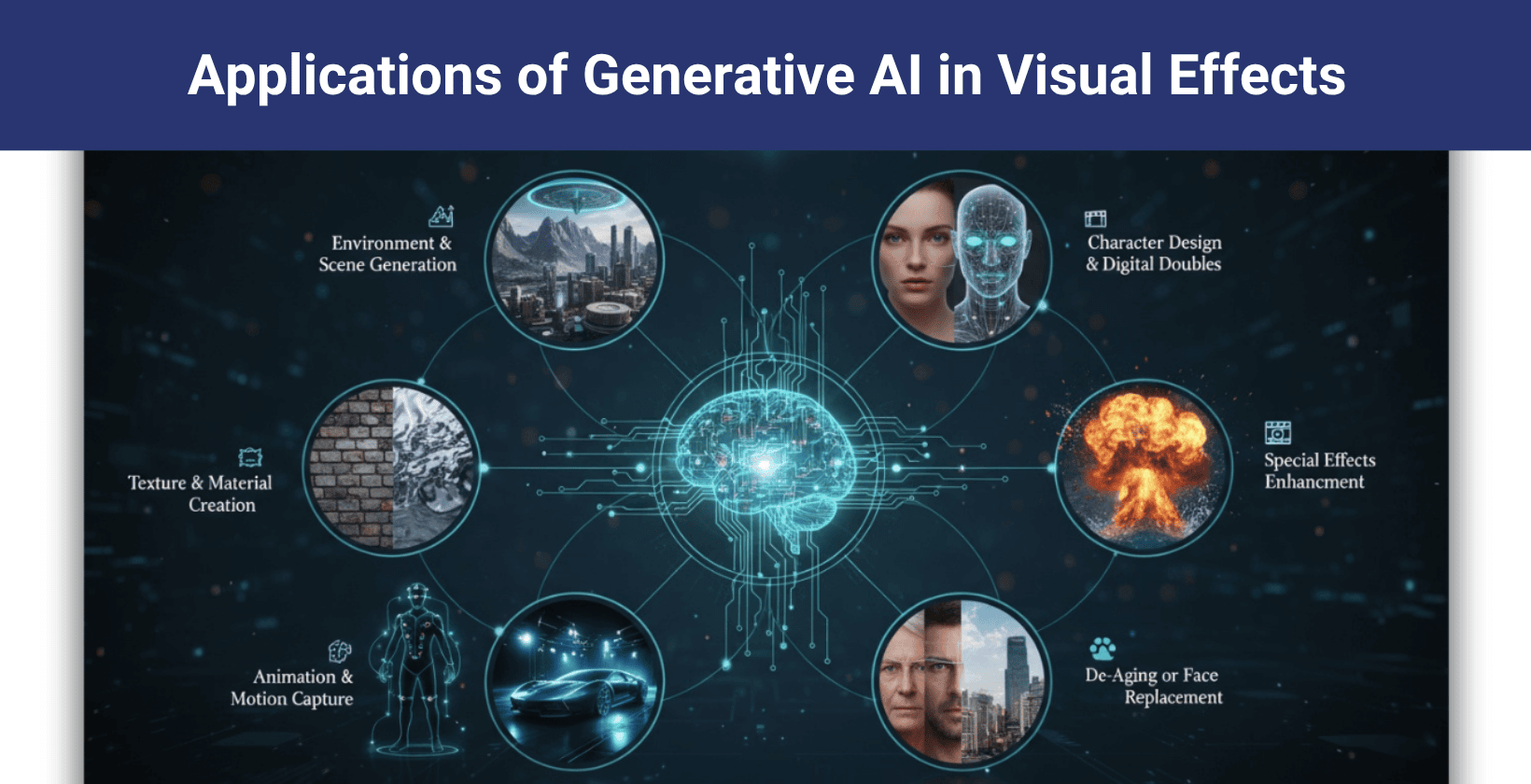
The applications of AI in VFX are given below.
- Automated rotoscoping: AI in VFX automates rotoscoping, which removes moving objects from backgrounds and speeds up production.
- Motion tracking: AI in VFX improves motion tracking by locking digital elements to actors' movements, which creates seamless blends between real footage and effects.
- AI powered rendering: AI in VFX powered rendering creates images faster, which allows studios to build lifelike scenes with shorter wait times during production.
- Facial animation: AI in VFX powers facial animation by matching digital faces to emotions and speech that allow realistic expressions with minimal manual effort.
- Face replacement: AI in VFX facilitates face replacement that swaps actors' faces in videos while maintaining authentic looks through precise feature mapping.
- Crowd simulation: AI in VFX generates large crowds and adds dynamic scenes with varied behaviors and appearances in films and commercials.
- Neural radiance fields (NeRFs): AI in VFX uses neural radiance fields (NeRFs) to reconstruct 3D environments from photos that allow realistic digital sets with fewer resources. NeRFs are used in the virtual production of series like The Mandalorian to create immersive digital sets.
- Boosting creativity: AI in VFX boosts creativity by providing new ways for artists to test ideas quickly, increasing the variety and quality of visual effects.
What are the pros of AI in VFX?
The pros of AI in VFX include faster and efficient workflows, reduced production costs and improved quality of visual effects. Artists gain new creative options and smaller teams access powerful tools like VosuAI easily. These advantages help studios deliver better effects faster with fewer resources.
The pros of AI in VFX are given below.
- AI in VFX increased efficiency and speed by automating repetitive tasks, accelerating production timelines and improving workflow efficiency across projects.
- AI in VFX reduced costs from 20% to 90% by minimizing the need for manual labor, cutting down time and resources required to produce high quality visual effects.
- AI in VFX enhanced creative possibilities by allowing artists to explore complex effects and experiment with new techniques that were difficult to achieve manually.
- AI in VFX improved quality by improving precision and realism, ensuring that visual effects meet high standards in detail and clarity.
- AI in VFX increased accessibility by streamlining workflows that makes advanced visual effects techniques available to smaller studios and independent creators.
What are the cons of AI in VFX?
AI in VFX reduces creativity, threatens jobs, raises ethical concerns, causes technical errors and weakens artistic skills through overreliance. These challenges affect the quality and integrity of visual effects work.
The cons of AI in VFX are given below.
- AI reduces human creativity by removing unique ideas and personal touches that artists bring to visual effects.
- AI causes job displacement by threatening job security as it takes over tasks usually done by humans.
- AI raises ethical concerns by questioning the authenticity of visuals and creating risks of misuse in deepfakes or misleading content.
- AI creates technical limitations that lead to errors and inconsistencies in handling complex scenes or detailed artistic choices.
- AI drives over reliance that weakens artists’ skill development and problem solving abilities while making studios dependent on automated tools.
What are the best VFX AI tools?
The best VFX AI tools are Runway ML, Vosu.ai, Krikey AI, Wonder Studio, Dall-E 2 and Plask AI. These tools speed up production, create visual effects, produce realistic animations and improve quality. Vosu.ai offers multiple tools like Runway ML, in one platform that helps artists easily access and work faster without losing creative control over the final visuals.
The 14 best VFX AI tools are given below.
- Runway ML: Runway ML provides video generation, text to video, style transfer and scene editing to simplify content creation. Users can quickly produce VFX and videos like particle effects or animations by prompting in Runway ML.
- Vosu.ai: Vosu.a delivers powerful AI tools for video effects and editing, which allow users to create stylized visuals, rapid prototypes and real time previews for diverse film, television and advertising projects.
- Krikey AI: Krikey AI allows 3D avatar animation design that helps creators to design lifelike avatars, add motion and export animated videos for games, social media and education projects.
- Wonder Studio: Wonder Studio animates and integrates digital characters into live scenes. It tracks actors, replaces them with CG characters and matches lighting and movement.
- Dall E 2: Dall E 2 generates images and concept art from text. Artists use the tool to visualize creatures, props or scenes before production through detailed image generation.
- Plask AI: Plask AI transforms video clips into 3D character animation and users import videos, extract motion and apply it to digital models.
- Midjourney: Midjourney creates high quality digital artwork from basic descriptions. Designers use prompts to generate visuals, customize art style and adjust resolution for visual effects elements.
- Reallusion iClone: Reallusion iClone handles 3D character animation and real time scene rendering. Users animate humans, animals and cameras directly for instant playback and cinematic previsualization.
- Topaz Video AI: Topaz Video AI upgrades video footage quality. Editors enhance clarity, reduce noise, stabilize shots and upscale old clips for improved visual effects.
- Nvidia Omniverse: Nvidia Omniverse connects creators for real time 3D scene building and rendering. This platform helps artists to simulate physics, light and collaborate during effects production.
- Mixamo: Mixamo automates rigging and motion assignment for 3D characters. Artists upload models, apply preset movements and download animatable assets.
- Massive: Massive allows crowd generation in blockbuster films like The Frost and directors use thousands of agents with unique behaviors to create realistic crowd scenes.
- DeepMotion: DeepMotion converts regular videos into 3D motion capture data. Animators record action or stunts, extract motion and retarget it onto digital characters for a lifelike look.
- RADiCAL: RADiCAL generates 3D human motion from video with no special suits. Users capture performances, map motion straight to animated models and create effects that closely reflect real movement.
What is the best VFX AI tool for filmmaking?
The best VFX AI tool for filmmaking is Runway, according to London based filmmaker Kyle Odefey. It excels at essential tasks like background removal, rotoscoping and style transfer. Runway in motion graphics is highly valuable for designers and filmmakers. It offers fast, user friendly features that help filmmakers create high quality visual effects efficiently without complex setups.
What software does Disney use for VFX?
Disney uses Autodesk Maya for 3D animation, Houdini for visual effects and Foundry Nuke for compositing. They also use Pixar's RenderMan for high quality rendering in their productions.
What VFX AI tools do most VFX artists use?
The VFX AI tools that most VFX artists use are given below.
- Runway ML: Runway ML offers fast background removal and rotoscoping features, which make complex tasks simple and efficient for artists.
- Vosu.ai: Vosu.ai offers access to several AI models like Runway ML in one platform, which helps fast video effects, animations and creative style transfers for VFX projects.
- Adobe Creative Cloud tools (After Effects, Premiere Pro): Adobe Creative Cloud tools like After Effects and Premiere Pro provide powerful editing and effects capabilities widely trusted in studios.
- DeepMotion: DeepMotion helps artists convert real video into 3D animations, which saves time on motion capture and realistic character movement.
- Blender with AI Add ons: Blender with AI Add ons integrates free 3D modeling with smart tools that automate tasks and increase creative control.
- NVIDIA Omniverse: NVIDIA Omniverse supports real time collaboration and high quality 3D scene creation, which allows seamless teamwork on visual effects.
What computer specs do I need to run VFX AI software?
A computer for running VFX AI software needs a powerful processor with at least 8 cores for smooth scene rendering. A high end graphics card with 8 GB RAM accelerates effects processing, while 16 GB of RAM efficiently handles complex assets. A fast storage drive, preferably NVMe SSD, shortens load times. A 64 bit Windows or macOS system provides stable compatibility. These specs deliver optimal performance for demanding VFX workflows, according to Puget Systems’ 2024 workstation tests.
Is AI a threat to VFX?
No, AI is not a threat to VFX because it automates tasks and improves efficiency, which allows artists to focus on creative decisions and complex visual storytelling. VFX artists apply their creativity to complex scenes while AI handles repetitive work that speeds production and improves quality without replacing human skill. AI acts as a powerful tool, not a replacement, in visual effects workflows.
Is VFX going to be replaced by AI?
No, VFX (visual effects) is not going to be replaced by AI because automating repetitive tasks and simplifying processes enable faster production, but retain human creativity and decision making. AI tools like Runway function as support systems that increase efficiency without removing the need for skilled artists who design and refine visual effects.

