
AI automation is a system where intelligent software performs tasks, decisions and workflows without continuous human control. It represents artificial intelligence automation that transforms data into actions to improve business efficiency, accuracy and speed. It creates self operating workflows that reduce manual effort and support scalable digital operations.
AI automation includes key components such as machine learning, natural language processing, computer vision, robotic process automation and an orchestration layer with APIs. Its core technologies span AI models, ML algorithms, NLP engines, RPA tools and API frameworks that connect business systems into one workflow. It works by collecting data from multiple sources, interpreting that information with AI models, generating predictions, making decisions and executing actions through integrated systems.
AI automation is applied in customer support chatbots, invoice processing, fraud detection, HR onboarding, predictive maintenance and marketing workflows, which are real business use cases. It delivers benefits such as cost savings, higher productivity, improved accuracy, scalability and better decision making. It also introduces challenges like high initial cost, data privacy risks, workforce resistance, technical complexity, ethical issues, trust concerns and impact on jobs.
AI automation costs range from $20 per month for basic tools to $100,000 for enterprise systems, depending on scale and integration depth. It is implemented by analyzing business needs, mapping workflows, selecting tools, building automation pipelines, training teams, and testing pilot projects before scaling. These AI powered automation systems help organizations adopt automation step by step with controlled risk. The future of AI automation is moving toward autonomous agent based systems plan, decide and execute complex workflows with minimal human supervision.
What is AI automation?
AI (artificial intelligence) automation is the use of AI technologies to perform tasks, make decisions, and complete processes with minimal human involvement. It combines data analysis, pattern recognition and adaptive decision making to handle activities that traditionally required human input. Artificial intelligence automation helps organizations improve efficiency, reduce repetitive work and support faster operations across different business functions.
AI automation uses technologies such as machine learning and natural language processing to understand information, learn from data and respond to changing conditions. It allows AI driven automation that supports self operating workflows that help systems to execute tasks, coordinate actions and optimize processes automatically without constant manual supervision.
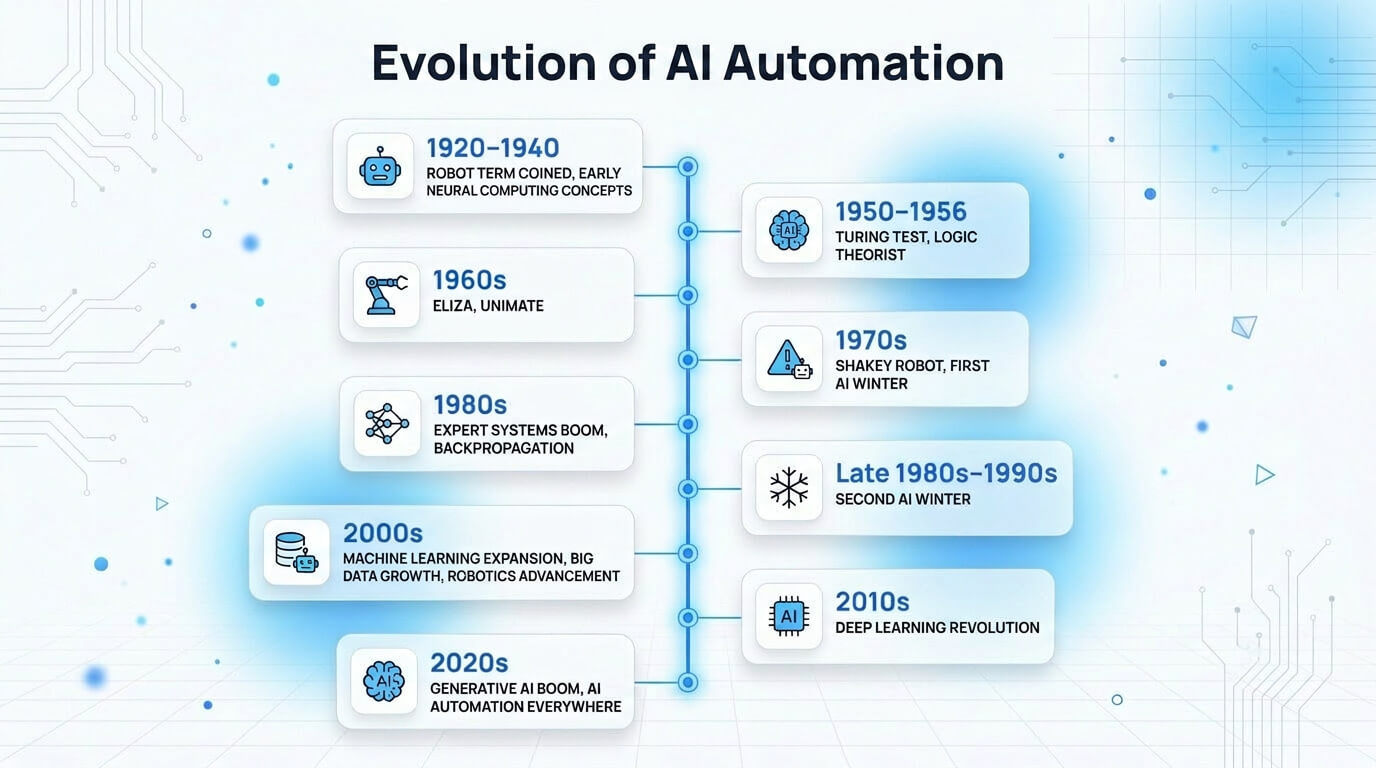
The infographic below shows the evolution of AI automation.
What are the examples of AI automation?
The examples of AI automation are given below.
- Smart ticket triage: AI routes, prioritizes and suggests solutions for support tickets, reducing response time and manual sorting.
- Autonomous invoice processing: AI extracts, validates and posts invoice data into ERP systems that replace rule based OCR workflows.
- Automated content generation: AI drafts articles, captions and marketing copy with context aware prompts, augmenting editorial teams.
- Resume screening: AI parses, ranks and shortlists candidates by skills and fit, improving over traditional keyword filters.
What are the key components of AI automation?
The key components of AI automation are machine learning (ML), natural language processing (NLP), computer vision, robotic process automation (RPA) and an orchestration layer with APIs that connect everything into one coherent system.
They work together to turn raw data and manual tasks into smooth, end to end automated workflows that feel simple for users but stay powerful behind the scenes.
The key components of AI automation are given below.
- Machine learning (ML): Machine learning (ML) learns from historical data, discovers patterns, and makes predictions that help AI process automation improve decisions, reduce errors and adapt as new information arrives.
- Natural language processing (NLP): Natural language processing (NLP) understands and generates human language that helps AI workflow automation read messages, extract key details, answer questions and trigger actions from everyday conversations.
- Computer vision: Computer vision analyzes images and video, detects objects or text and flags issues, which makes visual tasks like inspections, identity checks, and document capture faster and less manual.
- Robotic process automation (RPA): Robotic process automation (RPA) clicks, types and moves data across software screens, which turns repetitive, rule based tasks into stable, hands free automation that behaves like a careful digital assistant.
- Orchestration layer and APIs: Orchestration layer and APIs connect systems, route data and control steps that keep AI automation workflows coordinated, reliable and easy to update as tools or business needs change.
How does AI automation work?
AI automation works by data ingestion, AI interpretation, decision making, action and integration and ongoing feedback and learning. These steps turn raw information into smart, timely actions that reduce manual effort and ensure business processes run smoothly and accurately.
The 5 steps of how AI automation works are outlined below.
- Data ingestion: AI systems gather and process data from sources such as databases, applications, sensors, documents and user inputs. Accurate data collection provides the foundation for effective automation with AI.
- AI interpretation: AI models analyze incoming information to identify patterns, classify content, extract insights and understand context. This stage transforms raw data into meaningful information for automated processing.
- Decision making: AI evaluates available information against learned patterns, rules and objectives to determine the most appropriate action. This capability supports AI for process automation across complex workflows.
- Action and integration: AI executes decisions by triggering workflows, updating records, sending notifications or interacting with connected applications. It enables seamless operations across multiple business systems and supports efficient automated task execution.
- Feedback and learning: AI reviews outcomes, measures performance and incorporates new data to improve future results. This process helps systems adapt to new situations beyond the capabilities of traditional software automation.
What are the use cases of AI automation?
The use cases of AI automation include chatbots, document processing systems, fraud detection models, predictive maintenance tools, HR onboarding workflows and content generation systems. They connect across tools and data to quietly reduce manual work, speed up decisions and keep everyday operations running smoother in the background.
The use cases of AI automation are given below.
- Customer service chatbots: AI automation handles customer inquiries, provides instant responses and resolves common issues around the clock. It improves customer experiences while reducing support team workloads.
- Invoice and document processing: AI automation extracts information from invoices, forms and business documents with minimal human input. It improves accuracy and speeds up administrative processing tasks.
- Fraud detection in finance: AI automation analyzes transaction patterns and identifies suspicious activities in real time. It helps financial organizations detect risks and prevent fraudulent transactions.
- Predictive maintenance (manufacturing): AI automation monitors equipment performance and detects potential failures before breakdowns occur. It reduces downtime, lowers maintenance costs and improves operational reliability.
- HR onboarding: AI automation streamlines employee paperwork, account creation, training assignments and policy distribution. It creates a faster and more consistent onboarding experience for new hires.
- Content repurposing and generation: AI automation converts existing content into summaries, blogs, social posts and other formats. It supports AI workflow automation for efficient content production.
- Marketing email personalization: AI automation customizes email content and recommendations based on customer behavior and preferences. It strengthens AI marketing automation by improving engagement and relevance.
- IT support automation: AI automation manages routine technical requests, assists with troubleshooting and resolves common issues. It improves response times and increases service desk efficiency.
- Supply chain optimization: AI automation forecasts demand, manages inventory and improves logistics planning across operations. It demonstrates the value of AI for business automation through better resource utilization.
What are the benefits of AI automation?
AI automation benefits organizations by delivering cost savings, increasing efficiency and productivity, reducing errors, improving scalability, supporting better decision making, strengthening compliance and enhancing cross departmental collaboration. It helps businesses streamline operations, reduce manual effort, and achieve more consistent results across teams, workflows, and daily processes.
The benefits of AI automation are given below.
- Cost savings: AI automation reduces labor intensive processes and operating expenses by handling repetitive tasks automatically, allowing businesses to allocate resources more efficiently and lower overall costs.
- Increased efficiency and productivity: AI automation accelerates workflows by completing routine activities faster, helping teams focus on higher-value work and improving productivity across different business functions.
- Reduced errors and improved accuracy: AI automation follows predefined rules and intelligent models consistently, which reduces human mistakes and improves the accuracy of data processing and task execution.
- Scalability: AI automation supports growing workloads without requiring proportional staffing increases, which allows businesses to expand operations while maintaining consistent performance and service quality.
- Better decision-making: AI automation analyzes large volumes of information quickly. This helps organizations make data driven decisions based on timely insights, trends and performance indicators.
- Better compliance: AI automation maintains consistent processes, records activities automatically and helps organizations follow regulatory requirements with greater transparency and accountability.
- Cross-departmental collaboration: AI automation connects workflows across teams and systems that improve information sharing, coordination and communication to achieve business goals more effectively.
What are the challenges of AI automation?
The challenges of AI automation are high initial costs, security and privacy concerns, workforce resistance, technical complexity, ethical and legal challenges, trust and transparency issues and wider employment and social impact. They appear together in real projects, so smart AI adoption means managing these risks step by step while still achieving practical and useful results from automation.
The challenges of AI automation are given below.
- High initial cost: AI automation requires significant investment in software, infrastructure, training and implementation. It creates budget challenges, especially for small and medium-sized organizations.
- Security and privacy concerns: AI automation processes large amounts of sensitive information across systems. It increases the importance of protecting data privacy in AI automation and maintaining strong cybersecurity practices.
- Workforce resistance: AI automation creates concerns about changing job roles and responsibilities. It faces employee resistance when organizations do not provide clear communication and training.
- Complexity: AI automation involves complex integration across multiple platforms, workflows and databases. It becomes more difficult to deploy and manage as business environments grow.
- Ethical and legal challenges: AI automation introduce issues related to bias, accountability and regulatory compliance. It requires organizations to establish responsible governance and oversight practices.
- Trust and transparency issues: AI automation makes decisions that are difficult for users to understand or explain. It reduces confidence when decision making processes lack transparency.
- Employment and social impact: AI automation changes workforce demands and job structures across industries. It creates challenges for organizations that rely on aging legacy systems while adapting to new technologies.
How much does AI automation cost?
AI automation costs from about $20 to more than $100,000 per month, which depends on the scope, customization and deployment requirements. Entry level AI automation ranges from $20 to $500 per month and relies on basic plug and play SaaS tools for tasks such as scheduling, customer support and data management. It provides an affordable starting point for small businesses.
Mid level AI automation ranges from $500 to $5,000 per month and includes customized workflows, multiple system connections and advanced AI capabilities. It supports more complex operational needs across growing organizations. Premium level AI automation costs $5,000 to more than $100,000, depending on project scope, AI automation agency pricing and deployment requirements. It involves custom agency builds and enterprise wide integrations that support large scale business operations and sophisticated automation workflows.
How to implement AI automation?
Implement AI automation through assessing business needs, mapping and analyzing current workflows, choosing the right automation tools, building your workflow, training your team and rolling out and starting with a pilot project. These steps turn messy, manual tasks into clear, repeatable workflows that save time and help teams focus on higher value work instead of routine busywork.
7 steps to implement AI automation are given below.
- Assess business needs: Identify painful, repetitive tasks, measure how much time they waste, set clear goals like faster replies or fewer errors and decide where to make AI automation first.
- Map and analyze current workflows: Draw each process step from start to finish, locate bottlenecks or manual handoffs and find safe points where you can automate business with AI without disrupting operations.
- Choose the right automation tools: Compare available platforms, check integrations with your systems, review pricing and support and prioritize tools offering built in machine learning to handle predictions and smarter decisions over time.
- Build your workflow: Connect apps, define triggers and conditions, add rules for approvals and plug in natural language processing (NLP) so chatbots or assistants can understand messages and route tasks automatically.
- Train your team and roll out: Explain why automation matters, show simple examples, provide short guides, answer concerns openly and launch in stages so teammates feel confident using the AI workflows daily.
- Start with a pilot project: Select one narrow, low risk process, apply automation, track time saved and error changes, gather feedback from users and refine settings before expanding to more business areas.
- Monitor, optimize and scale: Review dashboards regularly, study failures or edge cases, tweak prompts and rules, retrain models when needed and successful automations into higher impact, complex workflows.
What tools are used for implementing AI automation?
The tools used for implementing AI automation are given below.
- No-code workflow builders: Use Zapier AI, Make, n8n and Microsoft Power Automate to connect apps and automate workflows, building AI workflow automation tools without coding skills.
- AI agent builders: Build LangChain, AutoGPT, CrewAI and Microsoft Copilot Studio agents that execute tasks, use advanced developer frameworks and manage multi step automation.
- Chatbot tools: Deploy ChatGPT, Dialogflow, Intercom and ManyChat to handle conversations, power AI marketing automation tools and improve customer engagement instantly.
- Analytics and data visualization: Track Google Looker Studio, Power BI, Tableau and Grafana outputs, using AI test automation tools to convert data into clear performance dashboards.
What is the future of AI automation?
The future of AI automation is expected to be more intelligent, adaptive and widely integrated across industries. It is evolving beyond rule based tools toward systems that can analyze information, learn from experience and handle increasingly complex tasks with minimal human intervention. Its continued advancement is to improve productivity, operational efficiency and business responsiveness.
AI automation is expected to drive key trends such as the growth of independent agentic systems, greater use of context-aware and automated decision making and deeper integration across business functions. It is also expected to strengthen collaboration between humans and AI rather than fully replace human expertise. Its workforce impact will include the automation of repetitive tasks, the creation of new AI related roles and increased demand for skills in oversight, strategy and technology management.
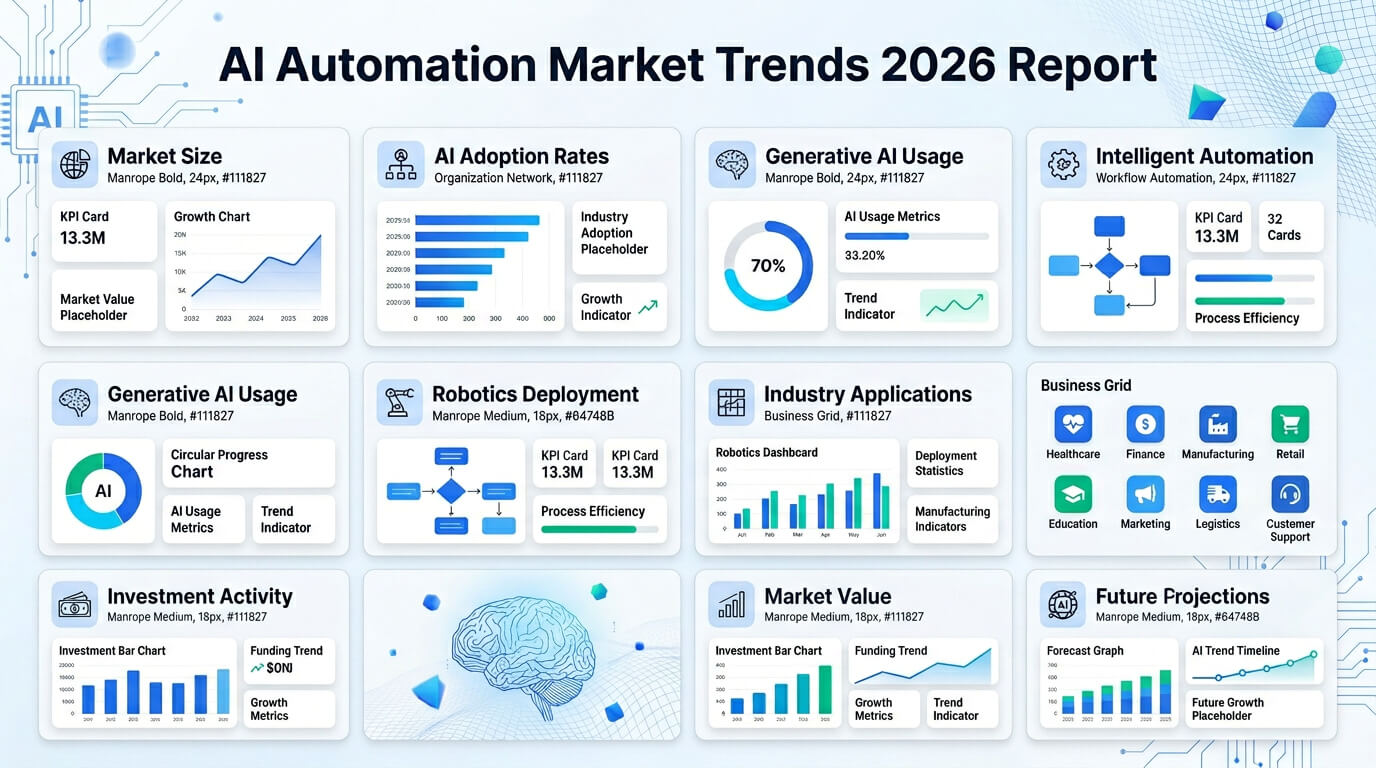
The AI automation market trends 2026 report is visualized in the image below.
Will AI automation replace human jobs?
No, AI automation will not replace human jobs because AI job automation targets repetitive tasks and creates new kinds of work for people. This shift changes the implications of AI automation on employment and acts as an augmentation tool rather than a full substitute. It keeps the impact of AI on employment focused on job transformation instead of mass unemployment.
Can I learn AI automation?
Yes, you can learn AI automation because it relies on clear logic, visual tools and repeatable workflows that beginners follow with practice. AI automation courses introduce core concepts step by step, while AI automation certification validates practical skills for job opportunities. AI automation training builds hands on experience and helps you think like a software engineer while designing automation systems.
Can I implement AI automation in business processes?
Yes, you can implement AI automation in business processes because modern tools are simple to use even for small teams. AI business automation platforms guide you step by step and do not demand a deep technical or coding background. These systems handle AI automation in business tasks like reading unstructured data and making basic judgment calls.
Can I integrate AI automation with existing systems?
Yes, you can integrate AI automation with existing systems because modern AI automation solutions are built to plug into your tools, databases and legacy apps. They support AI automation integration through APIs and connectors. This approach focuses on augmenting workflows rather than trying to replace your legacy infrastructure overnight.
Can AI enhance robotic process automation capabilities?
Yes, AI can enhance robotic process automation capabilities because AI makes software robots smarter, more flexible and better at handling real world data. It supports intelligent automation by helping systems learn from past work. AI robotic process automation enables teams to automate complex tasks with fewer errors and better accuracy.
What is the difference between AI automation and robotic process automation (RPA)?
The difference between AI automation and robotic process automation is that AI automation uses technologies that mimic aspects of human intelligence, while RPA follows predefined rules to complete repetitive and rule based digital tasks. AI automation can learn from data, adapt to changes and process unstructured data such as text and images. RPA works best with structured data and fixed workflows. Its core value is efficiency through task automation, while AI automation adds adaptability and intelligent decision-making.
What is the difference between AI automation and traditional automation?
The difference between AI automation and traditional automation is that AI automation learns from data and makes decisions, while traditional automation follows fixed instructions to complete predefined processes. It can adapt to new situations, whereas traditional automation works best for repetitive tasks. This difference affects output, as AI improves decision quality while traditional automation delivers consistent results from set rules.
Are AI and automation the same?
No, AI and automation are not the same because AI thinks and adapts dynamically based on data, while automation follows a set script to complete tasks. Artificial Intelligence (AI) enables systems to learn from experience and improve decisions over time, but traditional automation only runs fixed instructions without understanding or flexibility.