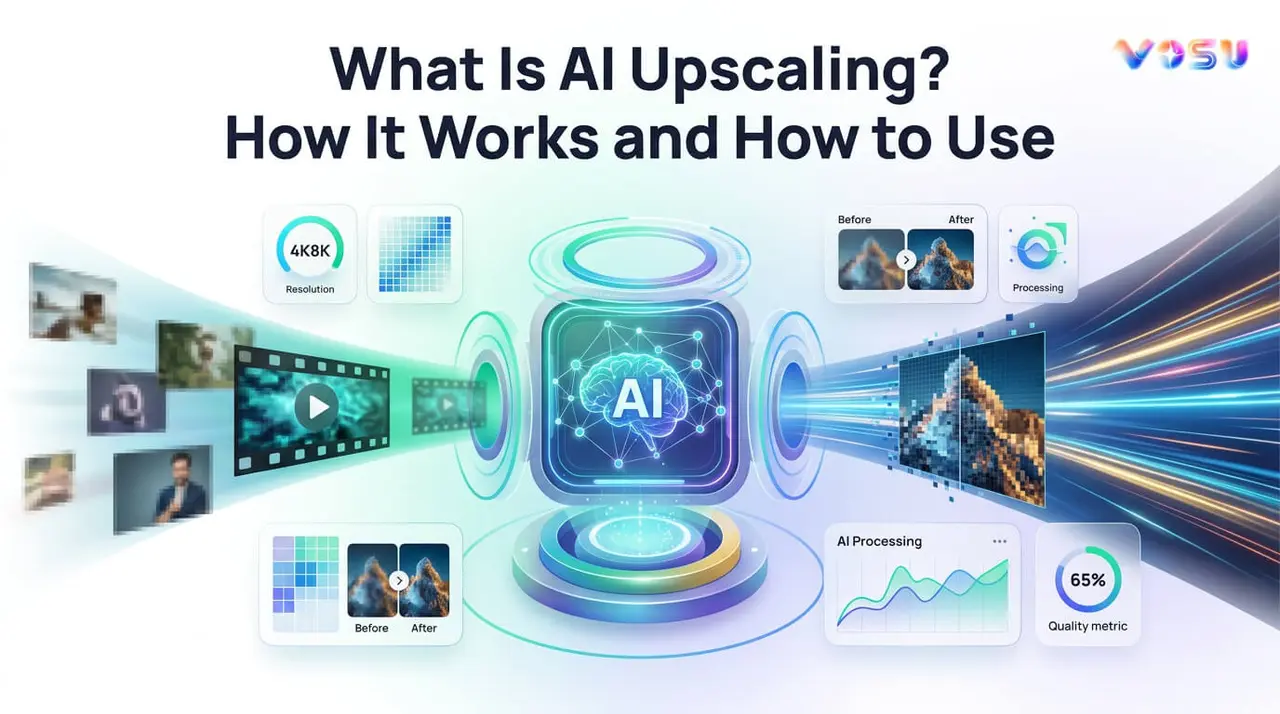
AI upscaling improves the resolution and clarity of images or videos by using artificial intelligence to predict and generate new visual details. It transforms low resolution content into sharper, more detailed visuals, which makes it suitable for modern high definition displays. AI upscaling is important because it converts degraded visuals into clearer, more usable content, which delivers practical benefits for creators, businesses and viewers.
AI upscaling works through deep learning models trained on pairs of low and high resolution data. These models analyze patterns, edges and textures in low quality inputs and reconstruct missing details during processing, which produces more realistic and refined outputs than traditional interpolation methods. AI upscaling features include intelligent detail reconstruction, edge and texture enhancement, denoising, artifact reduction, face restoration, customizable enhancement levels and batch processing.
AI upscaling applications span multiple industries such as real time rendering, image and video production, printing, e-commerce and marketing, surveillance and medical imaging and personal use. You can upscale an image or video through VosuAI by selecting the upscale option, uploading low resolution media, choosing enhancement presets and adjusting settings like scale, HDR and detail. It then processes the file and generates improved high resolution outputs for review and download. AI upscaling costs range from 10 USD to 40 USD per month, which depends on the subscription plan.
What is AI upscaling?
AI upscaling is a process that uses artificial intelligence to increase the resolution of an image or video while preserving or enhancing its quality. It uses neural networks trained on pairs of low and high resolution visuals to reconstruct sharper edges, clearer textures and more natural fine details in the enlarged result. AI image enhancement, Deep learning super resolution and neural network upscaling all describe the same process of AI driven upscaling for photos or frames. AI upscaling removes noise, reduces artifacts and restores clarity. It makes low-res assets usable on modern displays and capable of high quality outputs such as AI 4k upscaling of older HD or SD footage.
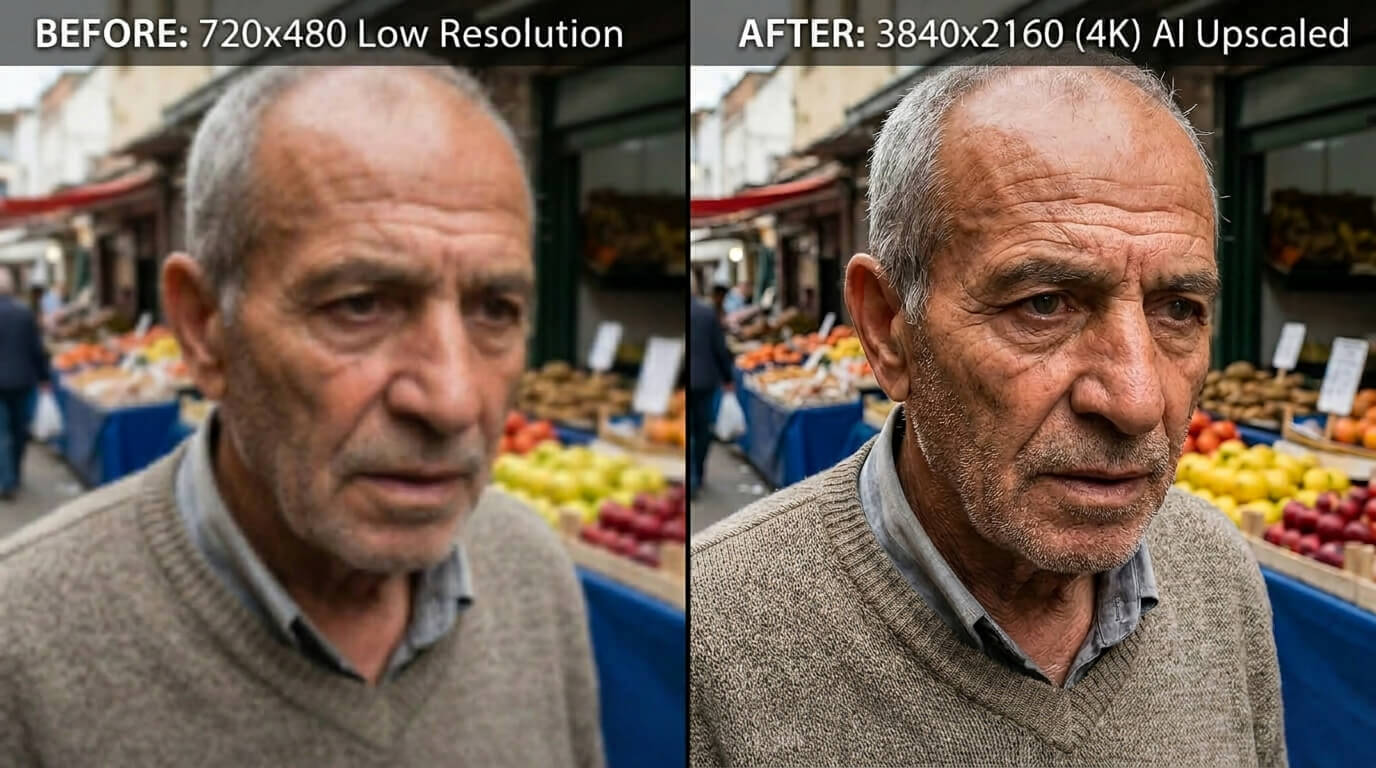
What are the examples of AI upscaling?
The examples of AI upscaling are visualized below.
Why is AI upscaling important?
AI upscaling is important because it uses advanced algorithms to transform low quality visuals into stunning high definition experiences. It improves sharpness by enhancing fine details and textures that were previously blurred, while it reduces noise for cleaner, more vibrant images without losing natural fidelity.
AI upscaling restores older media, which breathes new life into vintage films and photos to meet modern high definition standards. It optimizes low resolution content for 4K and 8K displays that ensure crisp playback on large screens. AI upscaling also eliminates compression artifacts and delivers smoother streaming picture quality for uninterrupted entertainment.
How does AI upscaling work?
AI upscaling works by using deep learning models to increase the resolution of images or videos through intelligent detail reconstruction rather than simple pixel stretching. It analyzes patterns, edges and textures in low resolution images and video frames to understand their structure and map them to high resolution equivalents. It trains neural networks on large datasets that contain matching pairs of low resolution and high resolution images and videos. It reconstructs details with higher fidelity rather than stretching pixels, which produces sharper and clearer visuals.
AI upscaling creates realistic details such as textures, edges and micro-contrast, which improves overall image and video quality. It maintains temporal consistency in videos so details remain stable across frames and reduce flickering or distortion. AI upscaling removes compression artifacts and blocky noise before or during enhancement that results in cleaner, more natural looking outputs.
What are the features of AI upscaling?
AI upscaling features include intelligent detail reconstruction, edge and texture enhancement, denoising and artifact reduction, real time processing and batch processing. These describe how AI driven upscaling analyzes, predicts and regenerates visual information to increase the resolution and quality of images and videos.
The features of AI upscaling are outlined below.
- Intelligent detail reconstruction: AI upscaling intelligently reconstructs missing details through pattern analysis from training data to create realistic textures and structures beyond traditional methods
- Edge and texture enhancement: AI upscaling sharpens edges and textures with synthesized crisp boundaries and fine details that avoid the blur typical of bicubic interpolation.
- Denoising and artifact reduction: AI upscaling reduces noise, compression artifacts and distortions during resolution increase that produces cleaner outputs than input images.
- Real-time processing: AI upscaling allows real time processing for videos and images on modern hardware, which balances speed with quality for live applications like streaming.
- Face recovery and restoration: AI upscaling recovers and restores facial details like skin texture and hair by recognizing and regenerating photorealistic features lost in low-res sources.
- Customizable enhancement levels: AI upscaling offers adjustable enhancement levels, which allow users to control detail addition, sharpness and scaling factors for customized results.
- Batch processing: AI upscaling processes multiple images or frames efficiently together, which streamlines workflows in photo restoration or video production.
- Generative creativity: AI upscaling uses generative models to create new, context-aware pixels beyond mere interpolation, which allows artistic enhancements and higher scaling factors
What are the applications of AI upscaling?
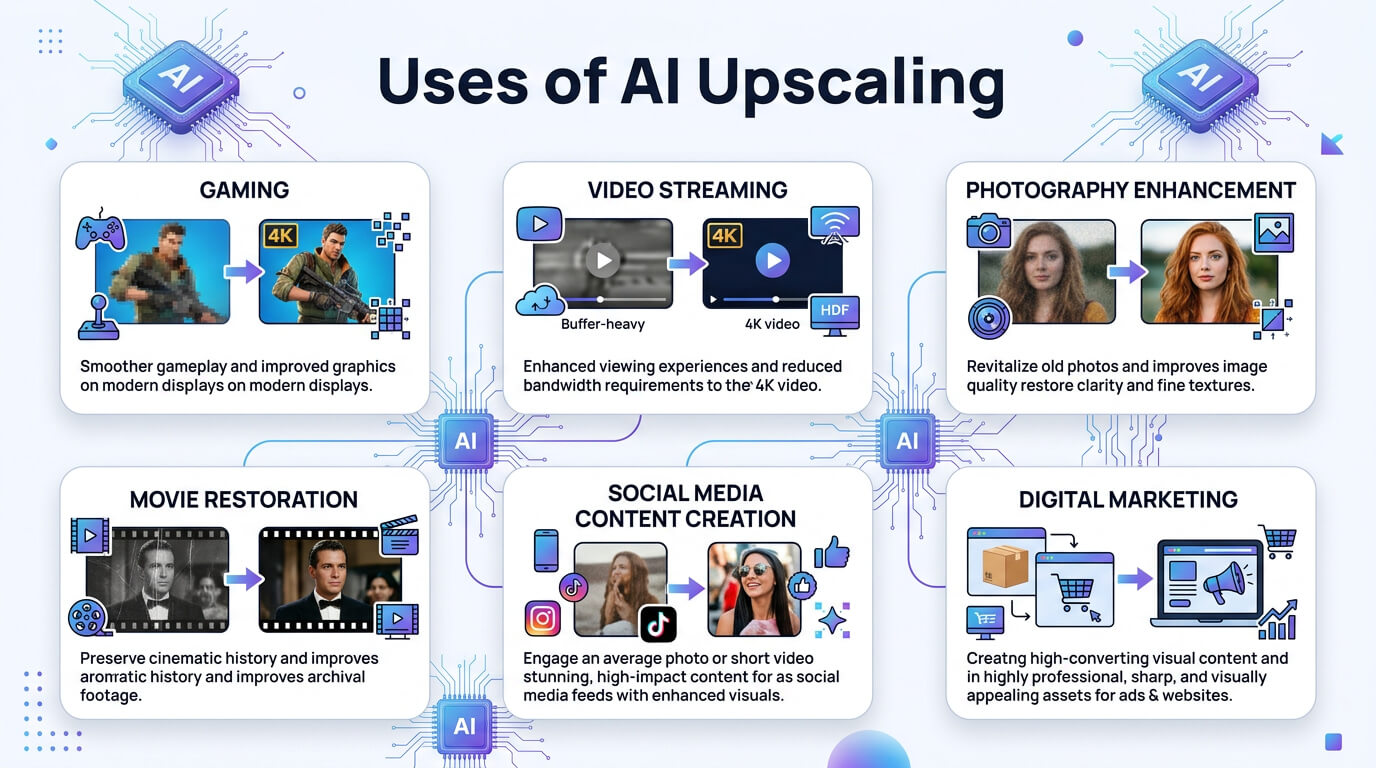
The applications of AI upscaling include image production, video production, printing, e-commerce or marketing and real time rendering. These applications describe how industries are using AI upscaling to increase the resolution and quality of images and videos.
The applications of AI upscaling are outlined below.
- Image production: AI upscaling lets photographers and designers upscale assets for print or large displays to preserve textures and fine details without re-shooting, which boosts production in filmmaking, photography and graphic design.
- Video production: AI upscaling turns HD or SD footage into 4K-ready masters, which restores noisy, older shots and extends the usable life of archives and stock footage libraries.
- Printing: AI upscaling prepares files for high dpi printing, enabling posters, billboards and photo books from smaller originals by increasing resolution while keeping edges clean and textures natural.
- E-commerce and marketing: AI upscaling sharpens product details, labels and textures, which increases perceived quality, supports zoom features and impacts conversions and ad performance.
- Surveillance and medical imaging: AI upscaling clarifies low resolution security footage or diagnostic scans so faces, plates or anatomical structures become more legible for review and analysis.
- Real time rendering: AI upscaling renders low resolution frames in games, AR/VR and live broadcasts, then reconstructs details for sharper output with reduced GPU cost.
- Personal use: AI upscaling lets everyday users improve old family photos, social media images and personal videos, which makes nostalgic content look cleaner on modern screens.
The image below shows the uses of AI upscaling.
How to use AI upscaling?
To use AI upscaling through VosuAI, you have to select the image or video upscale option, upload low-resolution media and choose presets for enhancement. It allows adjusting scale factor, optimization models, HDR and detail settings to improve quality and consistency. It then processes the file and produces enhanced outputs where users can review, compare variations and download higher-resolution results.
How to use AI image upscaling?
10 steps to use the AI image upscaler in VosuAI are outlined below.
- Go to VosuAI's image upscaler: Go to VosuAI, open your dashboard or tools panel and select the dedicated AI image upscaler.
- Upload your input image: Click upload, choose your low resolution image file like JPG, PNG and wait for it to finish importing.
- Select a visual preset: Select a visual preset matching your content type like subtle, vivid or natural, to guide enhancement behavior.
- Choose the scale factor: Choose the scale amount like 2x, 4x or 8x to define how much the AI should enlarge the original resolution.
- Pick optimization model settings: Pick optimization mode like standard ultra, sharp or smooth so the underlying AI model suits your specific image.
- Adjust the HDR slider level: Adjust the HDR slider to balance contrast and dynamic range that preserves highlight and shadow details more effectively.
- Set image resemblance strength: Set resemblance strength to control how strictly the upscale matches the original, versus allowing creative reinterpretation.
- Define fractality enhancement value: Define fractality enhancement value to refine fine grain structures and patterns to help generate richer textures at higher resolutions.
- Pick desired output count: Pick output variations like 1,2,3 or 4, which allow quick comparison between different upscale interpretations.
- Click the upscale now button: Click upscale now to start processing, then review, download or export the improved image once rendering completes.
How to use AI video upscaling?
The steps to use the AI video upscaler in VosuAI are outlined below.
- Upload your input video: Upload your low resolution video into VosuAI so the AI analyzes frames and prepares them for enhancement.
- Select target resolution output: Select your target resolution such as 720p, 1080p, 1440p or 4K, which depends on how to upscale video with AI for your project.
- Pick optimization model settings: Pick optimization mode like standard ultra, sharp motion or smooth detail to best match your video content.
- Adjust temporal consistency level: Adjust temporal consistency to keep details stable between frames, which reduces flicker and shimmering in motion sequences.
- Set detail enhancement intensity: Set detail enhancement intensity to control how aggressively textures, edges and fine structures are sharpened during upscaling.
- Define noise reduction strength: Define noise reduction strength so grain, compression artifacts and low light noise are cleaned without over smoothing important details.
- Tune the motion smoothness value: Tune motion smoothness to manage frame interpolation or motion processing, which keeps movement fluid without introducing a ghosting effect.
- Pick desired output count: Pick desired output like 1, 2, 3 or 4 variations, which let you compare different settings and choose the best upscale.
- Click the upscale now button: Click the upscale now button to start processing, then review, download or export the upscaled video once rendering has completed.
How much does AI upscaling cost?
AI upscaling costs around 10 USD to 40 USD per month, which depends on subscription plans. AI upscaling can also be used as an open source tool, which provides zero cost AI upscaling options if you install locally and run on your own hardware. It can be accessed through the unified content creation operating system VosuAI without any installation hassles.
VsouAI offers three subscription plans like starter, pro and enterprise. VosuAI’s pricing tiers start at 10 USD per month with 3,750 credits, 29 USD per month with 11,608 credits for the pro plan and the enterprise plan comes with a customized option. It also offers over 150 AI models for image generation and video generation with the same subscription plans, so you can mix generation and upscaling without separate purchases.
What AI tools offer AI upscaling?
The AI tools that offer AI upscaling are VosuAI, Google Flow, Adobe Firefly and Topaz Gigapixel AI. These tools offer AI upscaling to improve image and video resolution.
Top AI tools that offer AI upscaling are outlined below.
-
VosuAI: VosuAI upscales images and videos using AI that turns low-res content into sharp 4K visuals with less noise. It's great for creators needing quick, professional-quality enhancements.
-
Google Flow: Google’s Flow family generative models are integrated into apps and pipelines to upscale assets, which deliver high quality photo upscaling with tuned workflows.
-
Adobe Firefly: Adobe Firefly upscales images and videos to 4K right in Photoshop or web apps. It sharpens details naturally while letting you edit generatively.
-
Topaz Gigapixel AI: Topaz Gigapixel AI is a dedicated desktop upscaler that preserves textures, reconstructs fine structures and produces sharp, professional grade photographic results for high quality image enlargement.
Does Photoshop have AI upscaling?
Yes, Photoshop has AI upscaling through its generative upscale feature, powered by Adobe Firefly and partner models. This tool increases resolution up to 4x while adding realistic detail instead of resizing pixels
Can ChatGPT upscale an image?
No, ChatGPT can not directly upscale an image like a dedicated image upscaling engine inside the chat interface. It analyzes images and generates higher resolution version prompts or code that you run to increase the resolution. You still need an external upscaler or plugin connected to ChatGPT for true one click AI upscaling.
Does AI upscaling increase image quality?
Yes, AI upscaling increases image quality by enhancing resolution through learned detail reconstruction. It improves visual output by creating sharper, clearer and more detailed visuals from low resolution inputs. It predicts textures, edges and micro-contrast unlike traditional stretching methods, so the result contains new high frequency information rather than blurred, enlarged pixels.
Does AI upscaling increase video quality?
Yes, AI upscaling increases video quality through AI 4K upscaling using deep learning. It processes low resolution footage by learning detailed patterns and reconstructing missing information. It analyzes, deblurs and adds new pixel data, so frames display sharper edges, improved textures and clearer motion compared to traditional scaling methods.
What are the negatives of AI image upscaling?
The negatives of AI image upscaling are given below.
- Visual distortions and artifacts: AI image upscaling introduces common downsides of AI image upscaling like visual distortions, halos and amplified noise, especially on heavily compressed or low detail sources.
- Uncanny valley effect: AI image upscaling sometimes produces over sharpened plastic textures on faces or skin, which makes people look unnaturally smooth or slightly synthetic and unsettling.
- Loss of artistic intent: AI image upscalers override an artist’s intended softness, grain or stylization, which replaces them with generic sharpness and contrast that changes the original aesthetic feel.
- Hallucinated details: AI image upscaling generates hallucinated details when models invent features like fabric patterns, pores or text shapes that misrepresent the true content of the original image.
- Crutch for optimization: AI image upscaling becomes a crutch when users rely on it instead of improving lighting, camera technique or compression settings, which results in lower quality source content.
- Potential for misuse and copyright issues: AI image upscaling can be misused to repurpose copyrighted, low resolution images, which raises ethical and legal concerns about derivative works and ownership of AI improved outputs.
Does AI image upscaling look artificial?
Yes, AI image upscaling looks artificial in some cases. It produces an uncanny valley effect when reconstructed details appear overly smooth, plasticky or sharpened, especially in areas where the model guesses missing textures.
Does AI video upscaling look artificial?
Yes, AI video upscaling sometimes looks artificial when models are pushed too hard on poor quality sources. They become over processed, which gives skin and objects a plastic, waxy or uncanny appearance instead of natural detail.
What is the difference between traditional upscaling and AI upscaling?
The difference between traditional upscaling and AI upscaling is in how they generate extra pixels. Traditional upscaling relies on mathematical algorithms like interpolation that simply stretch or average existing pixels, which is fast but soft or blurry. AI upscaling instead uses machine learning models trained on low and high resolution pairs to predict missing detail, generating sharper edges, richer textures and more realistic structure. Traditional methods scale UI, simple graphics or previews. AI upscaling is preferred when high fidelity, texture generation and professional enhancement are critical, at the cost of more compute.