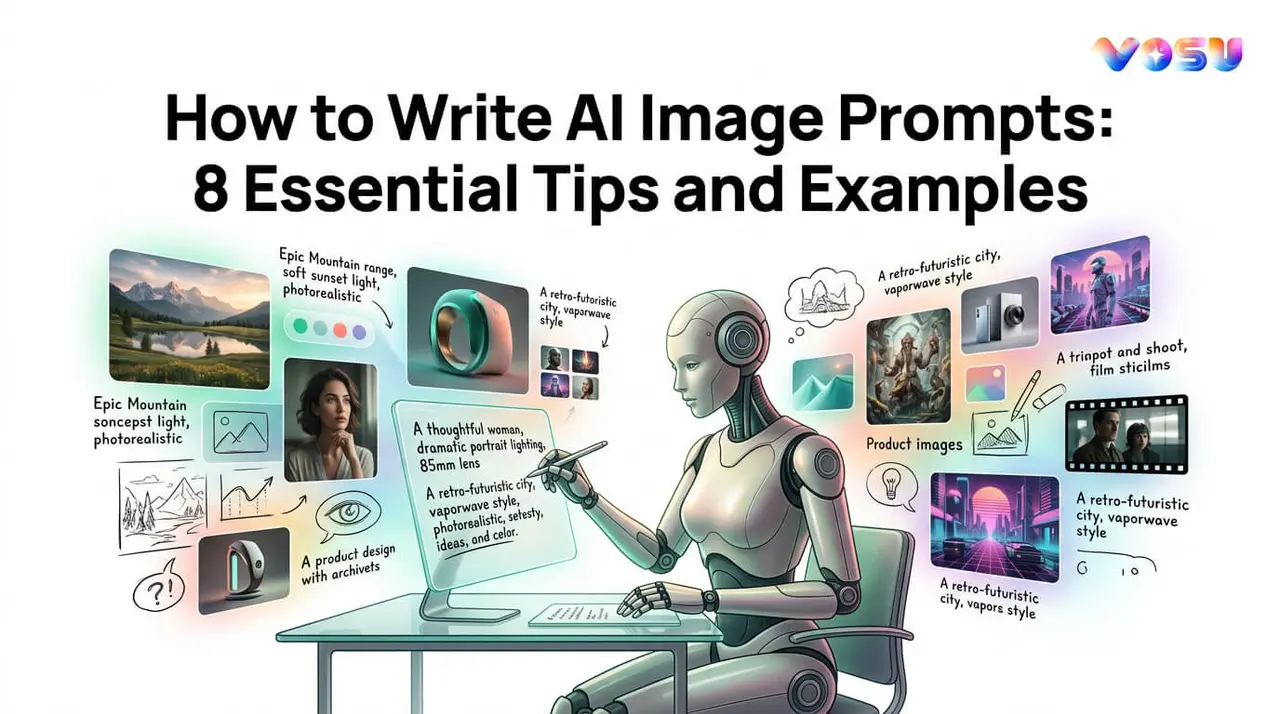
AI image prompts are structured instructions that help image generation models create visuals that match a user's intended subject, style, mood and composition. The best way to write image prompts includes being specific and descriptive, defining the style and medium, setting the scene and atmosphere, defining composition and camera perspective, using reference images and refining prompts through iteration. These elements provide the guidance needed to generate more accurate, detailed and visually appealing images.
Strong prompts clearly describe the main subject, physical characteristics, actions, lighting, and environmental details. They also define artistic styles, creative influences and camera settings to shape the overall look of the image. Reference images can improve consistency by guiding aspects such as pose, lighting and composition, while negative prompts help eliminate common issues like distorted features, unwanted objects, watermarks, or low-quality details. Test different prompt lengths and structures to reveal which approach works best for a particular AI model.
Prompt writing is most effective when treated as an ongoing refinement process. Users can evaluate generated images, adjust specific elements such as style, atmosphere or composition and continue improving the prompt until the output aligns with their vision. Users can also create optimized AI image prompts with VosuAI's promptGPT, which helps generate effective prompts without requiring any prior expertise.
8 essential tips to write AI image prompts are listed below.
- Be specific and descriptive
- Define the style and medium
- Set the scene and atmosphere
- Define composition and camera perspective
- Use reference images for guidance
- Add negative prompts for unwanted elements
- Test different prompt lengths and structures
- Iterate and refine the prompt
1. Be specific and descriptive
Start by being specific and descriptive so the AI generates an effective image that matches your vision. Identify clearly the core subject, then add physical details like colors, size and textures to guide the design. Describe actions and poses to show what the subject is doing and specify lighting and time such as a golden hour sunset, to shape the mood. Layer environmental interactions like a gentle breeze moving hair or leaves, so the scene feels alive and rich in context.
Example prompt: A young woman in a red flowing dress running through an ancient forest, warm golden hour sunset light filtering through the canopy, gentle breeze lifting the fabric, long shadows across the mossy ground, photorealistic, 8K.
2. Define the style and medium
Define the style and medium clearly to turn vague AI art prompt ideas into focused prompts for AI art. Choose artistic influences that match your subject and mood such as dreamy, dark or playful. Name specific artists or movements for example, Van Gogh style, Impressionism or Art Deco. Combine 2 to 3 styles with rough weights like 70% Van Gogh, 30% surrealism, to guide blending. Research model compatibility with anime or niche aesthetics before relying on them. Test a simple base description, then append different styles to see which prompts for AI art produce the strongest results.
Example prompt: A sunflower field at dusk, Van Gogh style oil painting on canvas, thick impasto brushstrokes, swirling sky in cobalt and gold, rich earthy tones, highly detailed, museum quality
3. Set the scene and atmosphere
Set the scene and atmosphere clearly so the AI builds an image where background, middle ground and foreground art all support the subject. Describe the primary location such as a vast Victorian mansion on a hill. Add time and weather like midnight foggy full moon and describe lighting and shadows creeping across the drawing foreground, middleground and background. Infuse an emotional mood for example, an oppressive and mysterious atmosphere. Include sensory details such as distant thunder rumbling over a futuristic city. Ensure every element of the scene supports the subject cohesively.
Example prompt: A Victorian mansion on a hill, midnight foggy full moon overhead, oppressive and mysterious atmosphere, bare twisted trees in the foreground, cracked stone path in the middleground, glowing amber windows in the background, gothic horror aesthetic, cinematic lighting
4. Define composition and camera perspective
Define composition and camera perspective clearly so the AI places subjects and shapes the viewer’s experience of the scene. Select a viewpoint such as a low angle shot, to make a character feel powerful. Choose a lens effect like wide angle with a shallow depth of field to emphasize the separation between subject and background. Apply framing rules such as off center composition and the rule of thirds examples in photography, to create balance. Specify an aspect ratio like 16:9 cinematic to control image proportions. Note camera movement if dynamic such as a slight Dutch tilt for tension.
Example prompt: A lone astronaut on a barren alien plateau, low angle shot, wide angle lens, shallow depth of field, rule of thirds composition with subject at left intersection point, Dutch tilt, twin moons on the horizon, 16:9 cinematic ratio, dramatic orange atmosphere.
5. Use reference images for guidance
Use reference images for guidance so your picture to prompt workflow becomes more accurate and controllable. Attach 1 to 3 high quality references that capture pose, style or lighting, then upload or link these images directly in the tool. Describe desired changes clearly such as add fantasy elements or turn this photo into a prompt for a cyberpunk version. Set a fidelity weight to control how closely the output follows the reference and blend it with your core text prompt so the model knows which parts to copy and which to reinterpret.
Example prompt: [Reference image uploaded] Same composition and lighting as reference, replace modern clothing with ornate medieval armor, add enchanted forest background, fidelity weight 0.7, photorealistic, 8K resolution
6. Add negative prompts for unwanted elements
Add negative prompts for unwanted elements so the AI knows what a negative viewer or negated synonym should avoid, not just what to include. State common flaws in output like extra fingers, distorted faces, unwanted text or random objects. Target scene specific issues such as no rain, no logos or no extra people. Limit the quantity of terms to the most critical problems instead of huge lists. Place the negative prompt in the tool’s dedicated field and always generate your positive prompt first for clear guidance. Refine both prompts based on the output issues you repeatedly see.
Example prompt:
- Positive: A warrior woman in ornate armor standing at the edge of a cliff, dramatic sunset, photorealistic, 8K
- Negative: Blurry, extra limbs, distorted hands, watermark, low resolution, overexposed, bad anatomy, duplicate, cropped, JPEG artifacts
7. Test different prompt lengths and structures
Test different prompt lengths and prompt structures to see how much guidance your AI model needs for consistent results. Write a short version prompt of about 10 to 20 words to capture only the core idea. Expand this into a medium prompt of around 30 to 50 words, adding style, lighting and key details. Create a long version prompt of over 80 to 100 words with full narrative, emotions and environment. Use various formats such as bullet like keyword strings versus natural sentences and run A/B tests to compare which versions generate the most reliable, appealing images.
Example A/B test:
- Short: Dragon perched on a mountain peak, cinematic lighting, epic fantasy, digital art
- Medium: A colossal ancient dragon with obsidian scales perched on a snow capped mountain peak, wings spread against a stormy sky, lightning illuminating dark clouds, cinematic lighting, epic fantasy, digital painting, dramatic composition, 8K
- Long: A colossal ancient dragon with obsidian scales and ember orange eyes perched on the highest peak of a jagged snow capped mountain range, enormous wings fully spread against a churning storm sky, arcs of lightning illuminating charcoal clouds in the background, snow and rock debris scattered across the foreground, the dragon's talons gripping fractured stone, smoke rising from its nostrils, volumetric fog in the valley below, cinematic lighting, epic dark fantasy, digital painting, highly detailed scales and wing membranes, dramatic wide angle composition, rule of thirds framing, 8K, photorealisti
8. Iterate and refine the prompt
Iterate and refine the prompt as a cyclical process of testing and improvement rather than a one shot attempt. Generate an initial output from the base prompt, then critique specific output issues such as wrong lighting, cluttered background or off style persona adjustments. Tweak one element at a time like subject, style or composition and regenerate with a fixed seed for accurate comparison. Repeat refinement cycles or seek feedback until the image consistently matches your intent.
Example refinement cycle:
Pass 1: A samurai standing in a bamboo forest, moonlight, cinematic
Pass 2: A samurai in black lacquered armor standing in a dense bamboo forest, full moon overhead, silver moonlight casting long shadows, cinematic lighting
Pass 3: A samurai in black lacquered armor standing in a dense bamboo forest, full moon directly overhead, silver moonlight casting long, sharp shadows, volumetric fog at ground level, cinematic wide shot, rule of thirds, 8K.
What is an AI image prompt?
An AI image prompt produces a specific visual output that communicates visual intent through descriptive language. It specifies four core dimensions such as subject, style, lighting and composition. It also acts as a creative brief, which translates a conceptual idea into a model readable format. The model interprets this format through pattern matching against its training data to produce the visual output.
How do AI image generators interpret the prompts?
AI image generators interpret prompts by converting your words into numerical representations called embeddings that encode the relationship between subjects, actions and objects. They then match these embeddings against patterns learned from vast training datasets to decide which visual concepts to combine. AI powered modern systems use diffusion models, which transform random noise into images probabilistically.
What elements should I include in an AI art prompt?
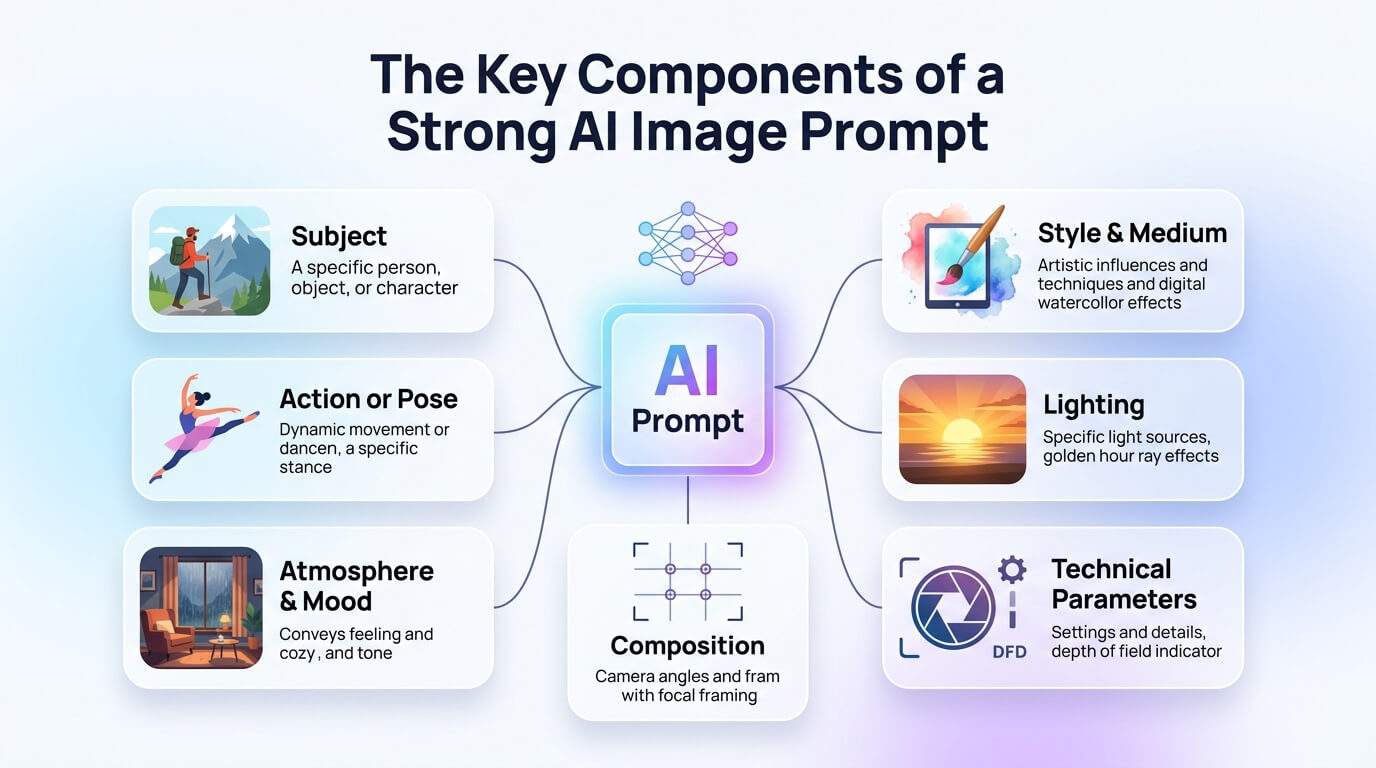
7 elements you should include in writing an AI art prompt are given below.
- Subject: Subject is the primary focus of the image like a person, creature, object or landscape that everything else supports visually.
- Action or pose: Action or pose is the specific movement, gesture or body position showing what the subject is doing.
- Style and medium: Style and medium define the artistic look like Van Gogh style, anime, watercolor, 3D render or oil painting canvas finish.
- Lighting: Lighting describes source, direction and intensity such as warm golden hour sunset side light or harsh overhead fluorescent illumination.
- Atmosphere and mood: Atmosphere and mood set emotional tone like cozy, eerie, futuristic or melancholic, shaped by environment and color palette.
- Composition: Composition organizes framing, camera angle and aspect ratio such as a rule of thirds, wide shot or centered 16:9 cinematic view.
- Technical parameters: Technical parameters specify resolution, detail level, render quality and output format, which guide how polished the final image appears.
Can I include keywords in AI image prompts?
Yes, you can include keywords in AI image prompts because using precise keywords helps guide AI image generators toward specific subjects, styles and details instead of vague results. Prompt keywords also create a clearer AI prompt structure, which makes outputs more consistent, repeatable and closer to your visual goal.
Can I describe art styles in AI prompts?
Yes, you can describe art styles in AI prompts because adding style keywords tells the model what kind of artistic visuals to emulate such as impressionist, anime or photorealistic. AI art styles keywords like baroque oil painting or cyberpunk illustration help the model produce artistic visuals that align with the desired style.
What should I do if I do not get the expected output?
You should refine the input when AI image prompts do not get the expected results. Analyze the discrepancy between what you wanted and what you received, then simplify the problem into smaller steps so issues are easier to isolate. Check data integrity or prompt details to make sure nothing important is missing or ambiguous and keep testing prompt structures or refine prompt keywords. Record lessons learnt and communicate expectations clearly so future iterations start from a stronger, better defined baseline.
Can I improve my AI image prompt output?
Yes, you can improve AI image prompt output through specific, structured language detailing the subject, style, lighting and composition in the prompt. AI generated photo prompts that follow this structure produce results closer to the best AI prompts for images.
Should I use image reference with the text prompts for better output?
Yes, you should use image references with the text prompts for better output because it reduces the gap between your intent and the final image. Reference images capture specific styles or moods that text descriptions alone does not fully define.