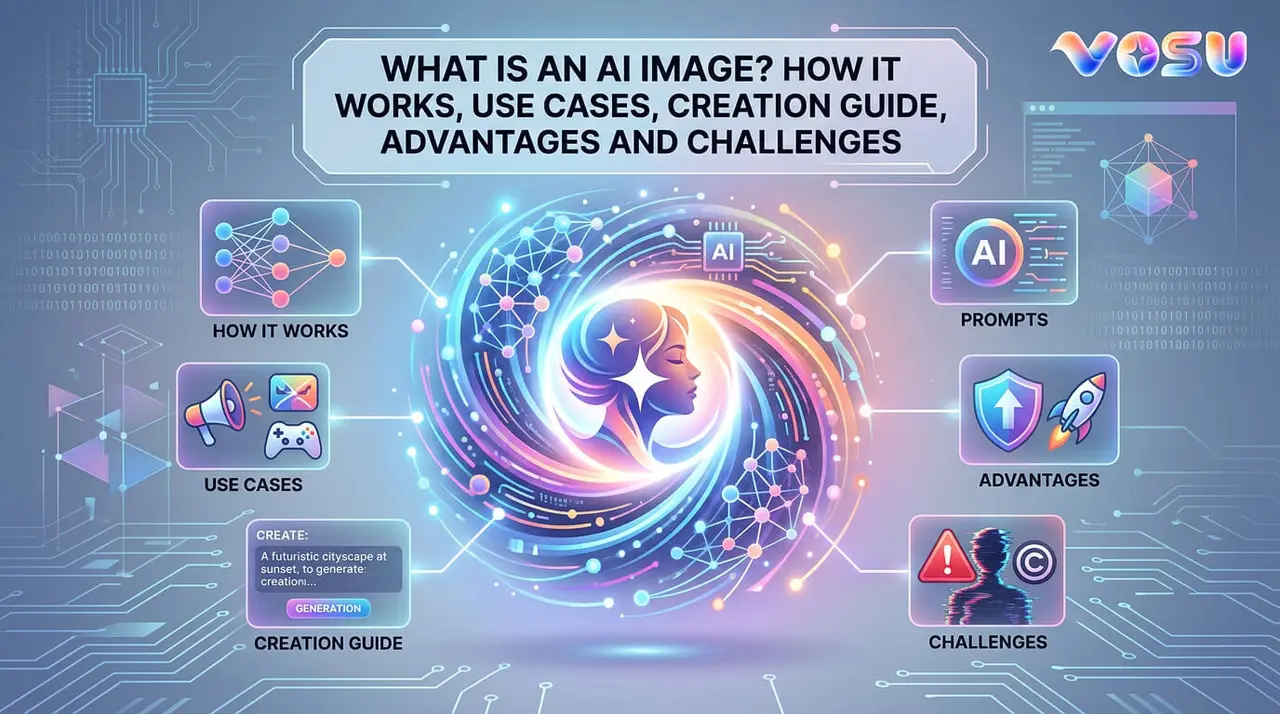
An AI generated image shows a picture made with artificial intelligence that looks different from regular photos or drawings. It uses data and algorithms to create visuals without the need of human artists. AI image generation works by taking a text prompt, interpreting it with trained models and producing new pictures of AI that match user intent. It uses techniques like Generative Adversarial Networks, diffusion and autoencoders to refine details and improve accuracy.
AI images support the creative industry, marketing, e-commerce, education and entertainment by making visuals faster, cost effective and personalized. The process to create AI images involves choosing an AI image generator, signing in and selecting a suitable model. Write and refine prompts to guide the output, then generate, adjust and download the final image for use. AI images expand design opportunities and improve access to visual content across fields. AI tools like Vosu.ai, DALL·E 3, Midjourney, Google Imagen, Stable Diffusion and Canva provide simple or advanced ways to generate artificial intelligence images. They offer flexibility for both casual users and professionals.
AI tips include using descriptive language, applying negative prompts, refining composition, balancing prompt length and chaining prompts in steps to improve clarity and detail. These AI methods help users achieve vivid and accurate results. AI photos deliver efficiency, low cost, customization, creativity and scalability. They save time and unlock new creative possibilities for individuals and businesses. AI challenges include data quality issues, ethical concerns, copyright risks and bias that affect fairness and reliability. Artificial intelligence image holds strong potential while raising important questions about trust, ownership and responsible use.
What is an AI image?
An AI image describes a picture created by artificial intelligence using data and algorithms that look different from regular photos and drawings. It produces visual content without human artists or photographers. AI image generation displays objects, scenes or styles not found in natural images and shows creative output, realistic faces, abstract designs or imaginative landscapes. AI image generation produces types such as photorealistic pictures, animations, cartoons and artworks. They highlight new possibilities in visual media and technology. AI image generation creates logos, product designs and unique illustrations. They expand image creation options in art, entertainment and business.
How does AI image generation work?
AI image generation works by using trained models that study millions of images and related text to learn patterns and features. It translates text prompts into numerical codes that guide image creation. AI imagery models create new visuals by combining learned patterns with prompt data. They generate artificial intelligence generated images based on those instructions to match the requested content. AI image gen models apply algorithms such as diffusion or neural networks to produce detailed, realistic images. They create high quality images from the text input without direct human design intervention.
What are the technologies behind AI image generation?
The technologies behind AI image generation are given below.
- Generative Adversarial Networks (GANs): Generative Adversarial Networks (GANs) create AI images by using two neural networks that compete to produce realistic pictures and improve quality with each round. They generate new visuals based on training data.
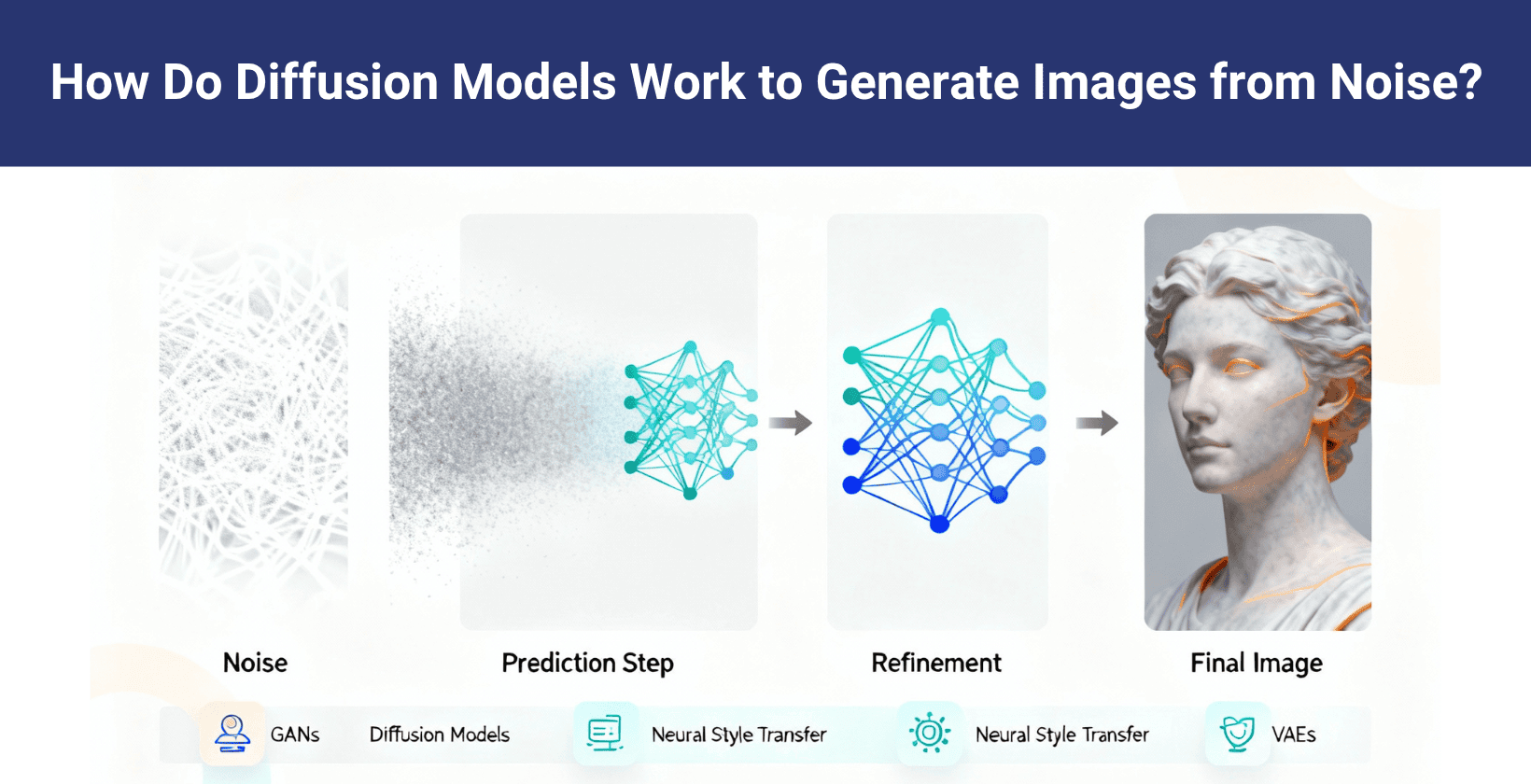
- Diffusion models: Diffusion models transform random noise into detailed AI images through a series of steps that gradually refine the picture, which enable high quality, diverse image creation from simple inputs.
- Neural style transfer: Neural style transfer combines the content of one AI image with the style of another by extracting and merging patterns, which allows unique artistic images based on two source pictures.
- Autoencoders (VAEs): Autoencoders (VAEs) compress AI image data into smaller representations and then rebuild the images, learning to generate new variations similar to the original dataset.
How diffusion models work to generate images from noise is shown in the image below.
What are the use cases of AI images?
The use cases of AI images are used in the creative industry, marketing, e-commerce industry, education and entertainment. AI images support unique designs, targeted campaigns, product visualization, learning materials and media content. They expand accessibility, save production time and open new possibilities for visual storytelling.
The use cases of AI images are given below.
- Creative industry: The creative industry uses AI images to help designers and artists create unique visuals faster, which offers cost effective methods to explore new ideas and expand artistic expression.
- Marketing: Marketing benefits from AI images by powering personalized and targeted campaigns, which deliver faster promotions that capture attention and reduce production costs for businesses.
- E-commerce industry: E-commerce industry applies AI images to improve product visualization, which gives customers detailed previews and builds trust through faster and cost effective item presentation.
- Education: Education gains value from AI images, which provide visual learning materials that simplify complex topics and offer personalized lessons to save time for both teachers and students.
- Entertainment: Entertainment uses AI images to improve films, games and media by producing faster and cost effective visuals that personalize storytelling and increase audience engagement.
What AI tools can generate images?
AI tools that can generate images are DallE3, Midjourney, Google Imagen 3 and Adobe Firefly. AI tools generate images using advanced algorithms for diverse artistic styles and prompt details. They serve varied user needs, from simple to complex image creation.
The most popular AI tools that can generate images are given below.
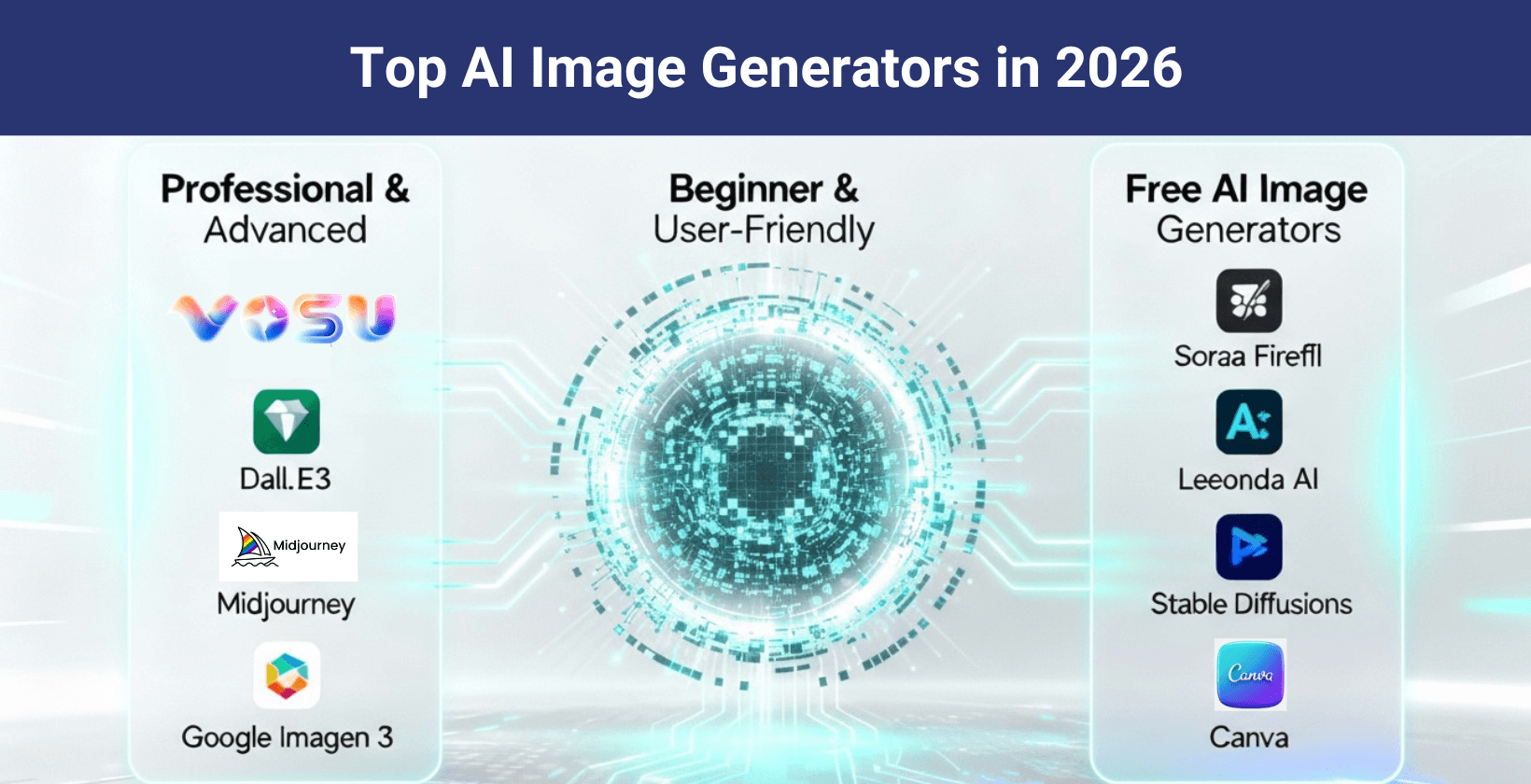
- Vosu.ai: Vosu.ai is an advanced AI image generator platform renowned for integrating multiple state-of-the-art AI models. It enables users to generate professional quality images from text prompts, supporting diverse styles and creative scenarios such as photorealistic images, digital art, illustrations and more.
- Dall-E3: Dall-E3 produces detailed images from text prompts and offers a variety of styles. Users find it powerful, with both free and paid plans available.
- Midjourney: Midjourney excels in artistic, surreal visuals and supports creativity through its prompt system and prefers detailed input and requires a paid subscription.
- Google Imagen 3: Google Imagen 3 creates photorealistic AI images with a strong focus on accuracy and detail and leads innovation while operating under research licenses.
- Adobe Firefly: Adobe Firefly integrates creative tools and targets design professionals for commercial use and it is a paid service that offers free trials.
- Leonardo AI: Leonardo AI focuses on character art and simplifies complex prompt input to support artists and offers both free and subscription tiers.
- Sora specializes: Sora specializes in anime and cartoon styles, adapts well to short prompts, attracts niche artists and offers a free version.
- Stable Diffusion: Stable Diffusion allows open source custom models, offers flexibility for tech savvy users and is free with some paid platforms available.
- Canva: Canva combines AI image creation with editing, blends utility and ease, serves non experts well and offers both free and premium plans.
Top ai image generators in 2025 are visualised in the image below. Image placements should be here:
How to create AI images?
To create AI images, choose an AI image generator tool, sign in and select a model, create and submit a prompt, generate the AI image, adjust and refine your prompt and save and download to export.
6 steps to create AI images are outlined below.
- Choose an AI image generator tool: Choose an AI image generator tool such as VosuAI, which offers diverse model options and supports easy AI image creation for various styles.
- Sign in and select a model: Sign into VosuAI or your chosen AI image generator, then pick the specific AI image model best suited for your creative project.
- Create and submit a prompt to generate an AI image: Create a prompt using vosu.ai’s built-in prompt generator or craft an elaborate AI image prompt to guide the output, which makes AI image creation more intuitive.
- Generate the image: Generate the image by clicking generate or create, which allows your chosen AI image tool to process your prompt and deliver a unique AI image on screen.
- Adjust your prompt and refine the AI image: Adjust your prompt by editing the AI image prompt, modifying style parameters or using refinement tools until satisfied.
- Save and download to export: Save and download it from VosuAI or your platform in your preferred file format when your final AI image is ready for sharing or use.
What are the tips to create AI generated images?
The tips to create AI generated images are descriptive language, experiment with prompts and negative prompts. These techniques guide the artificial intelligence image maker to create an image with artificial intelligence that looks accurate, expressive and aligned with user intent.
The best tips to create AI generated images are given below.
- Use descriptive language: Using descriptive language gives clarity and helps AI make images with details. Expressive words guide the artificial intelligence image maker to create an image that looks vivid and accurate.
- Experiment with prompts: Experiment with prompts reveals new styles and helps AI make images that reflect creativity and originality.
- Use Negative prompts: Negative prompts filter output and reduce unwanted details like blurry backgrounds, extra limbs, wrong colors, distorted faces or unwanted objects in the scene. This technique directs the artificial intelligence image maker to create an image with artificial intelligence that stays closer to the intent.
- Focus on Composition and lighting: Composition matters most and defines balance and focus. Good framing helps AI make images that look natural and visually appealing.
- Experiment with Mood and emotion: Mood drives impact and changes how results feel, allowing the artificial intelligence image maker to create an image with artificial intelligence that carries strong emotion.
- Test Prompt length and complexity: Prompt length shapes control and adjusts clarity as short inputs give broad results, while longer details help AI make images that match intent.
- Seed and randomness control: Seed setting ensures consistency and locks style, allowing an artificial intelligence image maker to create an image with artificial intelligence that can be replicated exactly.
- Chain prompts in steps: Chained prompts build depth and refine visuals step by step; this approach helps AI make images that show complex details in stages.
What are the advantages of AI images?
The advantages of AI images include high efficiency, cost effectiveness, creativity, customization and time savings. AI image makers deliver fast results without large budgets that enable unique styles tailored to specific needs.
The advantages of AI images are given below.
- High efficiency and cost effective: AI image generation dramatically reduces the time and cost typically required for traditional image production, eliminating the need for expensive photography sessions or stock image purchases.
- Creativity and customization: AI image generation tools enable the creation of highly customized visuals, blending different art styles or concepts and supporting limitless creative exploration.
- Save time and resources: AI image platforms save time and resources by automating manual design, editing and production steps, making them invaluable for busy teams and businesses.
- Flexible for marketing and content creation: AI images can be easily adapted across marketing campaigns, web design, product images and more, supporting both high volume and niche content needs.
- Enhanced creativity possibilities: AI image systems enhance creative possibilities by offering access to new styles, concepts and variations beyond what standard photography or graphics can achieve.
- Quality control and scalability: AI image generation models can maintain consistent quality across large batches of images, ensuring professional polish and brand coherence.
What are the common challenges of AI image generation?
The common challenges of AI image generation are data quality, ethical concerns and intellectual property issues. These challenges affect the accuracy, fairness, reliability and security of AI generated images.
The common challenges of AI image generation are given below.
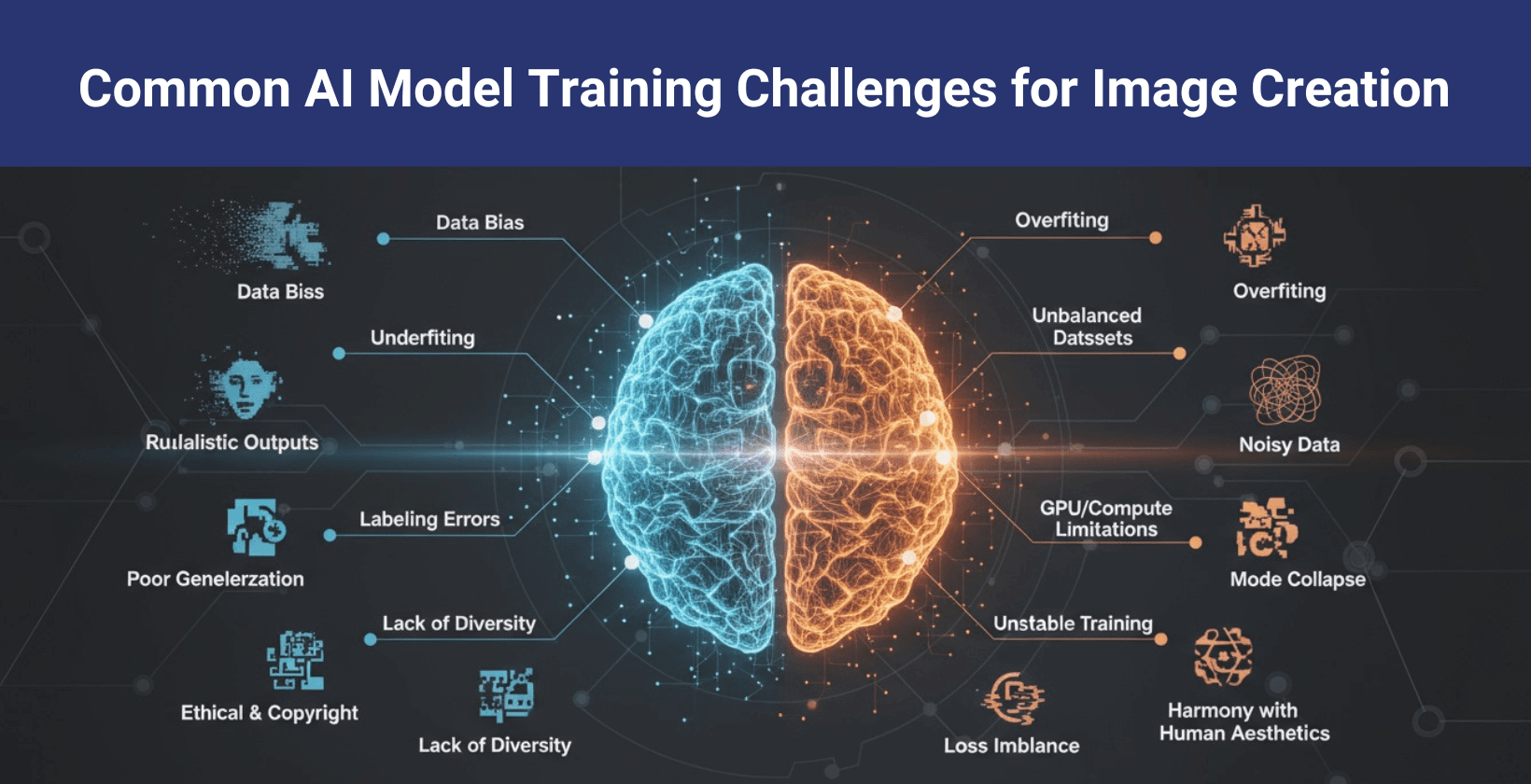
- Data quality and quantity: AI image models require vast and representative datasets to produce high quality outputs, but sourcing and curating such data remain difficult, impacting accuracy and diversity.
- Ethical concerns: AI images generation faces issues like deepfake creation, image manipulation and lack of clear ethical standards, which present risks for misuse and public trust.
- Intellectual property issues: Most AI image generators rely on scraping existing images, leading to concerns over copyright, authorship and originality.
- Consistency in output: AI image generation faces challenges in maintaining style and quality across repeated generations or varied prompts, especially for complex projects or character continuity.
- Bias in AI models: AI image generation exhibits bias in AI models, reinforcing stereotypes or unfair practices depending on the composition of training data.
- Privacy and security: AI image generation presents privacy and security risks by exposing user data, sensitive content, or the identities of individuals used in training datasets.
- Resource intensity: AI image generation requires resource intensity, posing challenges for high quality processing and scalability due to high computational costs.
- Misuse and manipulation: AI image generation enables misuse and manipulation, allowing actors to create misleading visuals, deceive audiences, or contribute to misinformation.
Common AI model training challenges for image creation are shown in the image below.
What are the controversies of AI image generation?
The controversies of AI image generation are given below.
- Copyright and intellectual property disputes arise from AI using existing artwork without permission.
- Misuse for misinformation and deepfakes enables false or harmful visual content.
- Bias of AI creates unfair or stereotyped representations of people.
- Quality and accuracy issues challenge the reliability of generated images.
- Ethical and societal impact questions address consequences on culture and norms.
- Economic and professional displacement affects artists and creative jobs.
- Regulatory and legal gaps leave accountability unclear in AI image use.
- Environmental impact of AI concerns energy use and carbon footprint in training models.
Are there copyright issues with AI images?
Yes, there are copyright issues with AI images because the AI generated images copyright ruling denies copyright protection without meaningful human input. AI image ownership depends on creative human contribution. AI-generated images copyright law matters because it protects creators' rights and controls the use of their work. It clarifies legal boundaries and ownership claims for AI copyright images.
What AI does not have any filters on image generation?
Stable Diffusion does not have any filters on image generation and offers full control with no content restrictions. This is one of the unfiltered AI image generation tools that allows free creation of high quality images and supports custom prompts and edits that enable unique outputs without filters. AI users receive complete freedom for AI generated images unfiltered, which makes it one of the best free AI image generators with no restrictions.
How long does AI image generation take?
AI image generation takes from a few seconds to several minutes. The detail and complexity of the prompt affect the time and peak usage, which slows the process and higher image resolution requires more time. Text to image generation responds quickly but varies based on these factors. AI image generation time depends on task demands and system load.
Can you use AI images for commercial use?
Yes, you can use AI images for commercial use because AI image generators provide licenses that grant this right. Commercial use of AI art images enables businesses to create unique visuals without costly photoshoots. Many brands design marketing materials, product mockups, or ad creatives using AI-generated images to save time and reduce production costs.

