Seedance 2.0 transforms still images into smooth, cinematic animations that improve creative content with realistic motion, dynamic transitions and high quality visual effects. It was developed by ByteDance and released on February 10, 2026. It supports prompt to film production, consistent characters, physics aware motion control, audio synchronization and output up to 2K resolution.
Seedance 2.0 offers advanced features such as multimodal input and open reference blending, which allow users to combine text, images, audio and short clips in one workflow. It offers video editing capabilities that allow users upload videos and edit them based on prompts. Seedance 2.0 assures elite character consistency, supports director level camera control, accurate motion cloning, seamless video extension and realistic physics for elements like hair, fabric and water. Its use cases span marketing video production, rapid A/B testing, social media content, creative storytelling and advanced AI assisted editing. These applications make it valuable for brands, educators, filmmakers, influencers and real estate professionals.
Seedance 2.0 costs around $18 to $84 per month based on the subscription plan in ByteDance’s Dreamina platform, while VosuAI offers cost effective subscription plans. Seedance 2.0 is accessible via ByteDance’s Dreamina (Jimeng) platform or through unified content creation operating systems like VosuAI. You can use Seedance 2.0 through VosuAI by opening its video generation dashboard, selecting the model, uploading the main image, using PromptGPT, choosing the resolution or output count and then generating the video.
What is Seedance 2.0?
Seedance 2.0 is an advanced AI video generation model that turns text, images, audio and video into short, high quality films with strong control over story and style. It was developed by ByteDance and released on February 10, 2026. Seedance 2.0 uses a powerful multimodal design, supports prompt to film production with multi-shot storytelling, and keeps characters and style consistent. It also creates high fidelity, physics aware audio synced videos up to 2K resolution.
What are the features of Seedance 2.0?
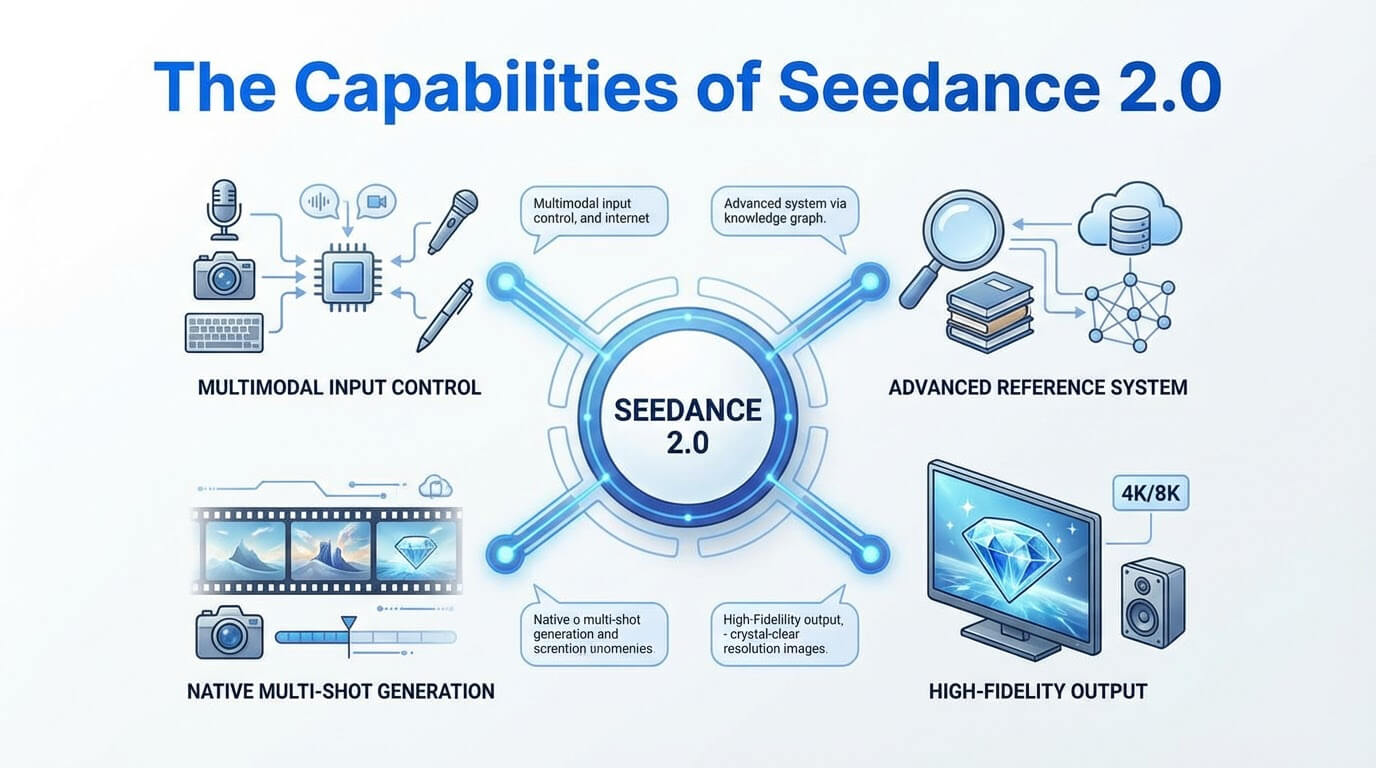
The features of Seedance 2.0 include multimodal input, open reference system, elite character consistency, native audio creation, limitless creative freedom and high fidelity output. These help to turn simple ideas into smooth, movie style videos.
The key features of Seedance 2.0 are given below.
- Multimodal input and reference: Seedance 2.0 supports multimodal input and reference, so you can guide one video using text, images, audio and short clips together in a single, flexible multi input system.
- Open reference system: Seedance 2.0 offers an open reference system, so you can load many styles, motions and character examples and let the model blend them into one final video.
- Elite character consistency: Seedance 2.0 keeps faces, clothes and body shapes stable across shots, which gives superior character consistency in longer scenes.
- Director level camera control: Seedance 2.0 lets you describe precise camera angles, pans and zooms so scenes feel like a skilled director filmed them.
- Accurate motion cloning: Seedance 2.0 takes movement from a sample clip such as a dance or walk and applies that motion smoothly to your chosen character while preserving timing and style.
- Seamless video extension and editing: Seedance 2.0 lets you grow scenes or adjust parts of a clip while keeping lighting, motion and framing naturally aligned.
- Native audio creation: Seedance 2.0 creates voices, sound effects or background audio that match the timing and mood of the generated video, which allows fully synced soundtracks.
- Realistic physics: Seedance 2.0 makes hair, fabric, water and objects move believably with proper weight, gravity and collisions, which improves natural scene dynamics.
- Limitless creative freedom: Seedance 2.0 gives you room to mix inputs, styles and references so you can design many kinds of stories and visuals.
- Extended duration and editing: Seedance 2.0 supports 15 seconds clip and easy refinements so users can polish scenes without complex video software, which streamlines production workflows.
- High fidelity output: Seedance 2.0 reaches sharp, detailed, native 4K level quality in some setups, with clean textures and smooth motion suitable for professional projects, which matches studio grade visuals.
The features of Seedance 2.0 are visualized below.
What are the applications of Seedance 2.0?
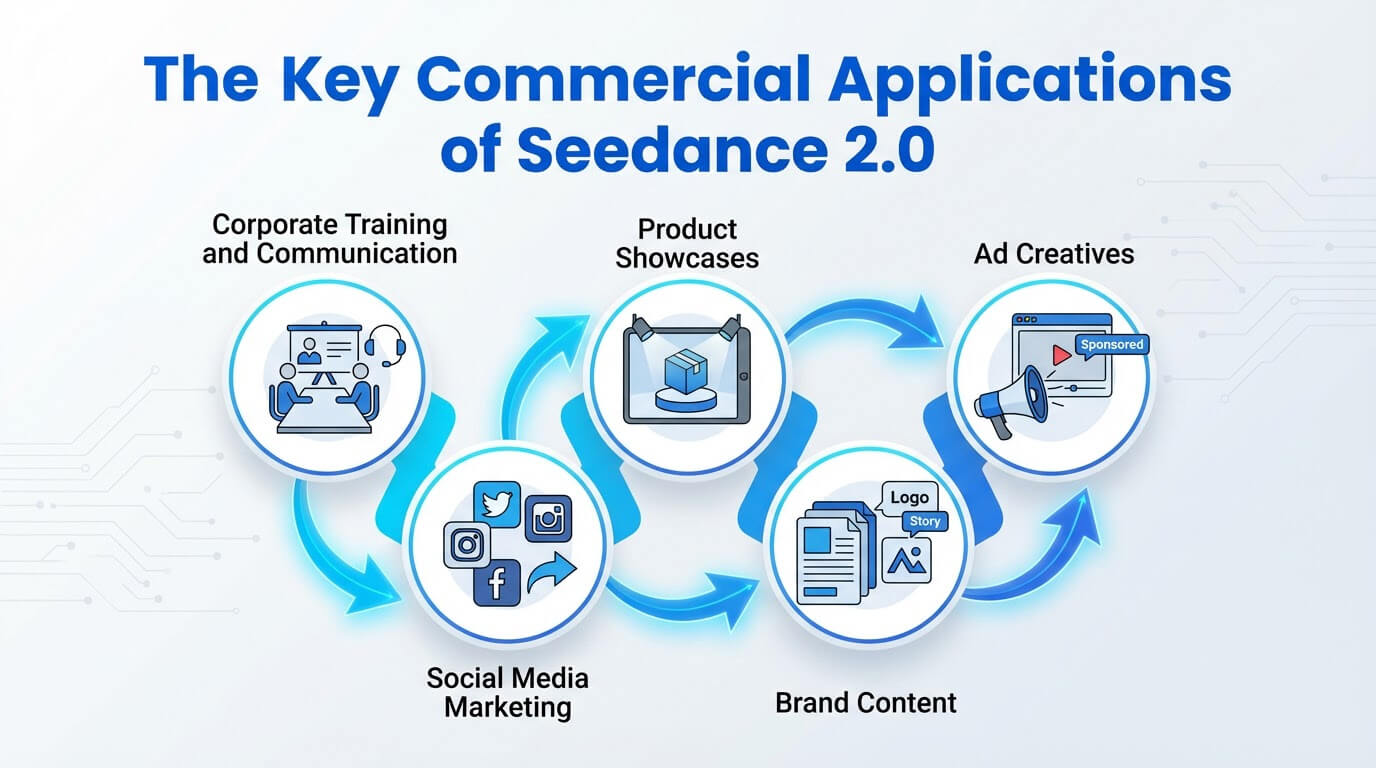
The applications of Seedance 2.0 include rapid A/B testing, limitless creative freedom, creative storytelling, social media content and audio visual alignment. These applications are focused on generating, editing and extending high quality video content for many real world needs.
The use cases of Seedance 2.0 are given below.
- Rapid A/B testing: Seedance 2.0 helps marketers create many video variations of the same idea so they can see which version gets the best response, which improves campaign performance.
- Limitless creative freedom: Seedance 2.0 lets creators mix text, images and motion references to explore unique looks, stories and styles without needing advanced filming skills.
- Marketing video production: Seedance 2.0 helps brands turn scripts and product photos into polished, high consistency ads suitable for social media, landing pages and commercial campaigns.
- Interactive learning media: Seedance 2.0 lets teachers and course creators build short explainer clips, scenarios and visual examples that keep students engaged with the lesson.
- Creative storytelling: Seedance 2.0 helps writers and filmmakers turn story ideas into visual scenes, character moments and short films for pitching or online sharing.
- Social media content: Seedance 2.0 allows influencers and brands to quickly produce eye catching clips, trends and loops that match platform formats like vertical or square video.
- Choreography replication: Seedance 2.0 lets dancers and directors transfer complex moves from reference videos onto different characters to plan performances and practice sequences.
- Advanced video editing: Seedance 2.0 allows users to rewrite scenes with text prompts, fix details or extend shots instead of doing everything manually in a timeline editor.
- Cinematic previsualization: Seedance 2.0 helps directors experiment with camera angles, lighting moods and scene blocking before spending money on real sets and crews.
- Property visualization: Seedance 2.0 lets real estate and architecture users turn plans or photos into walkthrough style videos that show spaces more clearly to clients.
- Audio visual alignment: Seedance 2.0 creates or syncs soundtracks, effects and dialogue so that audio timing matches character actions and scene changes, which improves viewer immersion.
- Multilingual tutorials: Seedance 2.0 helps educators and brands generate teaching videos in different languages so they can reach global audiences more easily, which supports localization efforts.
You can use VosuAI to access the Seedance 2.0 model and generate similar video content inside one unified platform.
The applications of Seedance 2.0 are visualized below.
How much does Seedance 2.0 cost?
Seedance 2.0 costs range between $18 to $84 per month, which depends on the subscription tier and platform. Its basic plan starts at $18 per month with 2,700 credits, the standard plan at $42 per month with 10,800 credits and the advanced plan at $84 per month with 29,700 credits through the international platform Dreamina. Seedance 2.0 is also available through all in one content creation operating system VosuAI.
Seedance 2.0 pricing tiers are visualized below.
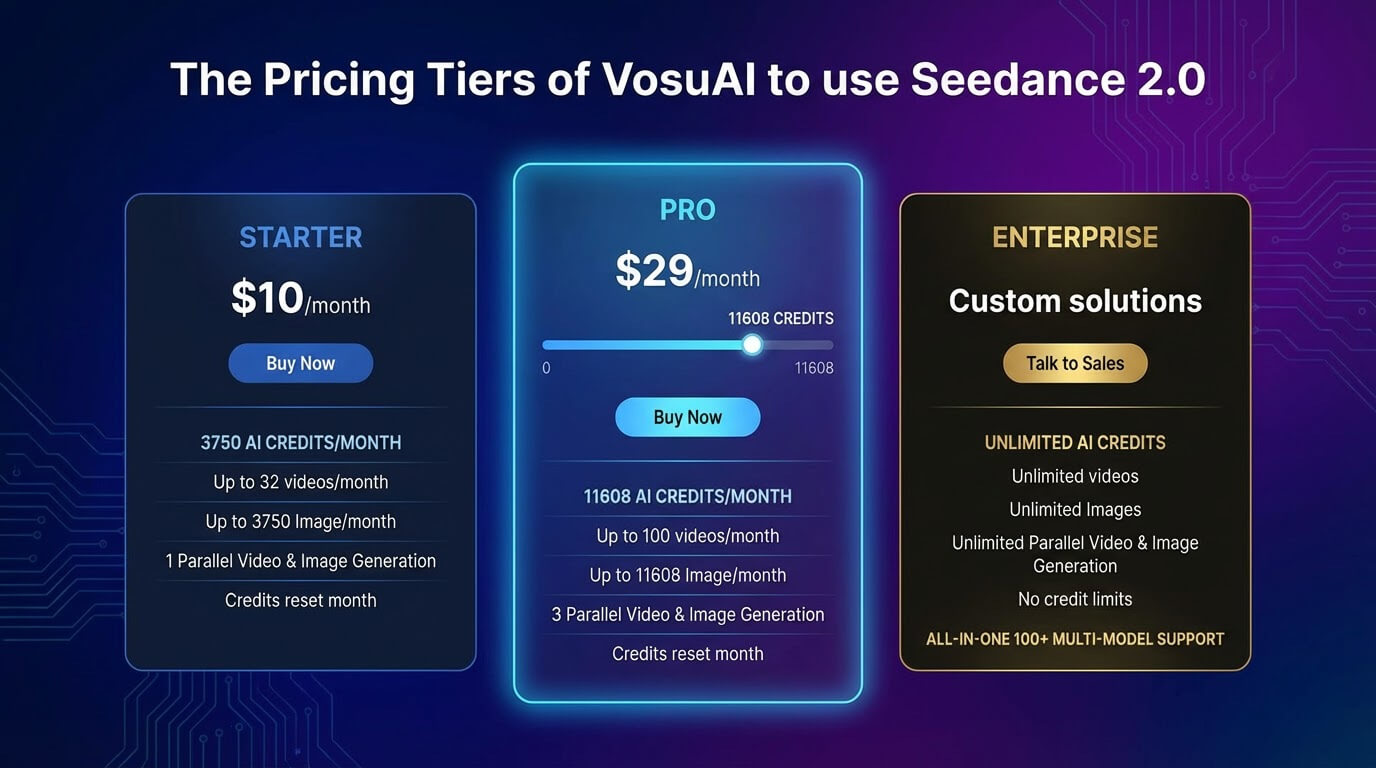
VosuAI pricing tiers include starter, pro and enterprise, structured as monthly credit based subscription plans. The costs start at 10 USD per month with 3750 credits, a Pro plan for 29 USD per month with 11,608 credits and the enterprise plan with customizable pricing and credits. VosuAI offers over 100 video generation models like Kling 3.0 Pro, Win 2.6, Sora 2 Pro and Veo 3.1 in one place with the same credit plan.
How to access Seedance 2.0?
To access Seedance 2.0, you have to go through ByteDance's own platforms or VosuAI. You need to create a Douyin or CapCut account, then log into the Jimeng or Dreamina, open the video generation area and pick the Seedance 2.0 model to access officially. You can also access Seedance 2.0 using the unified content creation platform VosuAI.
VosuAI offers a user friendly workflow and interface so users can use Seedance 2.0 instead of dealing with Chinese native sites or complex developer tools. Seendace 2.0 is not available in many regions through the official platform, but VosuAI offset this region barriers and lets its users access Seedance 2.0 from all over the world. It also lets users access over 100 trending AI video generation models like Kling, Runway, Veo within the same account and billing.
How to use Seedance 2.0?
To use Seedance 2.0, you have to go to VosuAI's video generation dashboard, select Seedance 2.0, upload the main image, use PromptGPT, choose the resolution, select the output count and generate.
13 steps to use Seedance 2.0 using VosuAI are outlined below.
- Go to VosuAI's video generation dashboard: Go to VosuAI's video generation dashboard, open your account and navigate to the main video workspace where different AI video models are listed.
- Select Seedance 2.0: Choose Seedance 2.0 from the model selection menu to use its advanced multimodal capabilities for video generation.
- Upload main image: Upload a main image that shows your main subject or scene, which gives Seedance 2.0 a clear visual reference for character, style and overall composition.
- Upload end image: Upload an end image that suggests the final frame or target look for the clip, which helps Seedance 2.0 plan transitions, motion direction and the closing pose or scene.
- Enter prompt text: Enter prompt text that clearly explains the action, setting, camera motion, mood and style you want Seedance 2.0 to follow during generation.
- Enhance prompt (optional): Enhance prompt using VosuAI’s tools or your own edits to refine wording, add details and remove confusion so Seedance 2.0 understands your idea better.
- Use PromptGPT (optional): Use PromptGPT inside VosuAI to generate structured prompts based on a reference in text or JSON format that define camera movement, lighting, transition style, motion logic, quality settings and negative prompts for optimized Seedance 2.0 output.
- Pick aspect ratio: Pick an aspect ratio that matches your target platform like 21:9, 16:9, 4:3, 1:1, 3:4 or 9:16, which depends on whether your video is for YouTube, TikTok or Instagram.
- Set duration seconds: Set duration seconds for how long you want the video to run, which balances story needs with cost and processing time.
- Choose resolution: Choose a resolution that fits your quality needs such as 1080p for faster tests or higher resolutions for more polished, detailed results.
- Toggle generate audio: Toggle generate audio if you want Seedance 2.0 to include native sound, effects, simple music or leave it off if you will add audio later in editing.
- Select output count: Select output count to decide how many different versions Seedance 2.0 should create at once, so you can compare and pick your favorite one.
- Generate and download: Generate the video, wait for processing to complete, then download the final files directly.
Can you use Seedance 2.0 for free?
Yes, you can use Seedance 2.0 for free because it offers a built-in free tier with limited generations, lower resolution and usage caps. Seedance 2.0 free access comes with limits like daily credit caps, shorter clips, and with watermarks or slower queues due to high demand. You can also use Seedance 2.0 for free through VosuAI with their limited credit to try the model before purchasing the subscription plan.
Can Seedance 2.0 handle multi-scene videos?
Yes, Seedance 2.0 can handle multi-scene videos because it is designed for multi-shot storytelling, where a single prompt is broken into several logically connected shots with smooth transitions and temporal consistency. This architecture helps it maintain consistent characters, visual style and motion across scenes, which allows clear narrative sequences instead of isolated, unrelated clips.
What reference sources does Seedance 2.0 support?
5 reference sources that Seedance 2.0 supports are given below.
- Text: Seedance 2.0 uses text as a reference source, where text provides intent, story beats, style notes and camera instructions for the whole video.
- Images: Seedance 2.0 allows up to 9 images as a reference source, where images define style, character looks, composition and key frames that guide the visual appearance.
- Video: Seedance 2.0 takes upto 3 videos as a reference source, where video clips guide motion patterns, camera paths, editing rhythm and overall multi-shot scene flow.
- Audio: Seedance 2.0 supports upto 3 audio as a reference source, where audio tracks guide pacing, timing, mood and lip sync or beat sync moments across scenes.
- Combined modalities: Seedance 2.0 uses combined modalities as a reference source, where text, images, video and audio together create comprehensive multimodal input in a reference first workflow.
What reference video lengths does Seedance 2.0 support?
Seedance 2.0 supports reference video lengths from about 4 to 15 seconds maximum per clip, focused on short, controllable segments. Its reference constraints allow up to 3 video files with a combined duration under 15 seconds, while longer inputs are rejected or automatically cropped. Seedance 2.0 accepts a total of 12 inputs such as 9 images, 3 videos and 3 audio files.
What reference video resolutions does Seedance 2.0 support?
Seedance 2.0 supports reference video resolutions in the 480p to 1080p range for inputs, as long as the footage is high quality and clear. Its maximum file size for each reference video is about 50 MB and though exact input resolution constraints are not strictly listed, longer, heavier files are rejected or auto cropped.
Do videos created with Seedance 2.0 contain watermarks?
No, the videos created with Seedance 2.0 do not contain watermarks, because watermark visibility depends on the specific platform and subscription plan. Seedance 2.0 free tiers add a visible watermark while paid tiers remove it. Seedance 2.0 videos created via VosuAI do not contain watermarks.
Is Seedance 2.0 better than Seedance 1.5 Pro?
Yes, Seedance 2.0 is better than Seedance 1.5 Pro because it delivers higher visual quality, longer and higher‑resolution clips and stronger multi-modal control while also running faster in production workflows. Seedance 2.0 improves motion consistency, supports up to 2K, improves reference based control and benefits from a more advanced, actively developed API compared with Seedance 1.5 Pro.