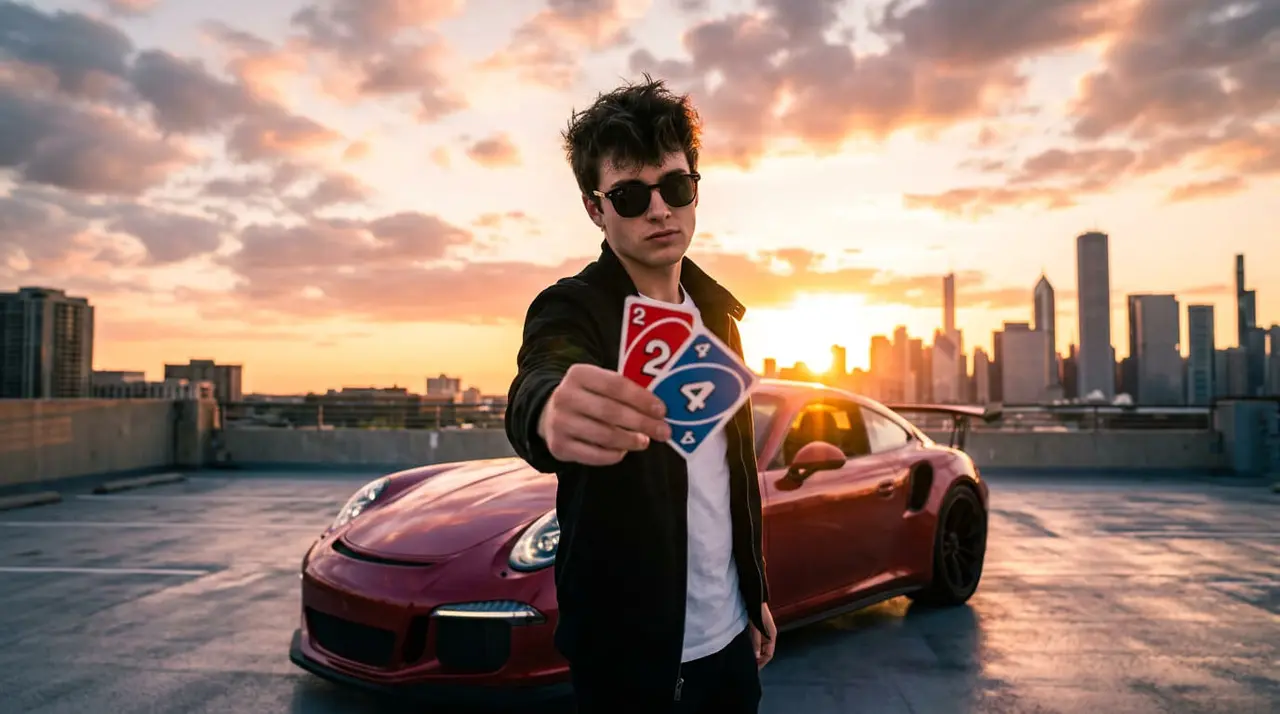
The latest viral car transition trend taking over Instagram Reels and TikTok is all about manifestation. Creators hold up two UNO cards (2 and 4), drop them to the beat of French Montana’s “Unforgettable”, and instantly transform themselves and their everyday ride into a luxury supercar or a classic vintage look—like the famous Steve McQueen edition.
If you want to jump on this Instagram trend without spending hours in complex editing software, you can do it seamlessly using VosuAI. Here is the quick, step-by-step guide to making your own viral car transition.
Steps to Make the Viral Instagram 24 UNO Car Transition Video with VosuAI
Step 1: Record Your Base Video
Go outside to your current car and shoot a quick 5-to-10-second vertical video:
- Hold a 2 and a 4 UNO card directly up to the camera lens.
- Step back slightly, lip-sync to “Unforgettable”, and swipe the cards down quickly.
- Pro-Tip: Keep the camera moving slightly (handheld style). This helps the AI generate more realistic camera physics and metallic paint reflections later.
Step 2: Set Up VosuAI
Traditional editing apps can't track human movement and car bodies accurately for a swap this clean. VosuAI handles this perfectly by housing advanced video-to-video AI models in one dashboard.
- Log into your VosuAI account and open the AI Studio.
- Upload your raw "UNO card drop" base video.
- Choose a powerful video-to-video engine inside the platform (like Seedance 2.5 or Kling) optimized for cinematic environmental rendering.
Step 3: Add Your Style Reference & Prompt
To turn your video into the Steve McQueen edition (or any supercar of your choice), upload a high-quality reference photo of your dream car and aesthetic. Then, copy and paste this exact prompt into the generator:
"Transform the vehicle and person in the base video into a cinematic 1970s Hollywood aesthetic. Replace the car with a photorealistic vintage Porsche 917 racing car with Gulf Oil livery. Replace the person with a man wearing a vintage white racing suit, keeping the exact same camera panning, handheld movement, and background lighting. Maintain consistent motion blur, realistic metallic paint reflections, and perfect physical boundaries for a seamless car transition."
Note: If you want a modern supercar instead, just swap out "vintage Porsche 917" for "Matte Black Lamborghini Aventador" or your vehicle of choice.
Step 4: Export and Sync on Instagram
Set your resolution to 1080p and ensure the aspect ratio is 9:16 for vertical mobile viewing, then hit generate.
Once your VosuAI video is ready, download it and open Instagram or CapCut. Load the audio track “Unforgettable” and align the track's heavy beat drop precisely with the exact frame your UNO cards swipe downward.
Go Viral: Caption and Hashtags
To help the Instagram algorithm pick up your video, copy and paste these high-traffic search terms and hashtags into your caption:
#24cartrend #viralcartransition #UNO24Trend #CarManifestation #VOSUAI #AIVideoTrend #InstagramTrend #UnforgettableCarTrend #SteveMcQueenEdition