What Users Say About
VosuAI's PromptGPT?

See how creators, marketers and beginners save time and generate consistent AI prompts with VosuAI.
My biggest frustration was wasted tokens on generic images. PromptGPT's technical reframing turned my simple descriptions into high fidelity assets. Now, I get professional results without the constant refining loops.
Sarah Junior
Senior Marketing Manager, New York
Features of VosuAI's PromptGPT
Build structured prompts faster and smarter. Control style, format, and output for text, image, and video models. Export ready to use prompts instantly and skip repetitive rewriting or inconsistent results.
Visual prompt building
Create prompts using an intuitive visual interface. Arrange styles, camera angles, motion or scene setup, and preview structure instantly. Let AI interpret your ideas accurately, no rewriting or guessing required.
Multi-model intelligence
Write one prompt and generate model-specific outputs. Choose Nano Banana 2, FLUX 2 or Kling 3.0. PromptGPT adjusts wording, structure and context automatically for consistent, optimized results.
Dual media processing
Avoid limited media formats that slow your workflow. Toggle the image or video option to define your content type. PromptGPT converts both text and videos into structured tokens for precise AI generation.
Aesthetic style control
Eliminate uncertainty over your creative vision. Apply the visual style menu to apply specific artistic aesthetics or photographic qualities. PromptGPT ensures outputs match your intended style exactly, without trial and error.
Virtual cinematography control
Direct scenes like a filmmaker. Set camera angle, lens and framing. Add motion cues and generate visuals or videos with cinematic composition and polished, professional-quality results.
01
Select media type
Pick whether your prompt is for an image or a video. This ensures all following steps generate outputs customized to your chosen media type.
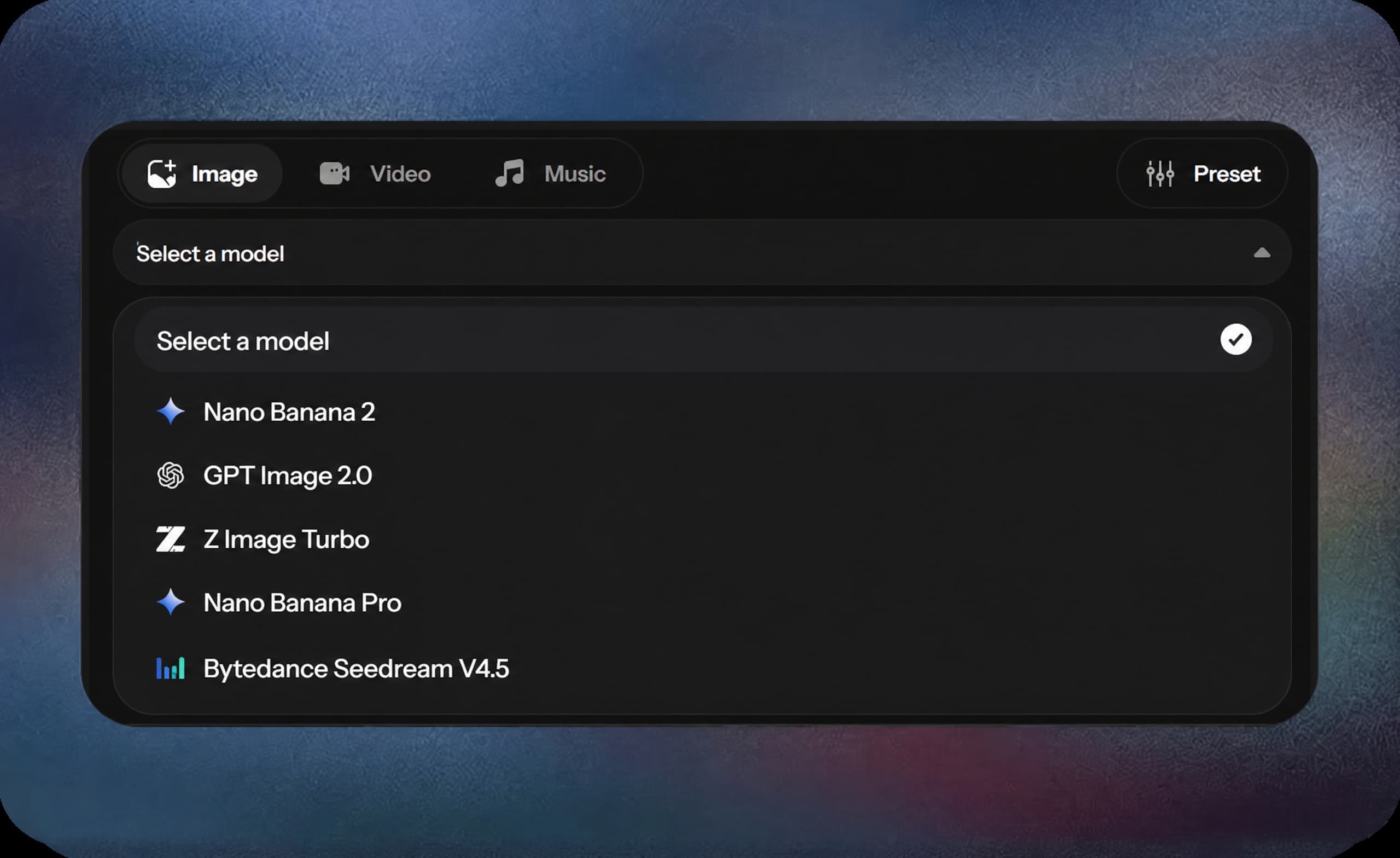
02
Select a model
Choose a model like Nano Banana 2, FLUX 2 or Kling 3.0. PromptGPT adjusts prompts automatically for consistent outputs every time.
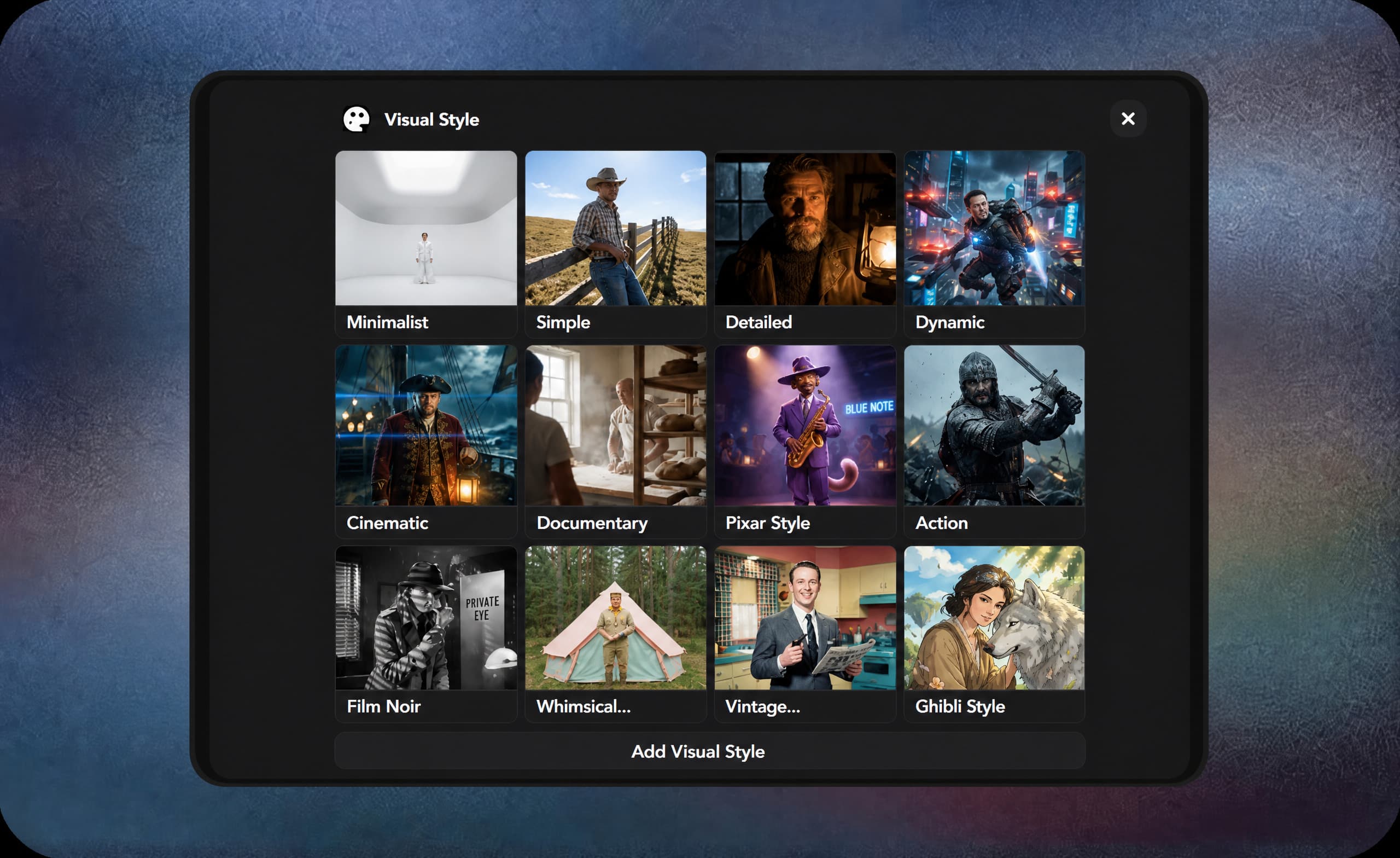
03
Select visual style
Choose a visual style to define mood and artistic direction. Styles like Cinematic or Minimalist shape lighting, color, and atmosphere for your visuals or videos.
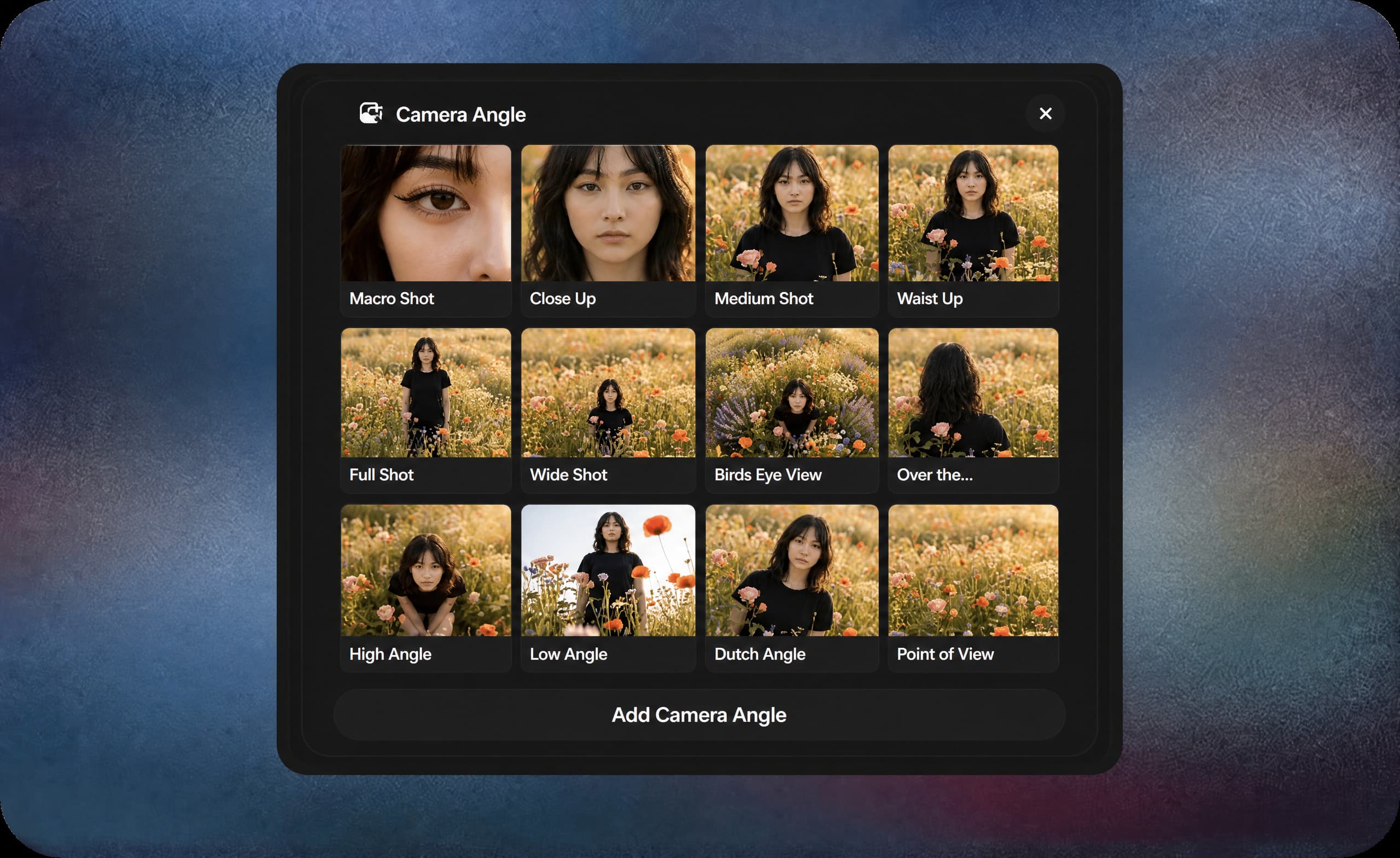
04
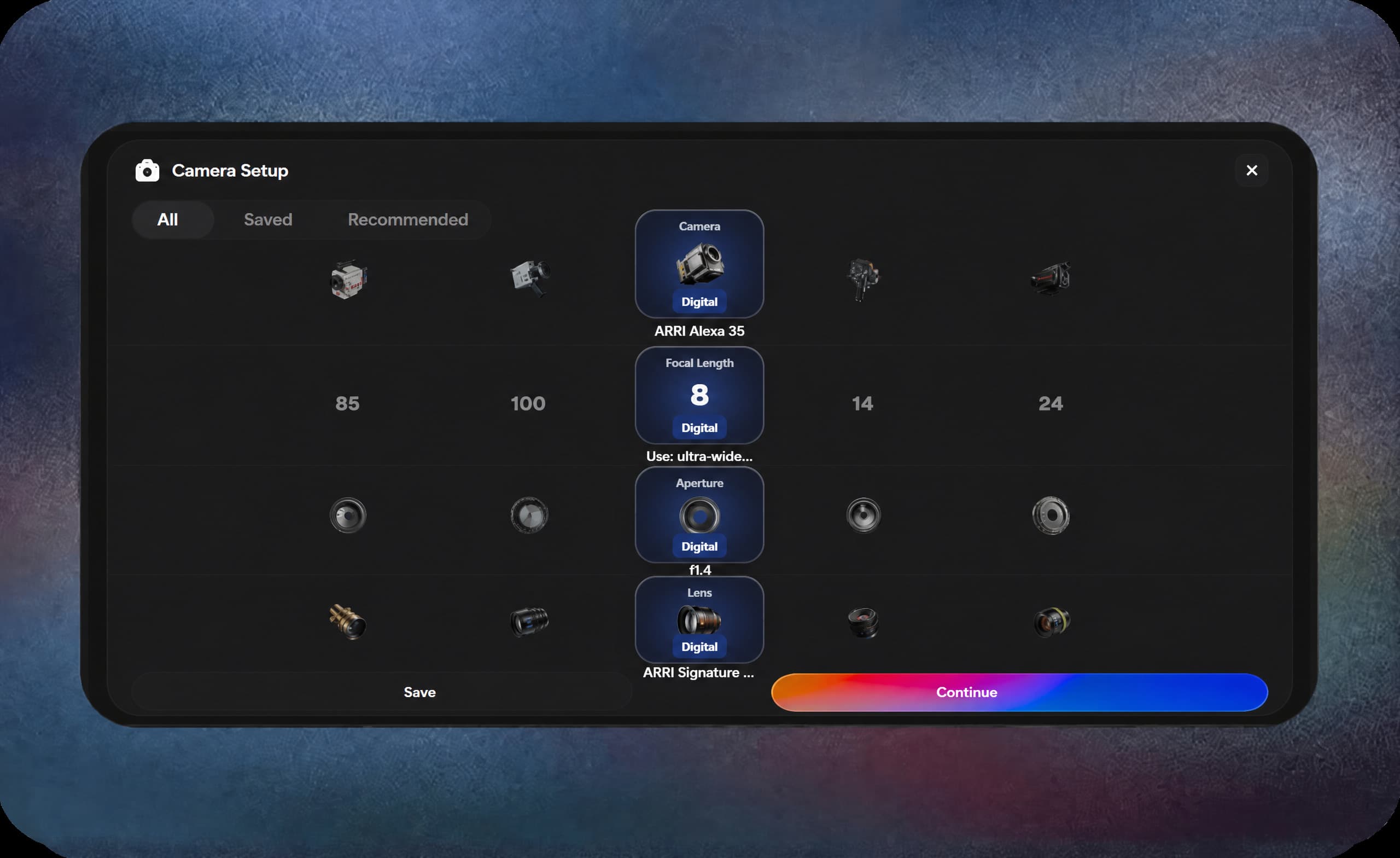
Choose camera angle
Choose a camera angle to control perspective and framing. Options like close up, wide shot or micro determine subject focus, scene depth and viewer attention.
05
Choose camera motion
Set motion like orbit, handheld or zoom in. Interpret pacing and cinematic flow correctly. Ensure your video prompts maintain realistic movement and directional energy.

06
Choose prompt format
Navigate to the output format section and select Text, JSON or Markdown. Produce predictable, precise prompts compatible with every supported engine.
07
Choose output number
Click 1, 2, 3, or 4 to set output variations. Multiple outputs let you pick the best scene and save time.
08
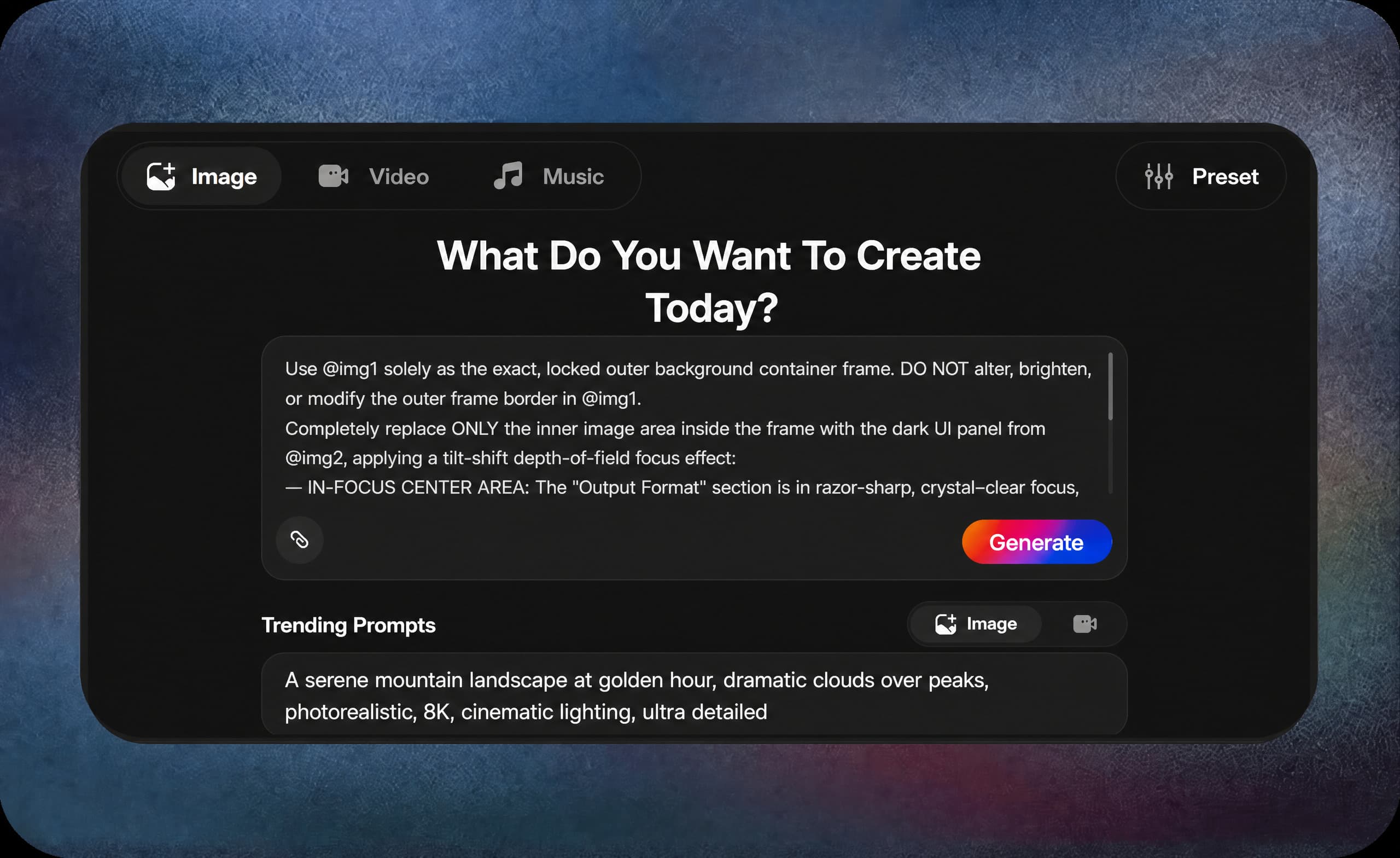
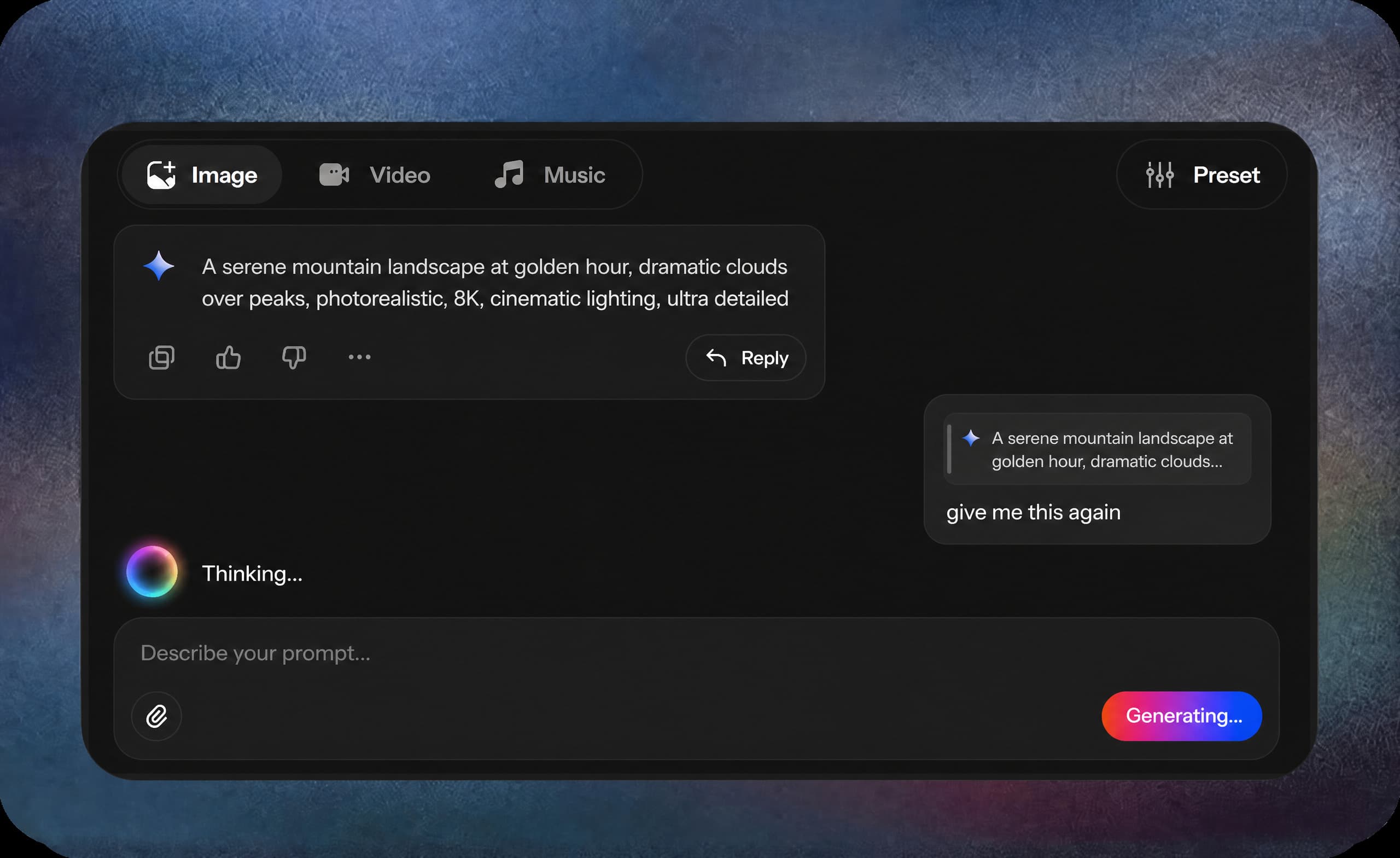
Describe your prompt
Write a clear description of your idea. PromptGPT converts it into structured instructions to generate visuals or videos that match your concept precisely.
09
Generate and save
Click generate to create your prompts. Save or use existing presets instantly for reuse, ensuring consistent results and faster project completion.
Who should use VosuAI's PromptGPT?
PromptGPT helps professionals, creators, marketers and learners turn ideas into structured prompts. Preserve style, reduce trial and error and generate consistent outputs fast.






Get the best deal with VosuAI
Access 150+ leading AI image & video generation models through our flexible pricing tires. Enjoy affordable plans, full feature access and scale your AI image & video creation effortlessly for personal or professional projects.
Other AI Tools By VosuAI
Discover other VosuAI tools that help you create, edit, and enhance videos, images and prompts with ease. Save time, keep your content consistent and bring your ideas to life faster. Explore the full suite and see what fits your workflow.
Frequently Asked Questions
Learn frequently asked questions about the prompt generator.
What is PromptGPT?
What does PromptGPT do?
PromptGPT transforms user needs into structured prompts that help the AI deliver precise, high quality, context aware responses. It interprets goals from text based input and defines the roles, tasks and constraints for the model. This structure organizes everything into clear instructions that reliably guide the AI toward relevant and accurate outputs.